3
36
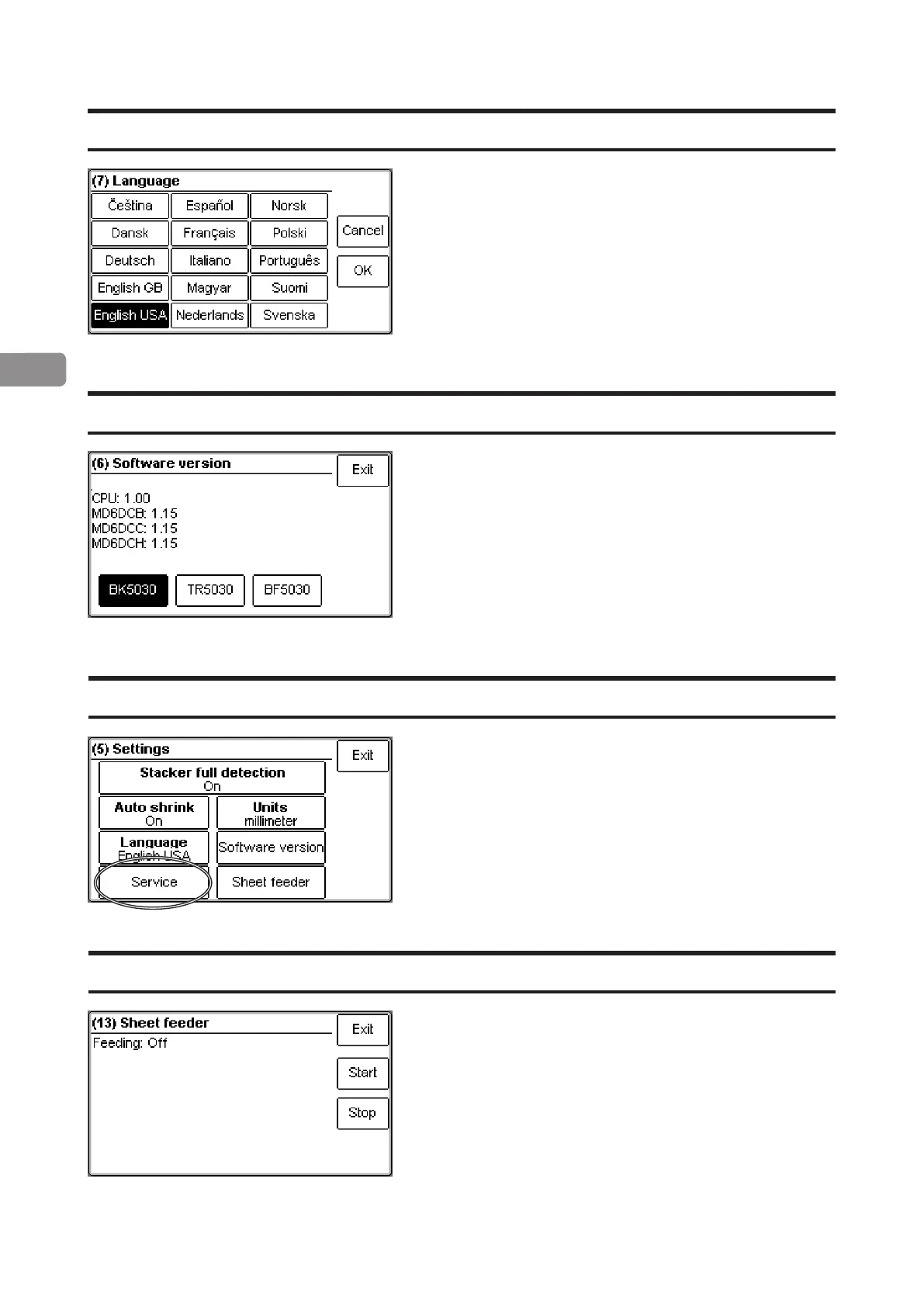
Language
Select desired language by pressing the
corresponding button and save by pressing the
[OK] button.
Select machine by pressing the corresponding
button to display the software version. Press [Exit]
button to go back to the Settings screen.
Software version
Service access
Sheet feeder
This function is for authorized service personnel only
and is password protected.
This function allows you to individually fold the sheets
loaded in the cover feeder in a sequence. Load the
cover feeder and press the [Start] button to begin
folding. Press the [Stop] button to stop.
See section 2. Making Booklets, for how to load the
cover feeder.



 To Next Page