2
32
Book fold unit
General
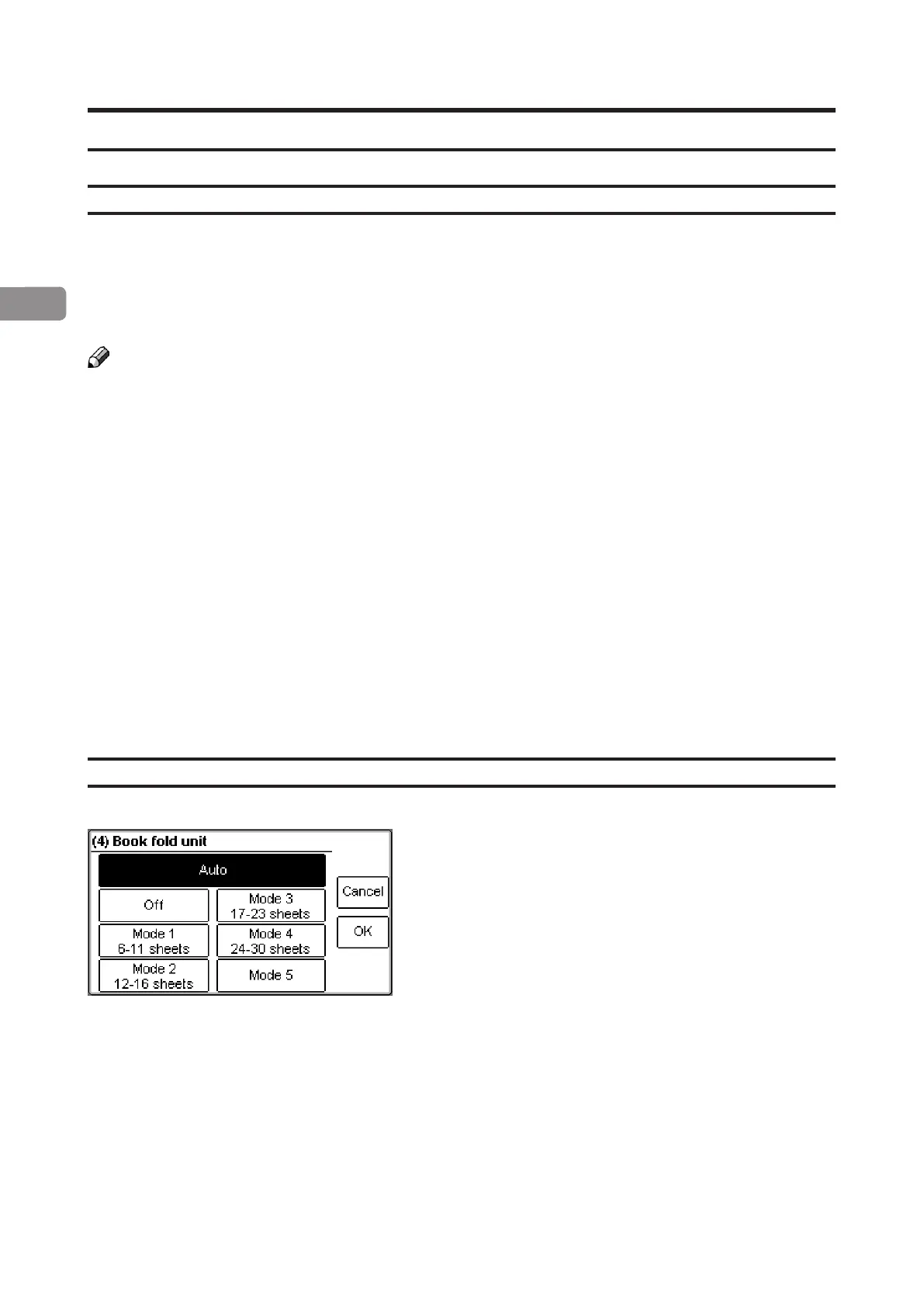
The Book Folder has seven different settings. It can be set to [Auto], [Off] , [Mode 1], [Mode 2],
[Mode 3], [Mode 4] or [Mode 5].
In [Auto] mode, the Booklet Maker automatically sets the Book Folder to the correct mode
based on the information about paper weight and number of sheets in the set.
Note
When the Book Folder is set to [Auto] and the booklet has less than approximately 6 sheets/
booklet, the Book Folder will bypass the Square folding action, transporting the booklet out
to the Belt stacker.
Select [Off] to bypass the Book Folder without any square forming action.
Use the manual modes to override the auto function. There are ve different manual modes
to select from.
Mode 1: Approximately 6 to 11 sheets. Decreased amount of square forming.
Mode 2: Approximately 12 to 16 sheets. Medium amount of square forming.
Mode 3: Approximately 17 to 23 sheets. Increased amount of square forming.
Mode 4: Approximately 24 to 30 sheets. Maximum amount of square forming.
Mode 5: The square forming action is performed twice. This mode can be used
when the booklet has extra high paper weight cover and square forming
using the above modes still not produces a at booklet.
Selecting book folding mode
From the Ready screen, press the [Book fold unit]
button.
Select the desired mode and save setting by pressing
the [OK] button.



 To Next Page