2
34
Make sure that the [staple icon] is present on the copier control panel. If not, turn off the
Copier and Booklet Maker. First turn the Booklet Maker ON and then turn the Copier ON.
Make sure that the Booklet maker system is set according to your job specication.
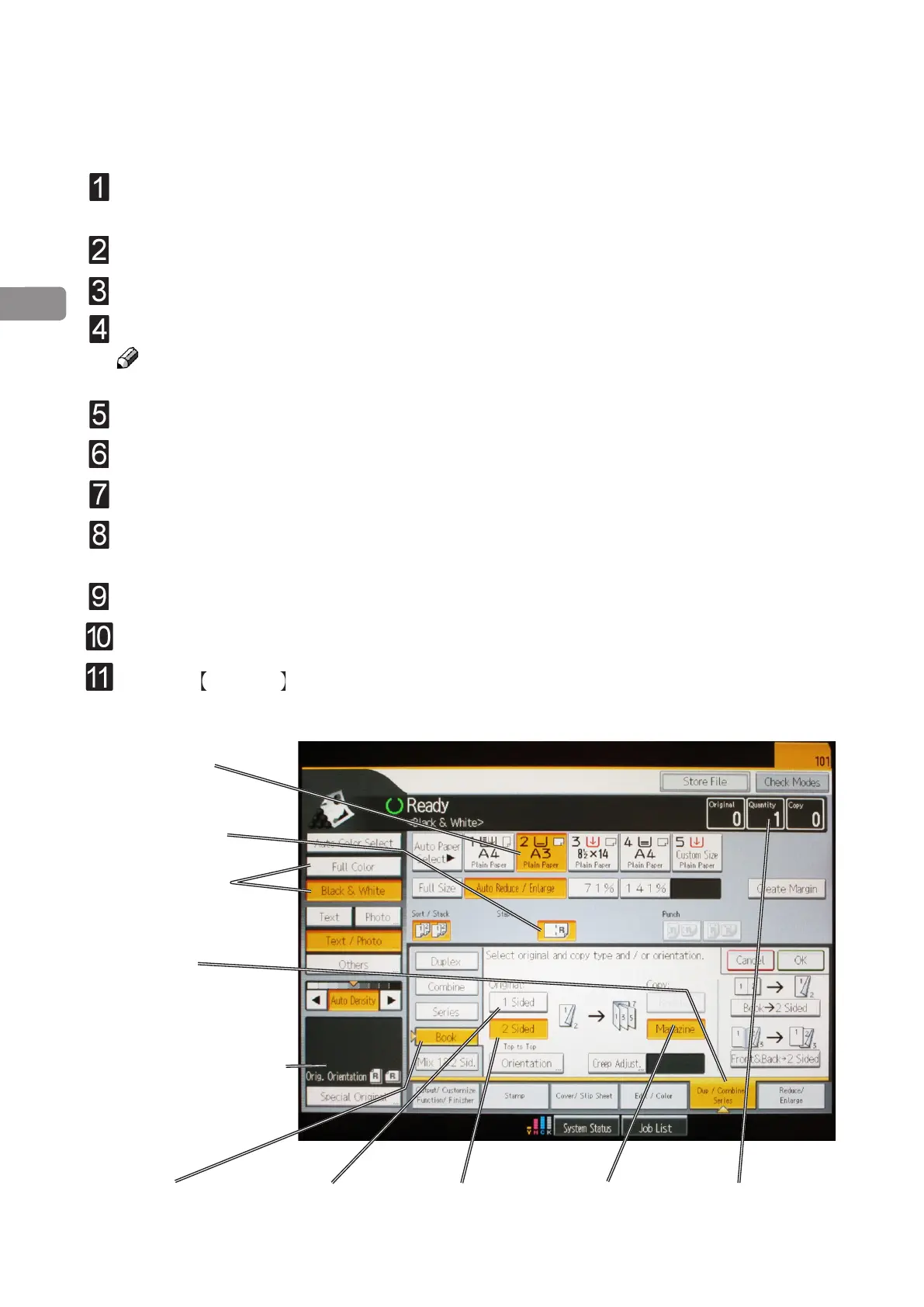
Select [Paper tray] (A).
Select [Staple icon] (B).
Note
Make sure correct original orientation (C) is selected.
Select Color/Black & White (D).
Select [Dup / Combine / Series] (E).
Select [Book] (F).
Select [1 Sided] (G) if your originals are only printed on one side or [2 Sided] (H) if they
are printed on both sides.
Select [Magazine] (I).
Select [Quantity] (J).
Press the Start key .
Begin On-line Production
A. Paper tray
B. Staple icon
C. Color/B&W
E. Dup. / Combine /
Series
F. Book
H. 2 Sided
G. 1 Sided I. Magazine
J. Quantity
D. Original orientation



 To Next Page