Customizing Your Phone
2 - 3
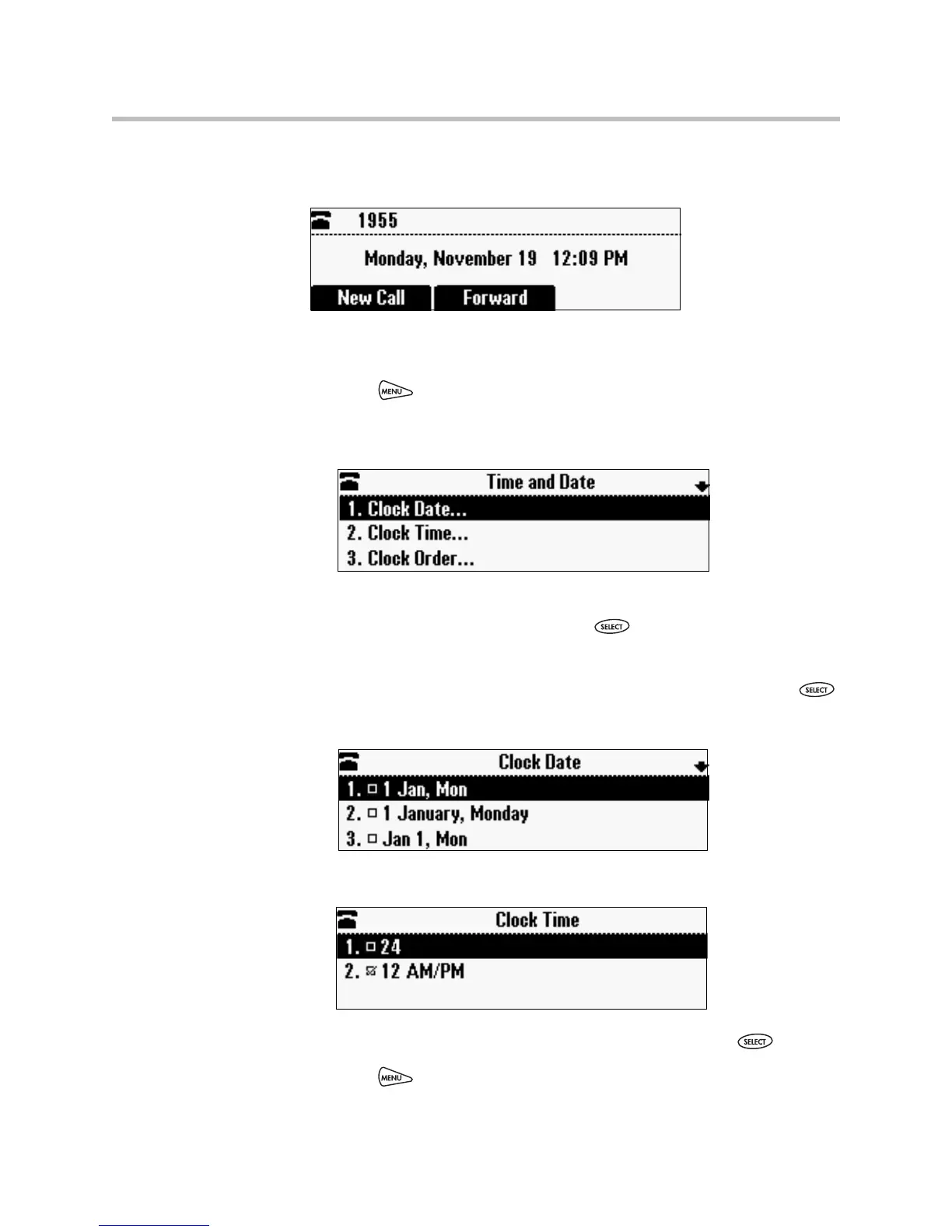
The following figure shows the default format for the date and time display on
the phone screen.
To update the time and date display:
1. Press , and then select Settings > Basic > Preferences >
Time and Date.
The Time and Date screen displays.
2. Do one of the following:
— To change the date format, press .
or
— To change the time format, scroll to Clock Time, and then press .
The Clock Date screen or the Clock Time screen displays.
or
3. Scroll to the date or time format you want, and then press .
4. Press to return to the idle screen.












 To Next Page