Using the Advanced Features of Your Phone
4 - 7
To manage instant messages:
1. Press , and then select Features > Messages > Instant Messages.
2. From the Instant Messages screen, you can do the following:
— To view instant messages, press the Next or Prev soft keys to cycle
through the messages in order.
— To delete a message, press the Next or Prev soft keys to scroll to the
message, and then press the Delete soft key.
— To create a new message, press the New soft key. (See Sending Instant
Messages, below.)
Sending Instant Messages
To send an instant message:
1. Press , and then select Features > Messages > Instant Messages.
2. From the Instant Messages screen, do one of the following:
— To send a message, press the New soft key.
Enter the phone number or IP address, and then press the Ok soft key.
Or, to enter a URL, press the 1/A/a soft key to select uppercase or
lowercase mode, enter the URL, and then press the Ok soft key.
or
— To reply to a message, press the Next or Prev soft keys to select a
message. Then, press the Reply soft key.
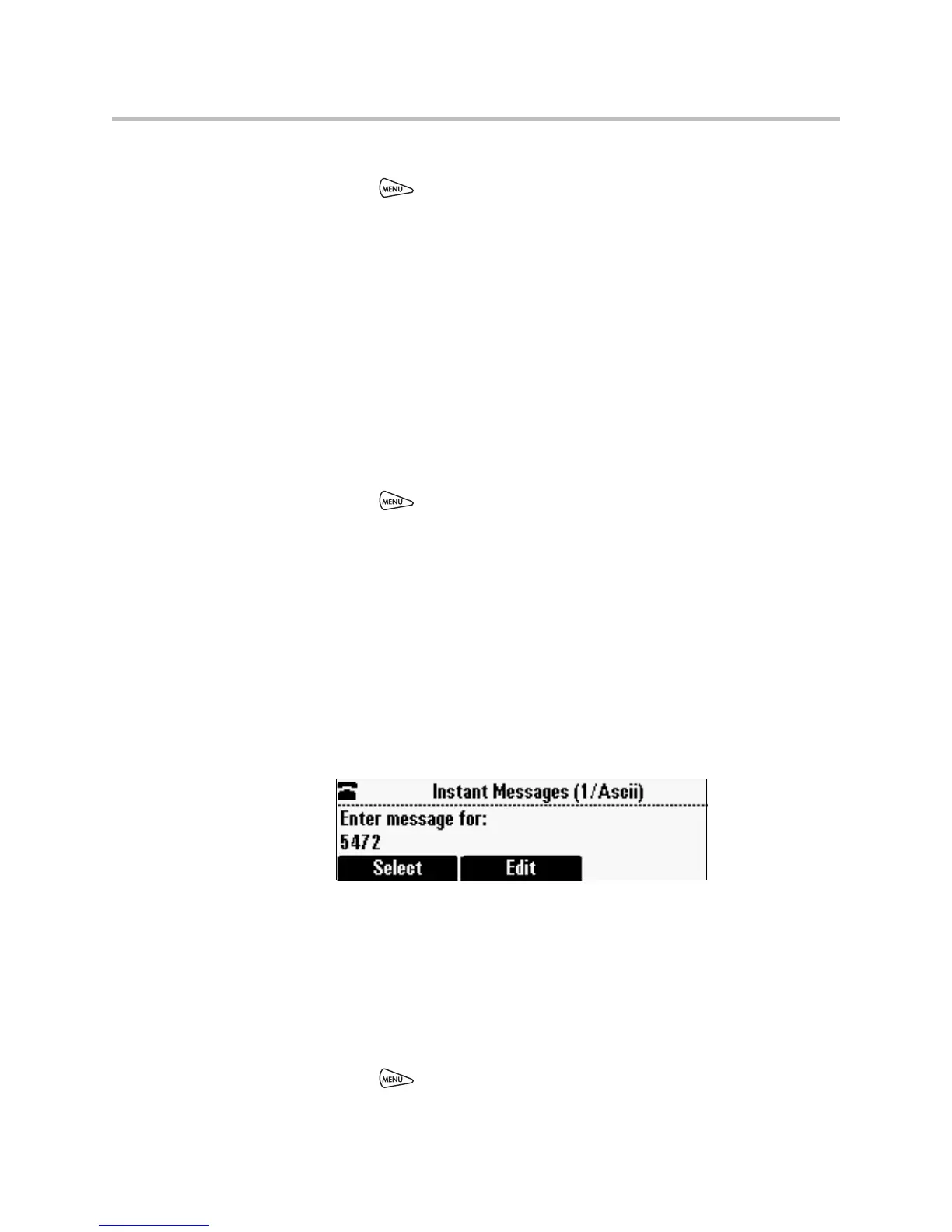
The Instant Messages screen displays. The phone number or URL you
entered or selected displays on the screen.
3. Do one of the following:
— To choose a pre-scripted short message, press the Select soft key.
From the Message Select screen, scroll to the message you want.
or
— To compose a custom message, press the Edit soft key. Then, enter
your message.
4. Press the Send soft key.
5. Press to return to the idle screen.














 To Next Page