Architecture
2
27
Polyend Synth Manual
26
Polyend Synth Manual
Architecture
2
NOTES
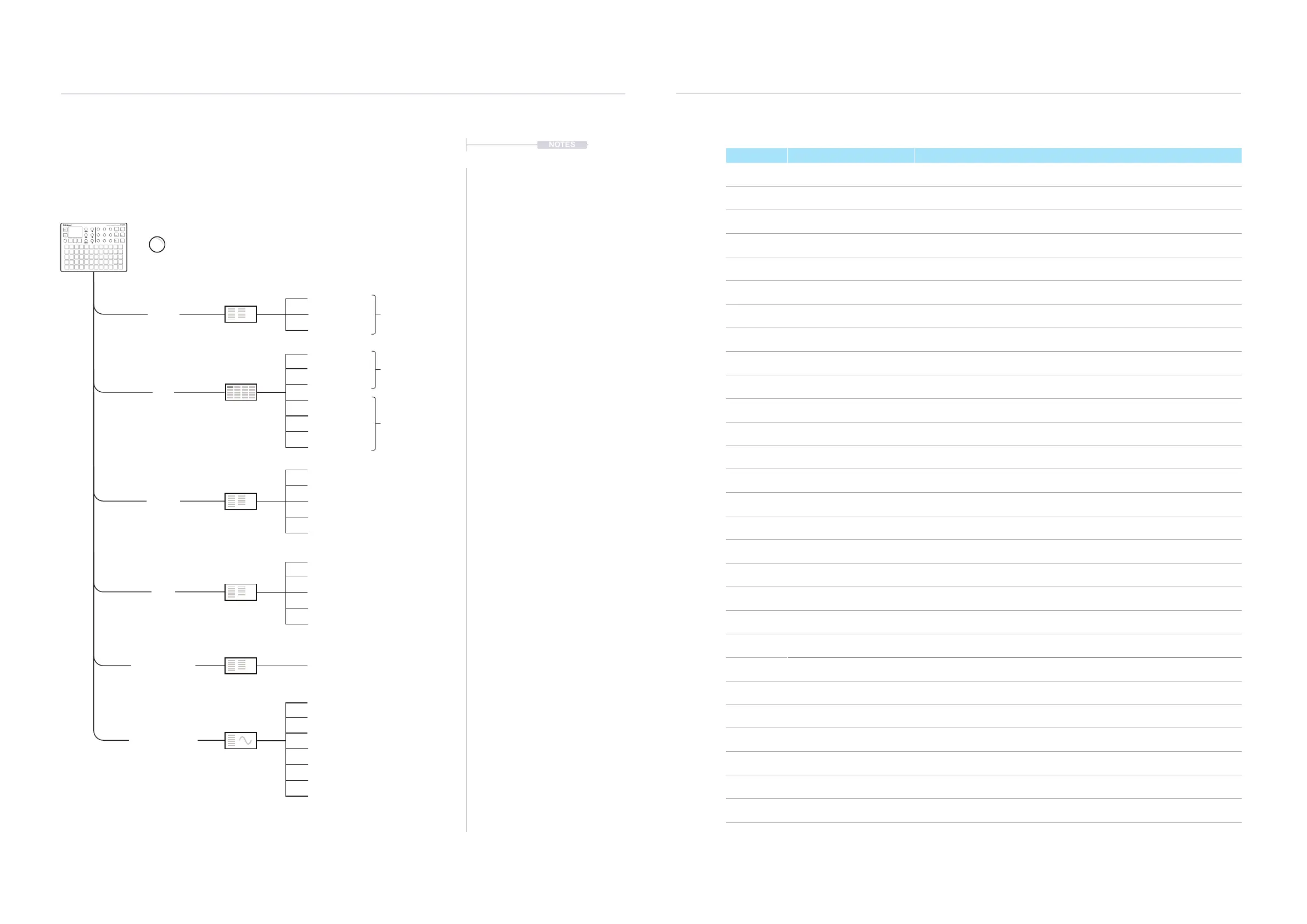
2.4 Settings Menu Map
As a quick guide to the settings and main menu hierarchy in Synth the
following diagram illustrates the main pages.
Menu Option Description
Synths Voices
An audio ‘channel’ allocated to a single note in a polyphonic sound. Synth has a
maximum number of 8 voices which can be allocated across the 3 synths.
Synths MIDI Channel The MIDI Channel assigned to control the specic synth.
Synths Local Mode
Local mode ‘On’ allows the pads and/or MIDI to control the synths. When off, pads
are disconnected and Synth is controlled using an external MIDI controller only.
Grid Layout Selects the pad layout style for how the synths are mapped to the 5 x 12 grid.
Grid Scale Generic scale setting across the synths.
Grid Root Global root note.
Grid Mode Selects the pad function. Selects from note or a selection of chord options.
Grid Chord Selects a chord or chord pack.
Grid Root Root note and octave for the specic synth.
Grid Mapping
Note layout across pads, Wrap - Notes bottom left to right or Note+ to increment
up the rows in semitones.
Macros 1. Timbre Macro 1 plus name assigned to ‘C1’ knob. Controls a set of assigned parameters.
Macros 2. Movement Macro 2 plus name assigned to ‘C2’ knob. Controls a set of assigned parameters.
Macros 3. Experiment Macro 3 plus name assigned to ‘C3’ knob. Controls a set of assigned parameters.
Macros Velocity Velocity macro and the assigned parameters
Macro Aftertouch / Pressure Pressure and aftertouch macro and the assigned parameters
MIDI Clock In Sets Synth to recognise an external MIDI Clock as the primary tempo control
MIDI Transport In Assigns the port for Transport in control
MIDI Clock Out Sets Synth as a primary clock sending clock tempo out to an external MIDI device.
MIDI Wait for Start (Ext Transport In) Allows Synth sequence or Arp to respond to external MIDI transport messages.
MIDI Control Change Mapping Utility to display the CC messages mapped for each accessible parameter.
Scene Settings
Program Change Mapping Utility to map PC messages 0-7 to Presets.
Settings Grid Sensitivity A selection of settings for pad playback and velocity Behavior
Settings Aftertouch Mode A selection of settings for aftertouch Behavior
Settings Pitchbend Range Range of pitchbend. 1-24 semitones.
Settings Pitchbend Speed Speed that the pitchbend control returns to zero.
Settings Save workspace when idle Auto save of the workspace and scenes.
Settings Enter USB Storage mode Sets the Synth to be seen as an external drive when connected by USB.
Settings Firmware Opens the rmware details page and the rmware update feature.
Mixer
Effects
Engine Filter
Scene
Preset
ADSR LFO
Seq
Mod
Shift
Volume
Tempo
Pitchbend
C1
C2
C3
Multi-engine Polyphonic Synthesizer
Synth
[Synths]
[Grid]
[MIDI]
[Scene Settings]
[System Settings]
[Macros]
Layout
Grid Sensitivity
Clock In
Scale
Aftertouch Mode
Transport In
1. Timbre
Root
Pitchbend Range
Clock Out
2. Movement
Mode
Pitchbend Speed
Wait for Start (Ext Transport In)
3. Experiment
Chord
Save workspace when idle
Control Change Mapping
Velocity
Aftertouch / Pressure
Root
Enter USB Storage Mode
Program Change Mapping
Firmware
Mapping
Tap (Screen) to access the main menu.
Voices
Local Mode
MIDI I/O Per Synth
Per Synth
Global



 To Next Page