85
Polyend Synth Manual
84
Polyend Synth Manual
NOTESNOTES
LFO 1 - Page 1
Sync Frequency or Ratio Waveform
On or Off 0-100 Hz or Intervals Options
Set to Off for speed in
frequency. On synchronises
based on ratio of note
interval divisions.
Speed of LFO in Hz or if
Sync is on, in note interval
ratios.
Modulation wave shape:
Triangle, Sin, Ramp Up,
Ramp Down, Square,
Random S&H
LFO 2 - Page 2
Sync Frequency or Ratio Waveform
On or Off 0-100 Hz or Intervals Options
Set to Off for speed in
frequency. On synchronises
based on ratio of note
interval divisions.
Speed of LFO in Hz or if
Sync is on, in note interval
ratios.
Modulation wave shape:
Triangle, Sin, Ramp Up,
Ramp Down, Square,
Random S&H
Retrigger
Options
Waveform retrigger: Free
running will continuously run;
One Shot will cycle once
when a note is triggered;
Note will trigger from the
start and continuously run
each time a note is triggered.
Retrigger
Options
Waveform retrigger: Free
running will continuously run;
One Shot will cycle once
when a note is triggered;
Note will trigger from the
start and continuously run
each time a note is triggered.
Synths
5
Synths
5
Envelope Aux - Page 3
Attack Decay Sustain
Time: 0.00-10 Sec Time: 0.00-10 Sec Level: 0.00-100%
Aux envelope attack time.
Time for audio to reach max
level.
Aux envelope decay time.
Time between max time to
the sustain level.
Level of audio sustained
while note is still on.
Release
Time: 0.00-10 Sec
Aux envelope release time.
Time from note off to silent.
5.13 Macros
Macros allow a collection of selected parameters to be assigned to a single
control knob. This knob is then used to adjust all these parameters
together. The three C1, C2, and C3 knobs are used for macro control.
Velocity (default volume) and Pressure Macros also exist.
Using Synth Macro & Combo Controls
The macros are controlled using the C1, C2, and C3 Knobs. This will adjust
the values of the parameters assigned. An example is to control both the
lter and amp envelope attack with one knob. When changing the macro
knob, the parameters of the currently selected synth are edited.
In addition the C1, C2 and C3 knobs can be used to control a macro
combination of all common parameters for multiple synths. This is
performed by holding multiple synth screen buttons while adjusting the
macro knob.
▌ ADJUSTING A MACRO
1. Select a Synth using the screen buttons.
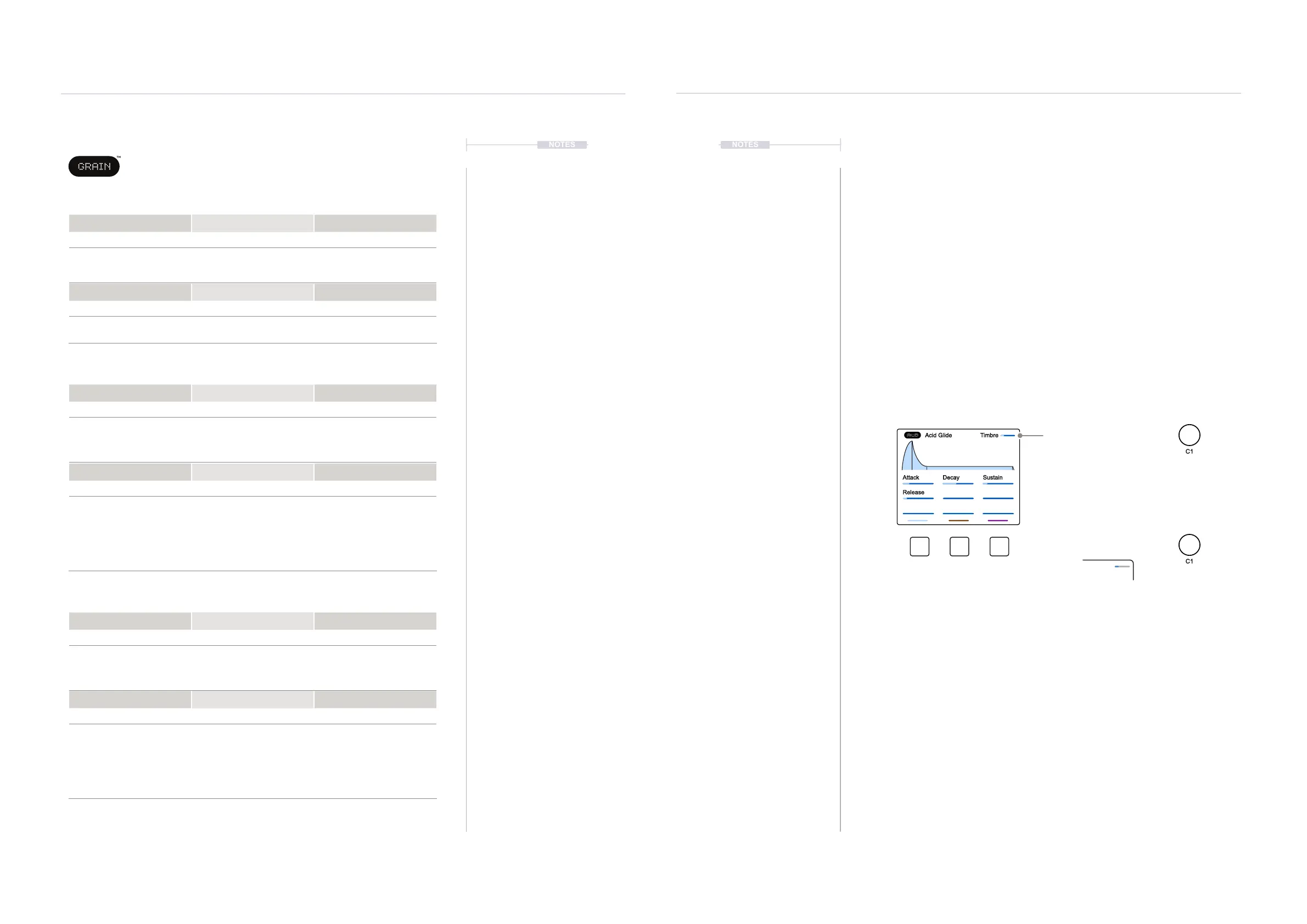
2. Adjust the macro. Turn (C1) or (C2) or (C3). The selected macro will be
adjusted and in turn affect the parameters assigned to the macro. The
Macro and value is displayed top right.
3. Adjust macros for several Synths. Hold the screen buttons for each of
the 3 synths to edit + Turn (C1) or (C2) or (C3). The selected macro will
be adjusted for all selected synths. The ‘Combo’ name and value is
displayed top right.
Timbre
Attack Decay Sustain
Release
Acid Glide
Macro displayed while editing
Combo displayed while editing
The current synth is edited
The held / selected synths are edited
Hold one or more screen buttons to
select the synths to edit. Synths are
represented by the display colours.
Combo 1



 To Next Page