109
Polyend Synth Manual
108
Polyend Synth Manual
NOTESNOTES
7.3 Using the Sequencer
The sequencer can record notes manually played on the pads when in
record mode. The parameters are then applied when playing the recorded
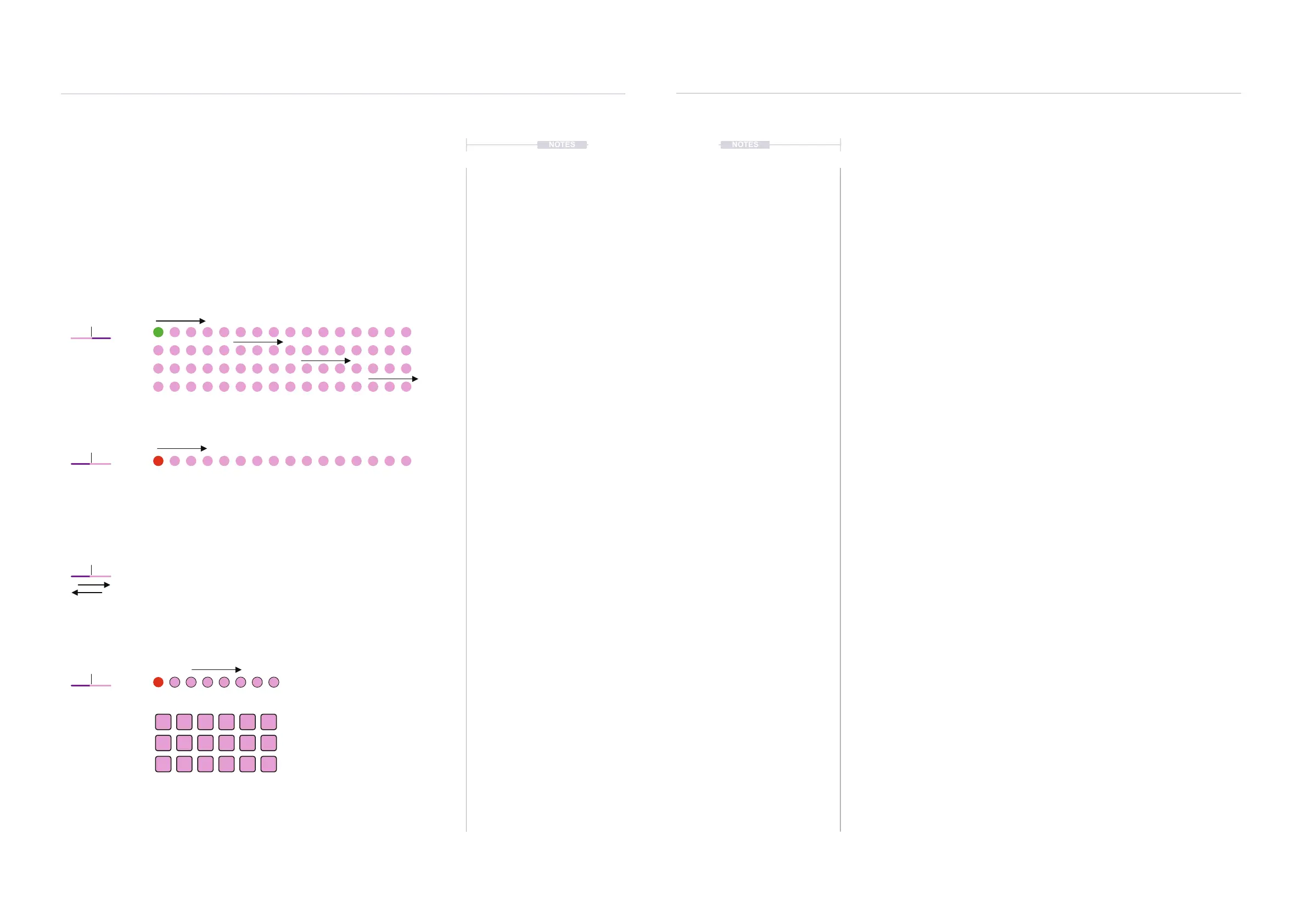
sequence back. The recorded notes are displayed as dots on the display.
Display Format
Sequencer patterns are saved for each synth with the Scene. Creating a
sequence pattern is performed in [Seq] Mode using the pads. Once
created, a sequenced note pattern cannot be edited, but the sequence
parameters can be adjusted.
▌ RECORDING A SEQUENCE
1. Select the Synth to edit. Press the screen button.
2. Open the Sequencer page. Press [Seq] to cycle to the Seq Page 3.
Alternatively in the Sequencer page, Turn the rst, top left parameter
knob to select between Off, Arp, Seq On. Any previous pattern is
retained when switching from Off.
3. If required, a sequence can be cleared at any time. Turn the [Play | Rec]
knob to ‘Rec’ Mode, then, without recording a pattern, turn back to
‘Play.’ The pattern is cleared and a ‘No Sequence’ is displayed.
4. To Record a pattern, Turn [Play | Rec] parameter knob to ‘Rec’ Mode.
The active step will be coloured red.
5. Play the Pads of the selected Synth. Each pad will record the respective
note into the sequencer pattern. Steps will automatically increment up to
a maximum of 64 notes. At this stage, the note value and melody are
most important.
6. Once the pattern is recorded, Turn [Play | Rec] parameter knob to ‘Play’
Mode. The active step will be coloured green and the pattern locked in.
▌ PLAYING AND EDITING A SEQUENCE
1. Once a pattern is recorded and ‘Play’ mode is active, the pattern can be
played. Press [Pad] to play the sequenced pattern. If pressing the
original rst pad, the notes will be the same as recorded or can be offset
by notes relative to any other pad played. If MIDI Transport is
congured this may affect the sequencer playback.
2. The sequence behavior can be edited. It is useful to lock playback using
[Shift] + [Pad] then adjust or tweak the parameters. As a tip, start with
the rate and note length, then try the swing, humanize and groove
settings to nd an appropriate melody.
3. To Save a sequence, Save the Scene. Sequenced patterns are saved
for the Synths with the Scene.
Sequencer & Arp
7
Sequencer & Arp
7
The Sequencer can record up to 64 Steps per Synth
Notes are recorded in ‘Rec’ Mode using the Synth Pads. Notes
are recorded and played left to right, top row rst and will loop
back to the start from the last step.
Switch to record and back to play without recording to clear a pattern
When notes are recorded the rate, timing etc can all be adjusted
afterwards during playback while auditioning the pattern.
Sequence or Arp patterns
are saved with the Scene.
Step 1
Step 1
1 82,3,4 5,6,7
Step 16
Step 8
Play
Record
Clear Pattern
Example
8 Note pattern
The active step is shown green when in playback mode and red
when in recording mode. Other active steps are based on the
colour of the synth selected.
Play Rec
Play Rec
Play Rec
Play Rec
C
C
D
D ED D E E D#
C# D# E



 To Next Page