107
Polyend Synth Manual
106
Polyend Synth Manual
NOTESNOTES
7.1 Sequencer & Arp Overview
Synth has a built-in sequencer and arpeggiator per engine slot. The
sequencer page has options to record and playback note patterns and set
the sequencer's behavior. Use the [Seq] button to select the options.
An arpeggiator generates a note pattern by breaking a chord into discrete
notes and then playing these notes in a cyclic pattern. A sequencer is a
function that is used to record a pattern from the notes played. These can
then be played back as a continuous pattern.
The sequencer and ARP parameters govern the pattern playback Behavior.
Only one Arp or Seq function can be applied per synth.
7.2 Sequencer Overview
Synth has a built in sequencer and arpeggiator. The sequencer can record
up to 64 notes and then play back the recorded note patterns. There are
several parameter option which are used to control the sequencer Behavior.
The sequencer is found on Page 3.
Sequencer & Arp
7
Sequencer & Arp
7
Sequencer
Seq Swing Play / Record Mode
Select Global 50% - 75% Mode Select
Select the source modier
function for modulation
channel 1.
Adds an amount of variation
by shifting some notes
slightly off grid to play earlier
or later
Select ‘Rec’ to record a
sequence using the pads.
Once recorded, select ‘Play’
to use the pads to play back
the recorded pattern at the
selected pad note pitch.
Rate Gate Length
Options 1% - 200%
Selects the note interval for
the sequence. The options
are: 1/1, 1/2, 1/4. 1/8, 1/16,
1/32, 1/64.
Length of each note in the
sequence pattern.
Groove Humanize
1-11 0-100%
Selects a groove template 1-
11 in order to apply to the
arpeggio or sequence
pattern.
Adds a human shufe or
rhythmic feel to the
generated arpeggio or
pattern.
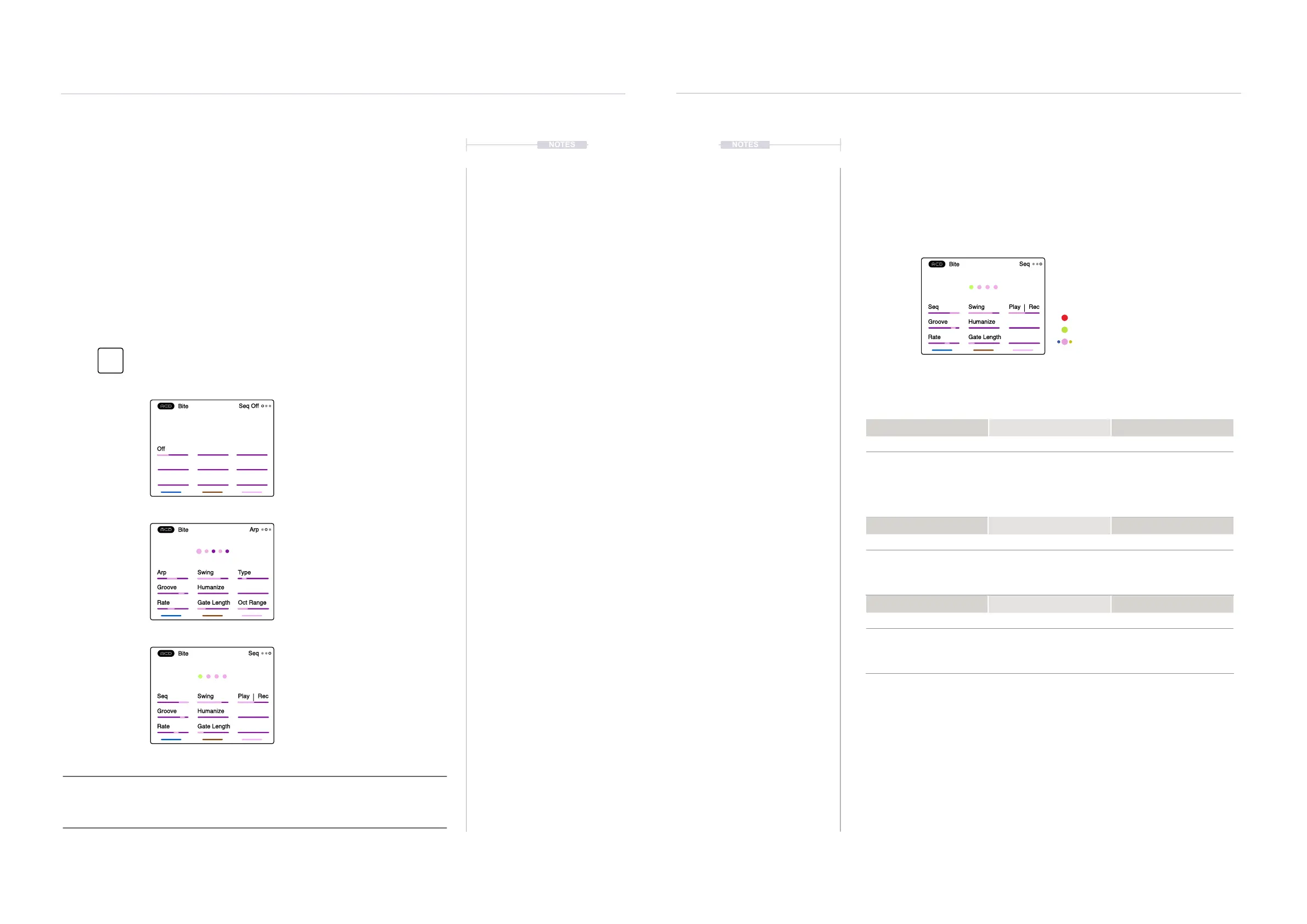
Press [Seq] button to open and cycle through the Off, Arp
and Sequencer pages.
Seq
Mod
Seq Swing Play Rec
Groove Humanize
Rate Gate Length
Bite
Seq
Arp Swing Type
Groove Humanize
Rate Gate Length Oct Range
Bite
Arp
Seq Swing Play Rec
Groove Humanize
Rate Gate Length
Bite
Seq
Page 1 - Sequencer Off
Page 2 - Arp On
Page 3 - Sequencer On
Recording Mode, Cursor Step
Playback Mode, Cursor Step
Recorded Notes (colour of synth)
The recorded pattern is represented
by the central dots. If no sequence is
present a ‘No Sequence’ message is
displayed.
MIDI Transport:
The Sequencer and Arp are also affected by the tempo or the internal clock. Also the
incoming MIDI Transport settings will determine how external play / stop are handled.



 To Next Page