53
Polyend Synth Manual
52
Polyend Synth Manual
NOTESNOTES
Synths
5
Synths
5
While each synth preset can be edited to design a sound per synth, a set of
general ‘Synth’ congurations is also available in the main menu, which
should be considered at the outset, especially the polyphony option
explained earlier.
Sound design is an iterative process involving parameter adjustments and
tweaking by ear. These steps cover the basic editing process.
▌ EDITING SYNTH PARAMETERS FOR SOUND DESIGN
1. Ensure the scene in which to work is open and active and a specic is
synth selected for editing.
2. Pages are laid out with up to 9 parameters, each controlled from the
equivalent knob from the 9 unlabelled touch sensitive knobs.
3. To trigger a sound, Press [Pad] for the specic synth. To lock a sound
on or to release a locked sound pad, Hold [Shift] + Press [Pad]. Double
Tap [Shift] to clear all locked pads. Multiple pads can be triggered and
the sounds generated will be based on the polyphony of the synth. It is
often useful to lock a sound when editing.
4. A good optional tip to get started is to ensure the lter is off, Select
[Filter] and Turn (Cutoff) knob clockwise until ‘Off’. This will deliver a full
sound, unltered as as good starting point.
5. The typical starting point is the synth engine itself. Press [Engine] to
open the page and access the oscillators and sound generation
functions and parameters. Each press of [Engine] cycles through the
available pages.
6. Adjust the desired parameter using the touch sensitive knobs to tweak
and tune the oscillator or sound generator. This will be based on the
engine selected. See the Synth data sheets for specic parameter
details.
7. The lter can be revisited through the iterative process, as can the two
ADSR Envelopes which control the lter and amp volume output. While
setting up the envelopes, consider triggering the pad note Pad should
manually rather than lock the note. This will ensure the attack, decay,
sustain and release stages can be heard.
8. Save the sound as a preset. Hold [Shift] + Press [Preset] to open the
browser. To Save As, Hold [Shift] + Press [Save As] screen button. The
naming window will allow a name to be created. To Save, Simply Press
[Save] to save / overwrite into the existing preset name.
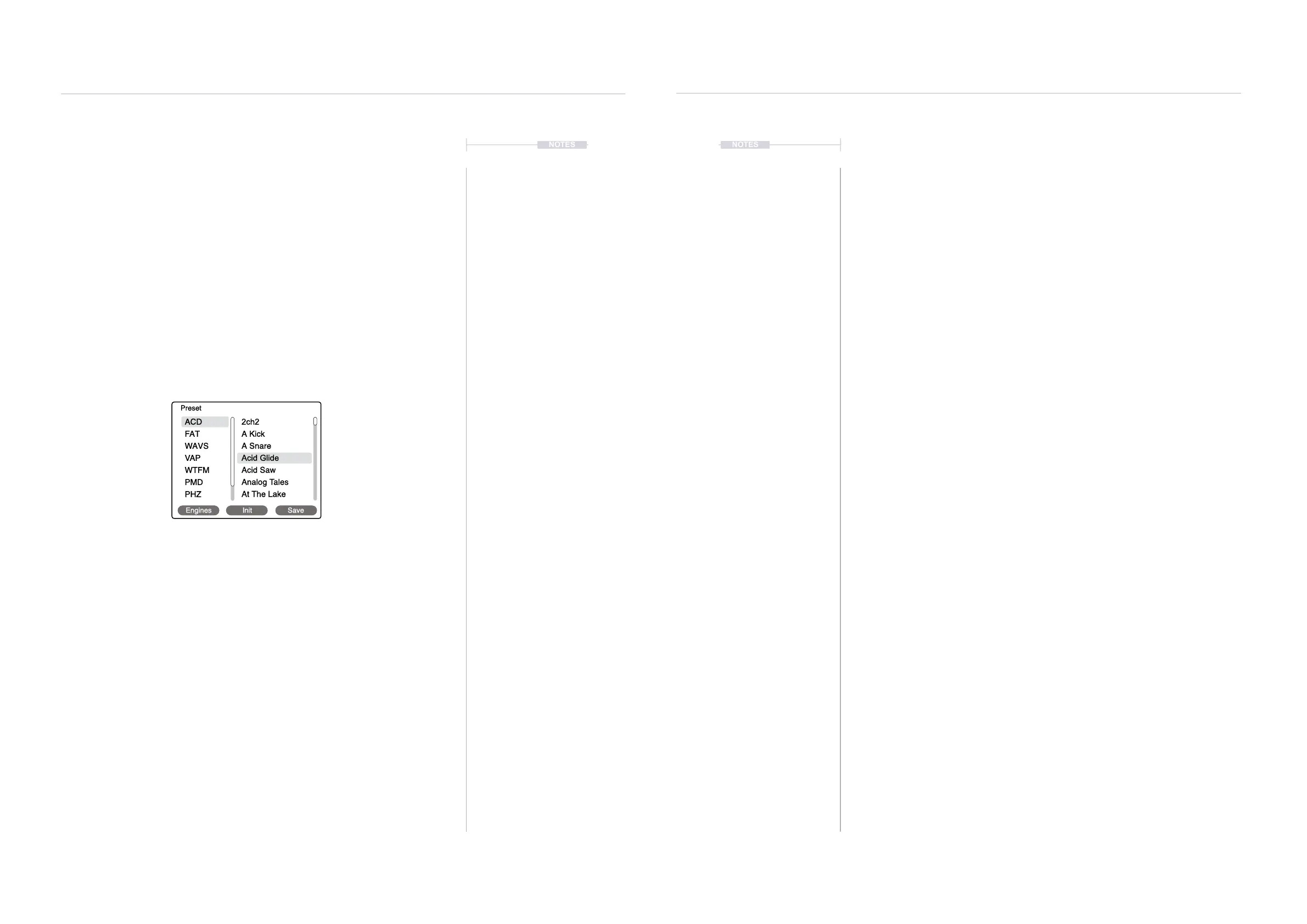
4. Select a synth preset from the library. Navigate menu options by turning
(Screen) and select menu options by pressing (Screen) Knob.
• Hold [Shift] + Press [Preset] to open the preset browser.
• Press [Engines] screen button to browse the engines. Turn to
navigate and then Press (Screen) knob to select the engine and list
the presets available.
• To choose an existing preset, Turn (Screen) to browse and Press
(Select) knob to select a preset.
• To create a new preset, Press [Init] screen button to open a default
state synth for the engine selected.
Engines Init Save
ACD
2ch2
Acid Glide
A Kick
Acid Saw
A Snare
Analog Tales
At The Lake
FAT
WAVS
VAP
WTFM
PMD
PHZ
Preset



 To Next Page