131
Polyend Synth Manual
130
Polyend Synth Manual
NOTESNOTES
9.3 Grid Pad Behavior Settings
A number of grid pad preferences that affect the user experience when
using the pads are congurable in the main menu settings, accessed by
pressing the (Screen) knob. These include pad sensitivity and aftertouch.
▌ CHANGING GRID SENSITIVITY
1. Press (Screen) Knob to open the main menu.
2. Navigate using the screen knob to the ‘System Settings’ menu option.
Press (Screen) to select and open this menu.
3. Navigate using the screen knob to the ‘Grid Sensitivity’ option. Press
(Screen) to select and open the options.
4. The grid sensitivity options are listed. Navigate using the screen knob to
the option desired. Normal is default. Press (Screen) to select desired
option.
▌ CHANGING THE PAD AFTERTOUCH BEHAVIOR
1. Press (Screen) Knob to open the main menu.
2. Navigate using the screen knob to the ‘System Settings’ menu option.
Press (Screen) to select and open this menu.
3. Navigate using the screen knob to the ‘Aftertouch Mode’ option. Press
(Screen) to select and open the options.
4. The aftertouch options are listed:
• Off. No aftertouch is applied when using the pads.
• Immediate. Aftertouch is applied immediately a pad is pressed.
• Delayed. Aftertouch is applied but with short delay from when a pad
is pressed to the aftertouch value being applied.
9.4 USB Storage Mode
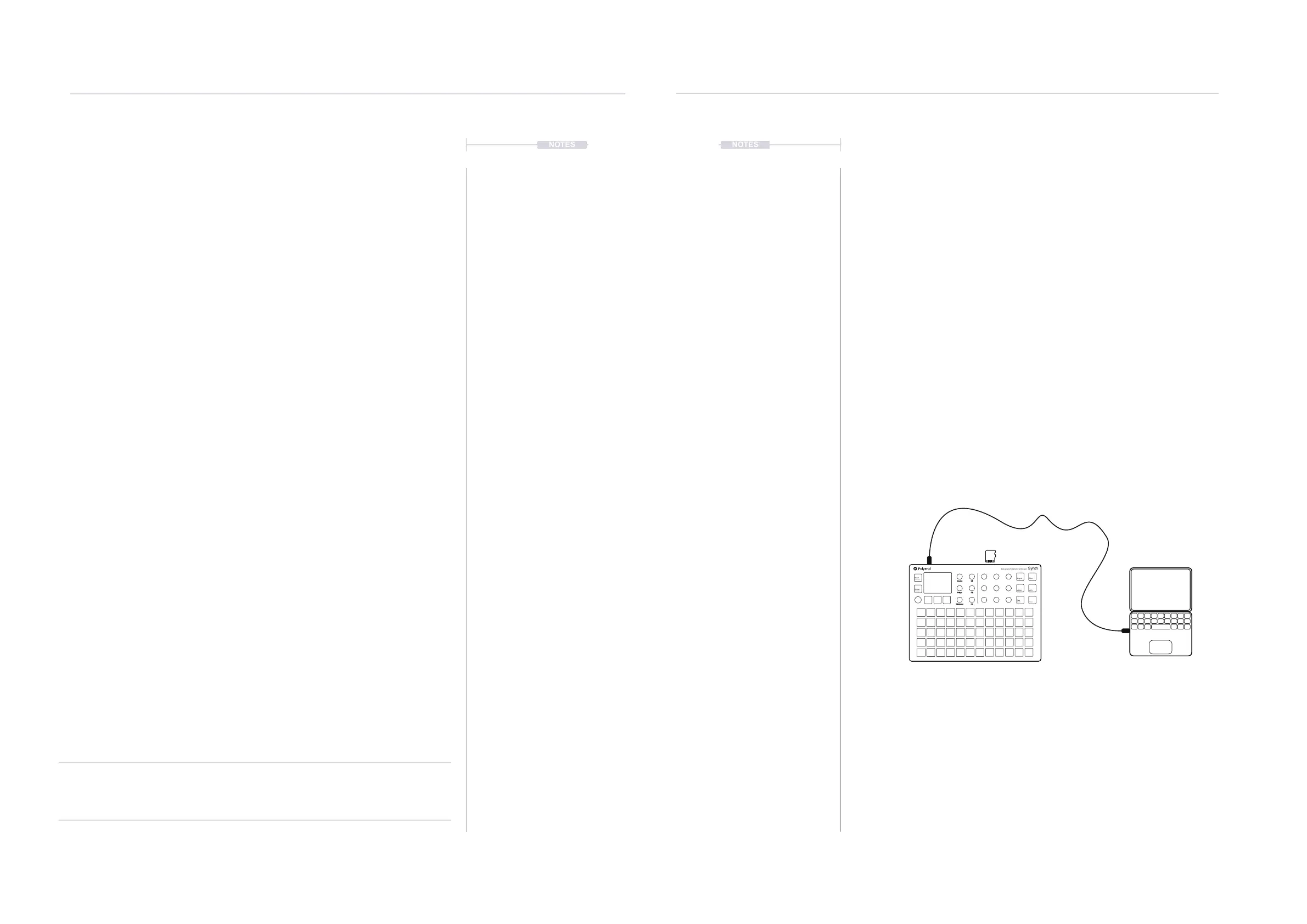
Synth can be set to USB Storage device mode. This means that the SD
Card can be accessed from a connected Mac or PC, recognised as an
external drive.
▌ SETTING UP USB STORAGE MODE
1. Connect a PC or Mac to Synth using a USB Cable.
2. Press (Screen) Knob to open the main menu.
3. Navigate using the screen knob to the ‘System Settings’ menu option.
Press (Screen) to select and open this menu.
4. Navigate using the screen knob to the ‘Enter USB Storage Mode’
option. Press (Screen) to select.
5. The SD Card installed in Synth is now accessible from the PC or Mac
le manager. This will be accessed the same way as an external drive.
6. Once complete eject the drive from the PC or Mac and Press [Back] to
exit the option from Synth.
Pads are velocity sensitive registered when pressing a pad. Also aftertouch applies a pressure value
after the pad is played in order to vary the note after it is triggered. Velocity is how hard the pad is
played and aftertouch is how the pad pressure is varied after the initial trigger.
System
9
System
9
Mixer
Effects
Engine Filter
Scene
Preset
ADSR LFO
Seq
Mod
Shift
Volume
Tempo
Pitchbend
C1
C2
C3
Multi-engine Polyphonic Synthesizer
Synth



 To Next Page