Edition: A03 September 6, 2018
12
【Input】
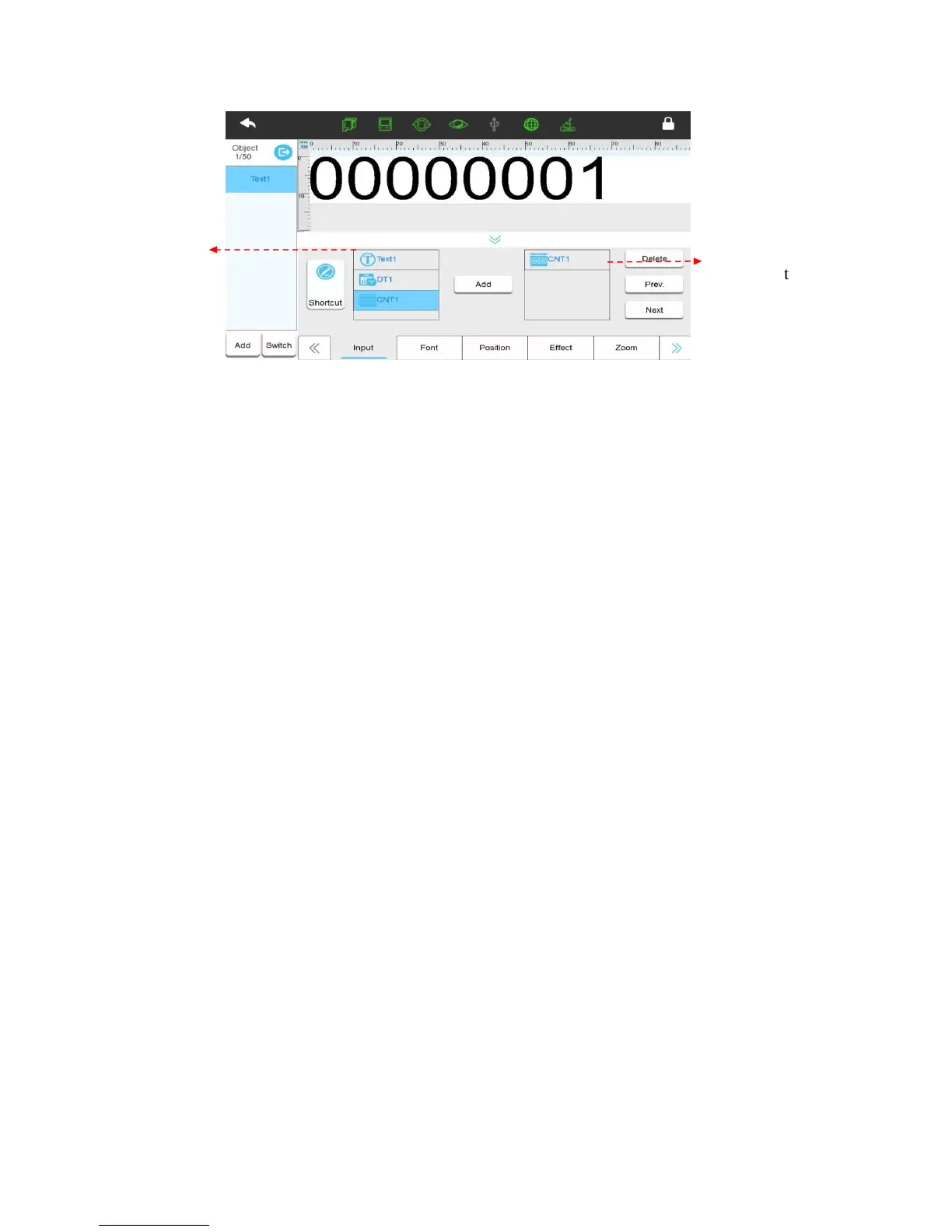
Shortcut: Switch to shortcut to input text content, User can input Chinese, English, numbers,
symbols, and third-party language, 100 characters limited. (Note: If user has already added the
source in 【Routine】 interface, then the input is invalid.)
Built Source List: Display the newly built source of this data.
Add the “Source” to the object: Select the “source” which you want to add into the built
source list, click side【Add】,it will then add to the preview interface and added list.
Note: Maximum of 50 “sources” can be added.
Added Source List: Display current source of object which has been added in order.
Adjust the sources order of object: Select “source” list, click【Prev.】【Next】to adjust
order.
Delete “source” of object: Select source which needs to be deleted in the added source list
first, then click side button【Delete】, a key to delete.
【Font】
Font: Select the font. It can be upgraded if needed.
Size: Click the drop-down button to select the font size or height. The user can also input the
size directly and select buttons to adjust slightly. (In combined mode there are two lines representing
the size of the two print heads combined so larger font size can be selected than in single head mode)
Font effect: Click to choose between Bold, Italic, under horizontal line, add font with
horizontal line.
Cut Edge: Set whether the object with white lace. Tick it means leave the white edge, not tick
means leave white edge.
【Position】
X axis coordinates: Input range -5-3000mm, user can select to adjust slightly.



 To Next Page