Edition: A03 September 6, 2018
13
Y axis coordinates: Input range -5-12.7mm, user can select to adjust slightly. (At
combine mode, there is two lines, input range -5-25.4mm) When half of the height is less than 5, the
minimum value of Y axis is -1/2Hmm.)
【Zoom】
Width: User can enter 10% to 300%, the greater value, the larger the font width. User can
select to adjust slightly.
Height: User can enter 10% to 300%, the greater value, the higher font. User can select to
adjust slightly.
Lock scale: The proportion of font height and width. After selecting this function, when
modifying the font width or height, the font will be proportionally adjusted.
【Others】
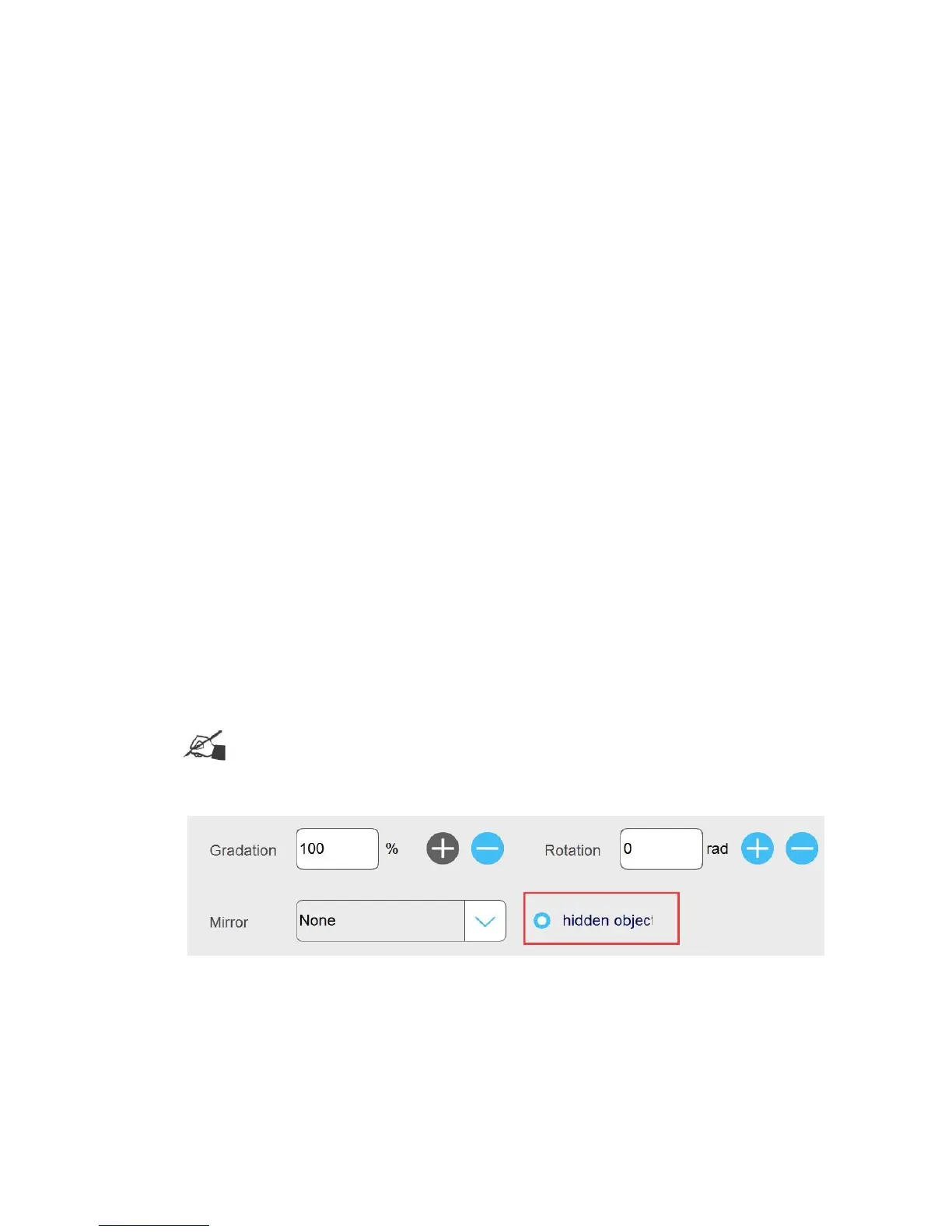
Rotation: Input range 0-359, user can also click buttons to adjust messages.
Mirror: There are three options; None, Horizontal mirror, Vertical mirror, click the drop-down
button to expand
Gradation: Printing darkness can be set within 10-100%. Default is 100%. The user can also
click buttons to adjust slightly.
Hidden object: Choose to hide object, the preview object will turn to green. Once you start
printing, the hidden object will not be printed, default is not chosen.
Note: You can’t choose all objects in one message as hidden objects, otherwise, it can’t
be saved. Notice: Cannot hide ALL objects, please re-edit!
【Effect】
Spacing: Distance between words, user can enter 0-100, one decimal place. Also user can click
buttons to adjust slightly.
Row spacing: The distance between two lines. Single line canvas is 0-12.7mm, double lines
canvases are 0-25.4mm. User can adjust by inputting numbers and also selecting buttons to adjust
slightly.



 To Next Page