Edition: A03 September 6, 2018
16
【Image setting】
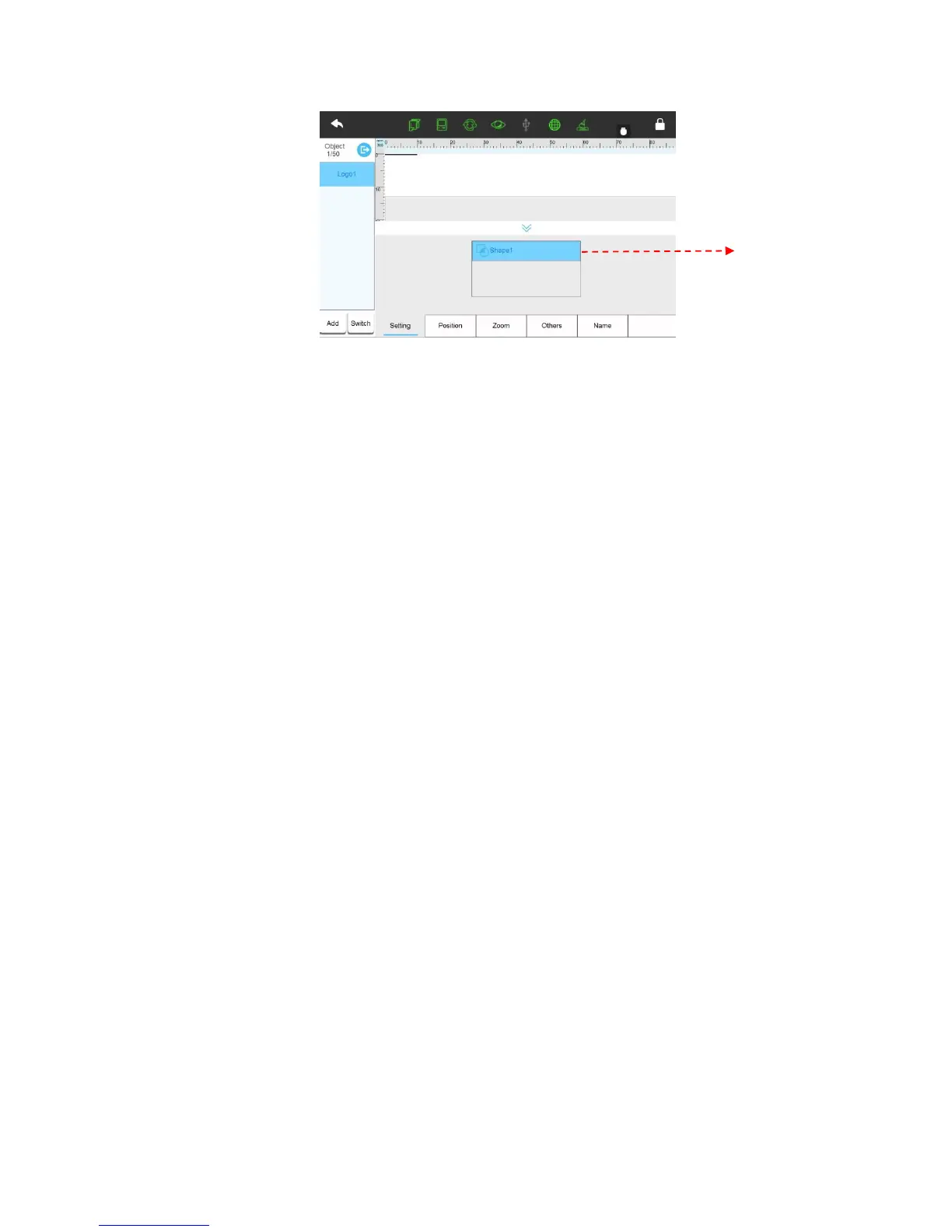
Image Source List: Display the newly built image source. Click the image source to switch
image and adjustable settings.
Note: Please refer to 3.1.3 about “How to add/edit image source”.
【Position】
The limitation of X, Y axis is same as text object.
【Zoom】
Width: User can enter 10% to 300%, the greater value, the larger width image. Also the user
can click to adjust slightly.
Height: User can enter 10% to 300%, the greater value, the higher image. Also the user can
click to adjust slightly.
Lock scale: The proportion of image height and width. After selecting this function, when
modifying the image width or height, the image will be proportionally adjusted.
【Others】【Name】【Hide setting interface】function are same as text object.
3.1.3.2 Edit Objects
Choose object at left object list, enter the editing object interface, and refresh to save changes
automatically.
3.1.3.3 Add new source
[Message] > [New] > [Object list] > [Add] > [Text, counter, date/time, shift group, local image,
base image, newline, device information, dynamic text.]
1) Text source
Maximum input 100 characters. User can input Chinese, English, numbers, symbols and
third-party language.
【Others】



 To Next Page