Edition: A03 September 6, 2018
28
2) Counter object
【Message】>【New】>【New object】>【Counter】
【Input】: Input contents represent the counter.
【Routine】:
Initial Value: Beginning value of the counter, range from -999999999999~+999999999999
Maximum Value: Maximum value ranges from -999999999999~+999999999999
Repeat Value: Ranges between 0~9999
Step Value: For example: If step value is set to 3, counter will be 1, 4, 7,11…
Carry System: User can select different carry systems, if you need to add a new system click 【
Edit】
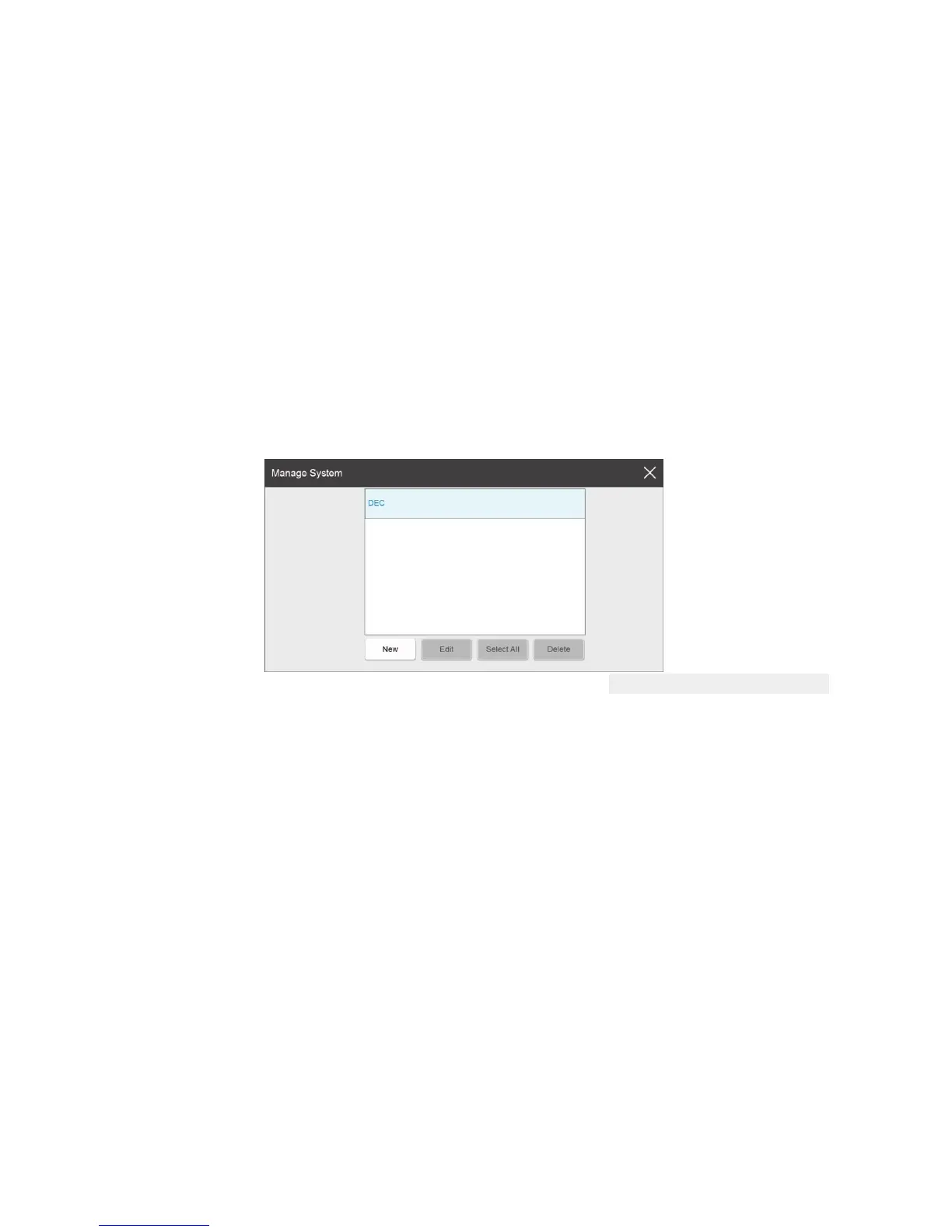
System List: Show the default and newly built system. It can display a maximum of 5
(including the default)
New: Click “new” to popup the system editing interface. Enter in the system name and
content, click 【save】to save the system to the list.
Edit: Select the system, click “edit” to popup the editing interface. Click “save” to save
the changes. The default system cannot be edited.
Select All: All system in the list are chosen; Click ‘Select All’ again to unselect all.
Delete: Select the newly added systems to be deleted. The default system cannot be
deleted
Closing system management: Click on close, out of management interface and save
existing system.
【Advance】:
Carry Source: Click the pull-down menu to check the added counter.



 To Next Page