Edition: A03 September 6, 2018
29
Set the counter which the carry is based on (e.g. there is counter 1 and counter 2, set the carry
source of counter 2 to be counter 1, then only after counter 1 reaches the maximum value, counter 2
will carry over.)
Current Value: Set the current value of the counter, the value should be within the begin value
and the maximum value.
Repeat Index Value: Set the current repeat index value, only settable while repeat value is not
0, repeat index value range is 0-repeat value.
Pre-zero: Pre-zero setting of counter, four options: 0001, ___1, 1___, 1.
Alarm: This will provide an alarm when the counter reaches the maximum value. User can
switch this option on or off.
【Font】【Position】【Others】【Paragraph】【Name】settings are same as text object.
3) Date/Time object
【Message】>【New】>【New object】>【Date/Time】
【Input】: Input content represents the date object.
【Routine】:
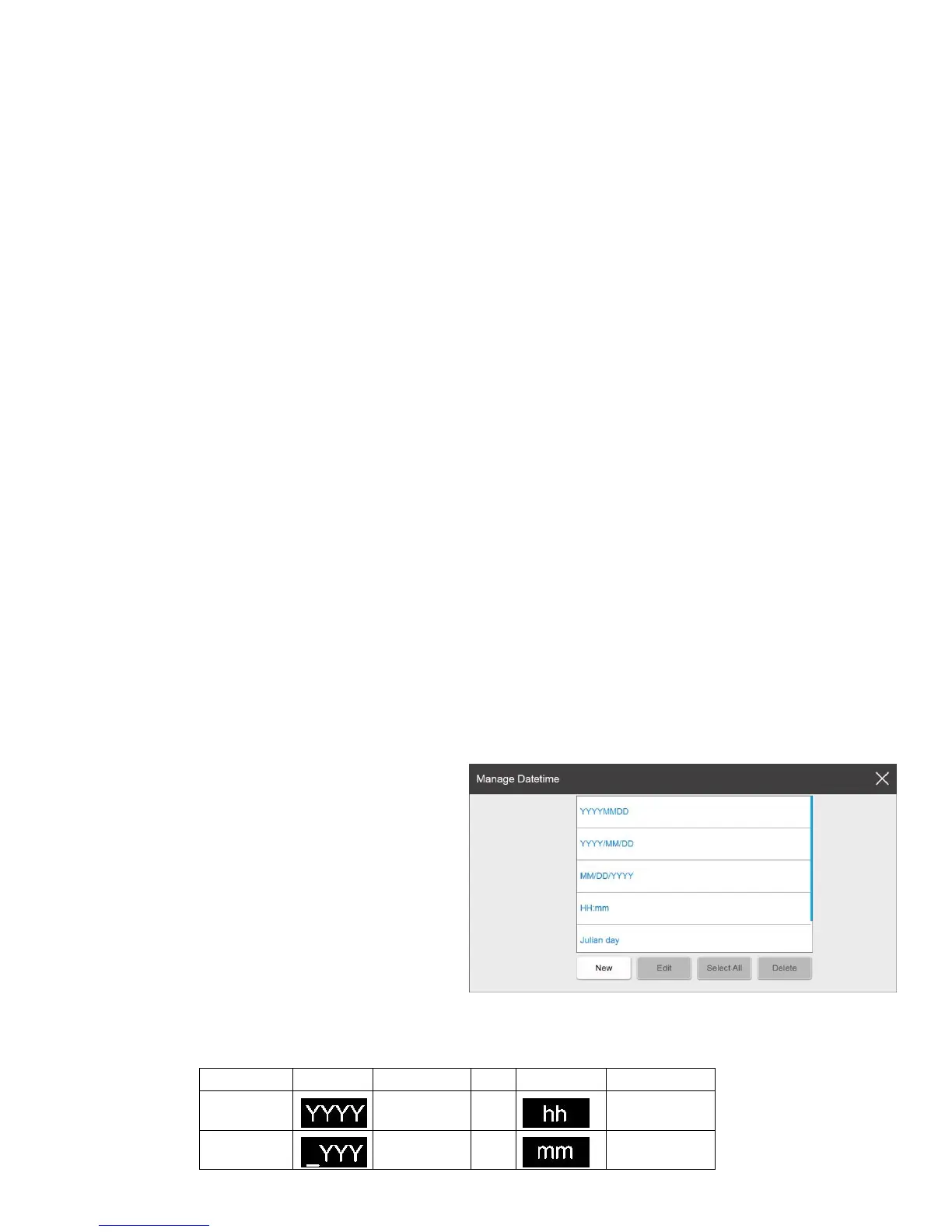
Format: Select format from the menu, system has 5 default formats which user can define a maximum
45 types. The default formats cannot be deleted or modified, default formats include: DD/MM/YY,
DD/MMM/YYYY, MM/DD/YY, Hamm, Julian date.
【Edit】
Format List: Display the default formats
and newly added formats.
New: Click the new pop-up the date format
setting keyboard, can choose a custom date
format. You must enter at least 1 character,
however no more than 30 characters can be
entered. You cannot input symbols (" \ / : *?
"< > |").
Icons description:



 To Next Page