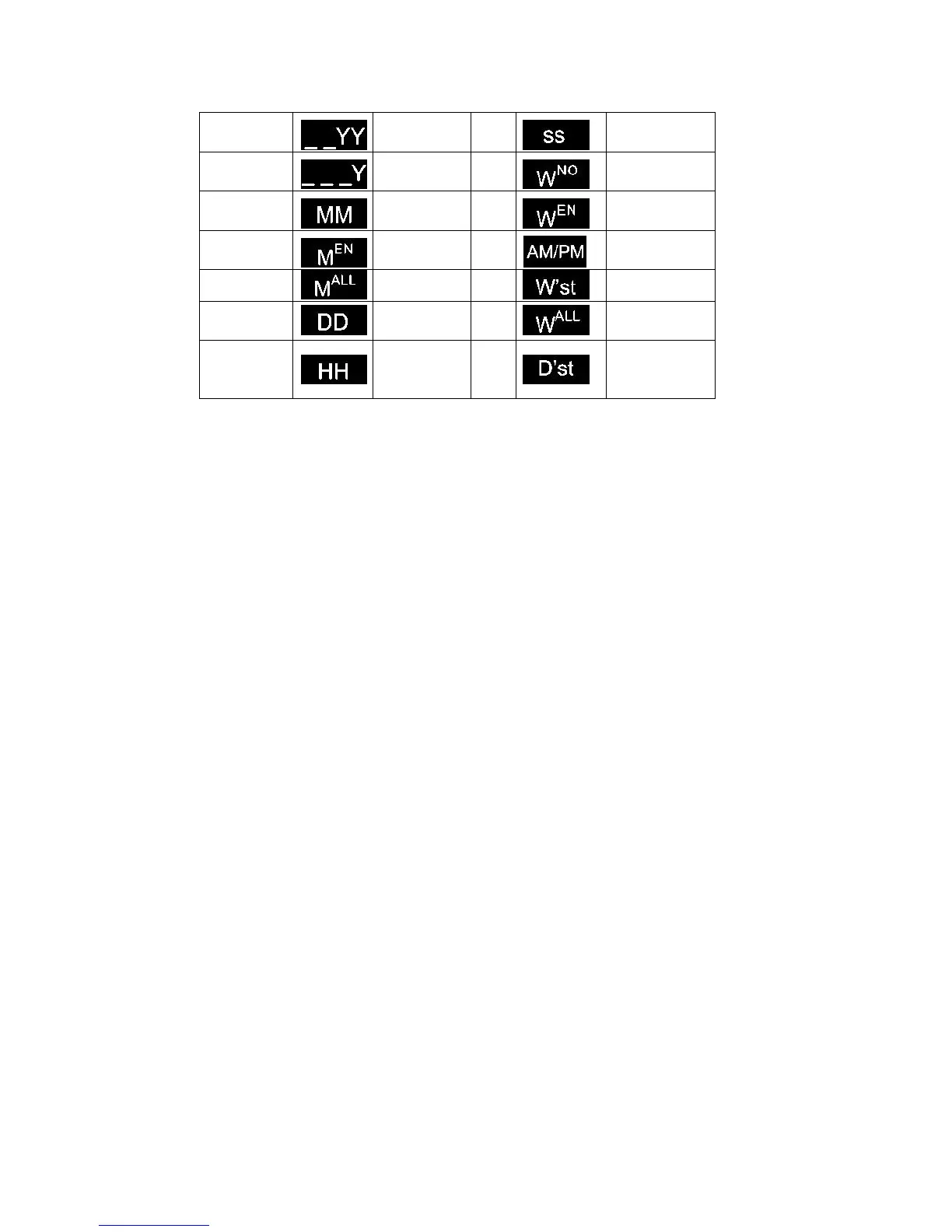
Edit: Choose date from the format list and click "edit" to popup the Settings interface. You can
modify and then save. The default format cannot be modified!
Select all: All formats in the list are selected; Click ‘Select All’ again to unselect all.
Delete: Select the date format to be deleted. The default format cannot be deleted.
Closing date format management: Click on close, to exit out of the format management
interface and save the existing format.
Expiry date: If user only wants to add a production date, user may need to set the expiry day
to 0; expiry time can switch from day, week, month, year, value within 0-999.
Calendar type: Gregorian/ Hirji
Pre-zero: 4 choices: 2015/01/01, 2015/_1/_1, 2015/1_/1_, 2015/1/1.Click the button to switch
circularly.
【Advance】:
Zero Setting: Enable the Zero Setting, Input the time (hour: 0-23; minute: 0-59)
Day Time Saving: User can select from OFF, Europe or America mode.
【Font】【Position】【Others】【Paragraph】【Name】settings are same as text object.
4) Shift object
【Message】>【New】>【New object】>【shift】
【Input】: Input content represents the shift object.
【Routine】: From the pull-down menu the user can check the existing shifts, if you need
to create a new shift or modify any of them, click【Edit】



 To Next Page