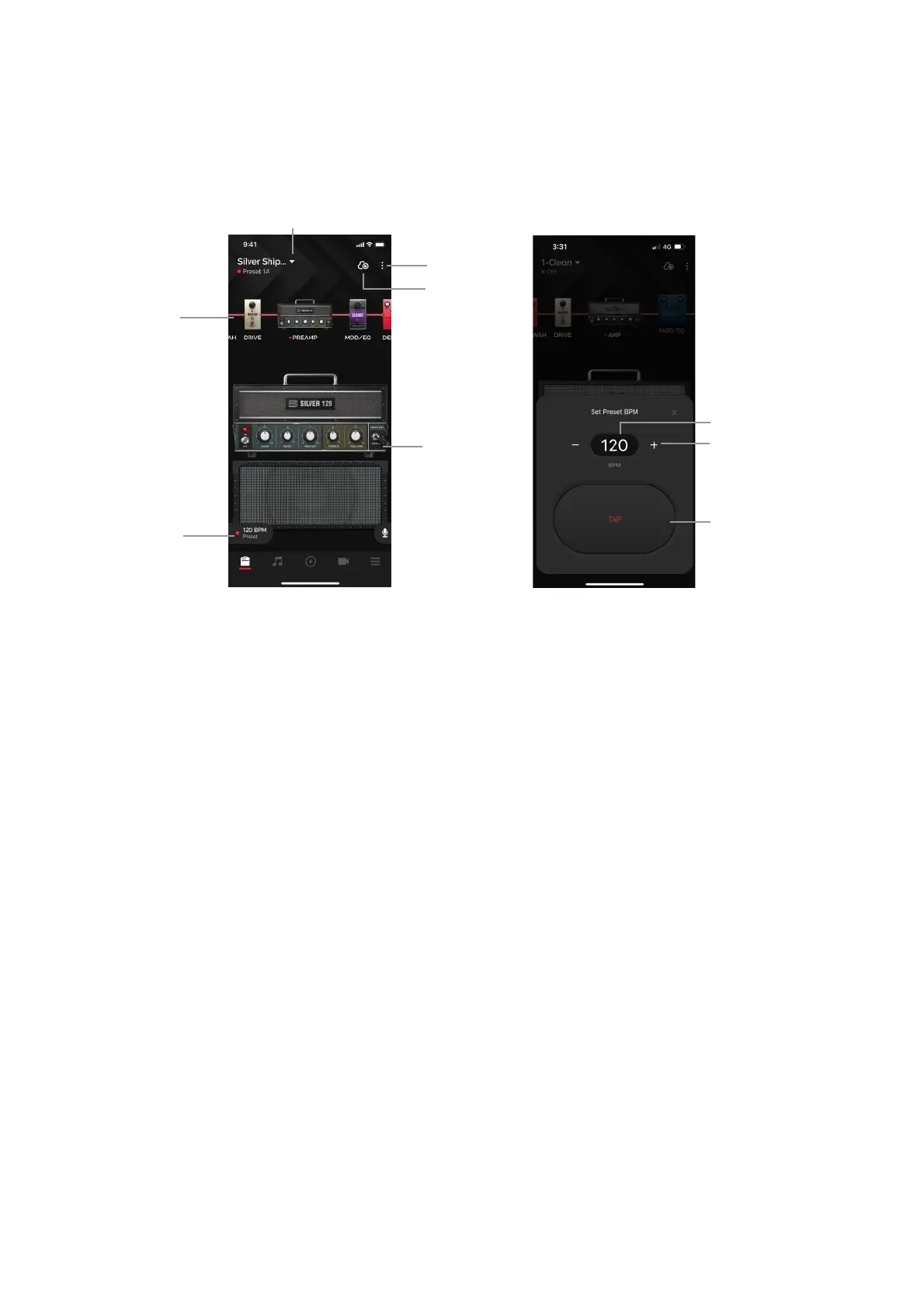
Adjusting Effects and Presets
(A) Signal Chain:
1. Swipe left or right to scroll along the signal chain (For mobile)
2. Swipe up and down to switch effects on and off.
3. Double-tap the amp or effects icon to select an effect.!
(B) Effects Section:
1. Effects on/off: tap the LED on the amp/effect pedal to switch the effect on and off.
2. Tone control: turn the knobs to adjust the parameters!
(C) ToneCloud: tap the top right icon to open ToneCloud.
(D) Option Menu:
1. Overwrite - overwrite the current preset.
2. Save as New - save as a new preset.
3. Share to ToneCloud - share your current preset to ToneCloud.
4. Save to Hardware - save your current preset to a Spark 2 Amp preset slot.!
(E) Local Presets - tap the preset name to select presets you’ve saved to your smartphone
The red dot along with CH1/2/3/4 or RHYTHM/LEAD/SOLO/CUSTOM underneath the Preset name
indicates that a preset saved on the Spark amp itself is currently being used.
(F) Tap Tempo - sync up delays and modulations when the BPM sync toggle on the effect is on by
assigning a BPM to your preset. You may adjust BPM in 3 ways:
(i) Tap the TAP button to tap a tempo
(ii) Tap the BPM value and type in your desired BPM
(iii) Tap the + or - buttons to adjust by 1 BPM, long press the buttons to jump up by increments of 10 BPM
After connecting your Spark amp to the Spark app, you may tweak settings to your liking or browse our
factory presets.
19



 To Next Page