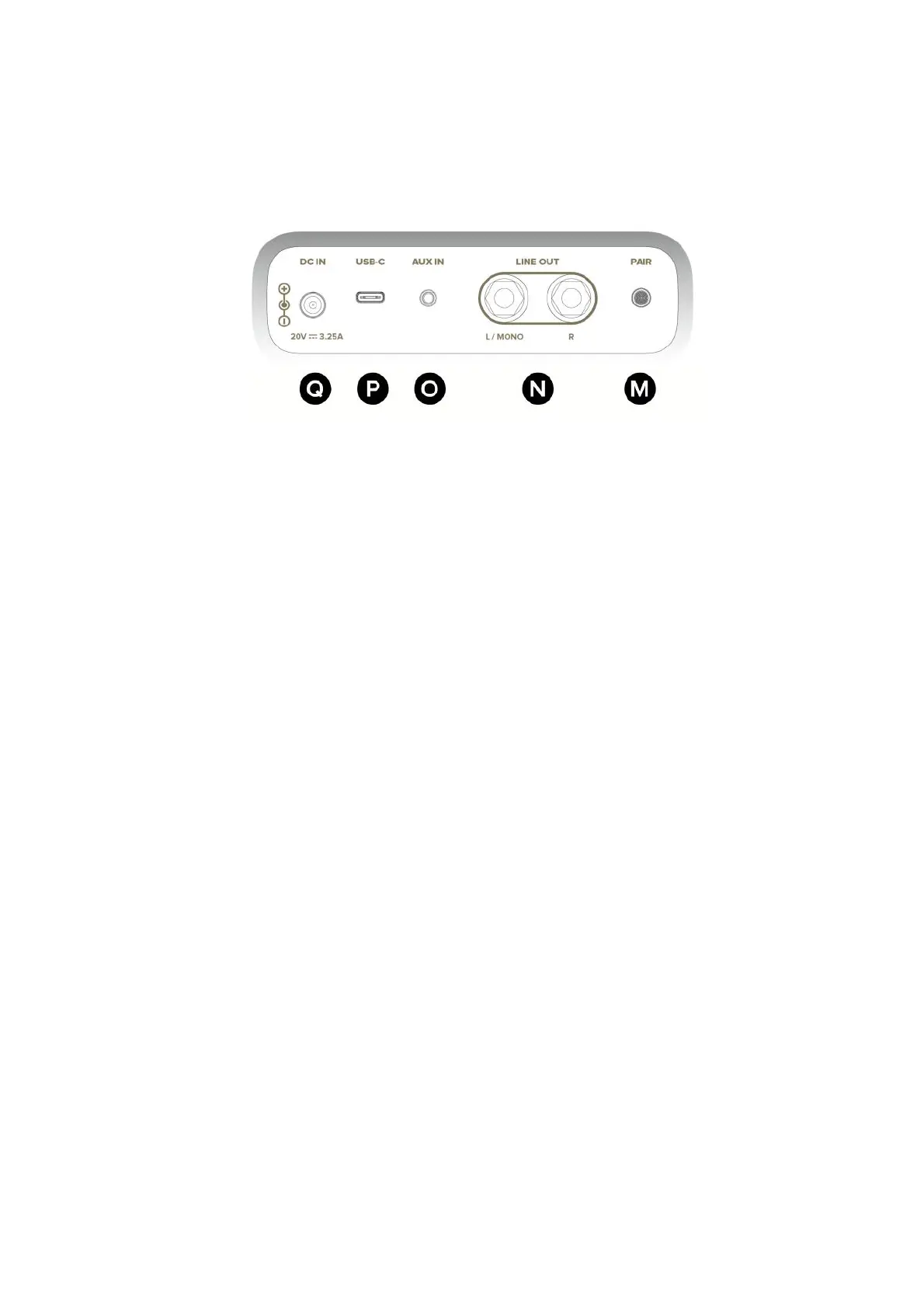
Rear Panel
07
M - Pair Button !
Press to enter Bluetooth® pairing mode when connecting to a new device. !
Hold to enter pairing mode when connecting to Spark Control X.
N - Line Output (1/4”) !
Connect to the input of an external device, such as a PA system, audio interface, etc. !
Use the L/Mono output if only using 1 output.
O - Aux input (1/8”) !
Connect to the stereo 1/8” output of an external device.
P - USB Audio Port (USB-C®) !
Connect the supplied USB-C® to USB-C® cable to a PC/Mac to use as an audio interface.
Q - DC Power Input !
Connect with the supplied Power Adapter to a power outlet.



 To Next Page