32
Groove Looper: Dub, Undo/Redo
Dub, Undo/Redo
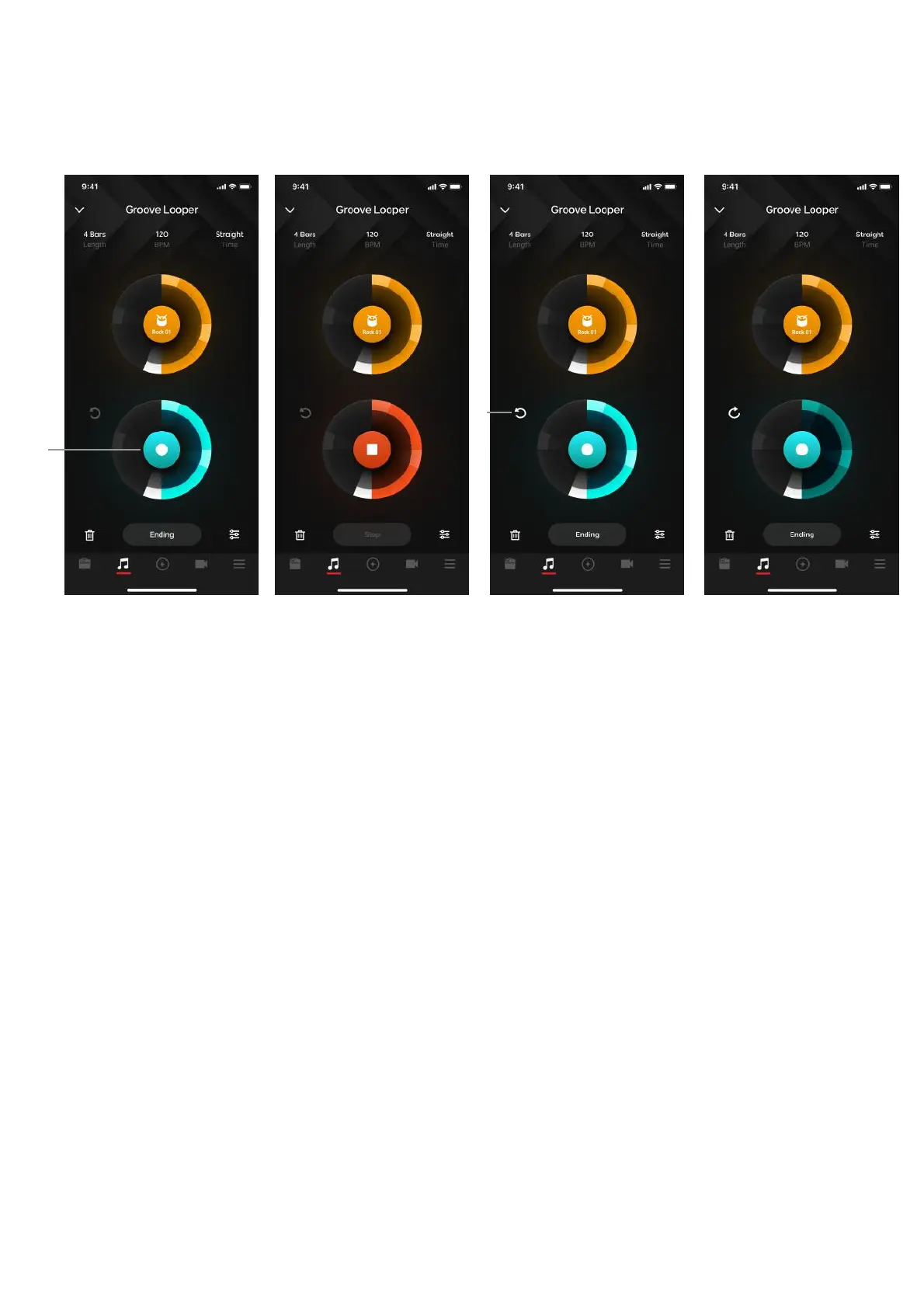
(A) Tap on the center of the bottom circle to begin dubbing
1. Dub will start from whenever you pressed the dub button.
2. You may dub as many layers as you want
3. The dub can also be as long as you want, it will record over the loop e.g if the base
recording is 10 seconds, a dub can be 20 seconds (2 loops of the base recording),
meaning you dubbed over two cycles of the loop.
(B) Undo/Redo functionality:
1. Tapping on undo will remove the last recorded layer. The button will switch to Redo
2. Tapping on redo will restore the layer. The button will switch to Undo
3. If there are no dubs present, undo and redo functionality will be disabled
4. When undo is triggered and the last recorded layer is removed, and a dub is triggered,
once the user presses stop dubbing, the previously removed layer will be discarded
forever and may not be restored via the redo button. The button will become the undo
button once a dub is finished recording.



 To Next Page