47
Other Available Functions
Tuner and Metronome
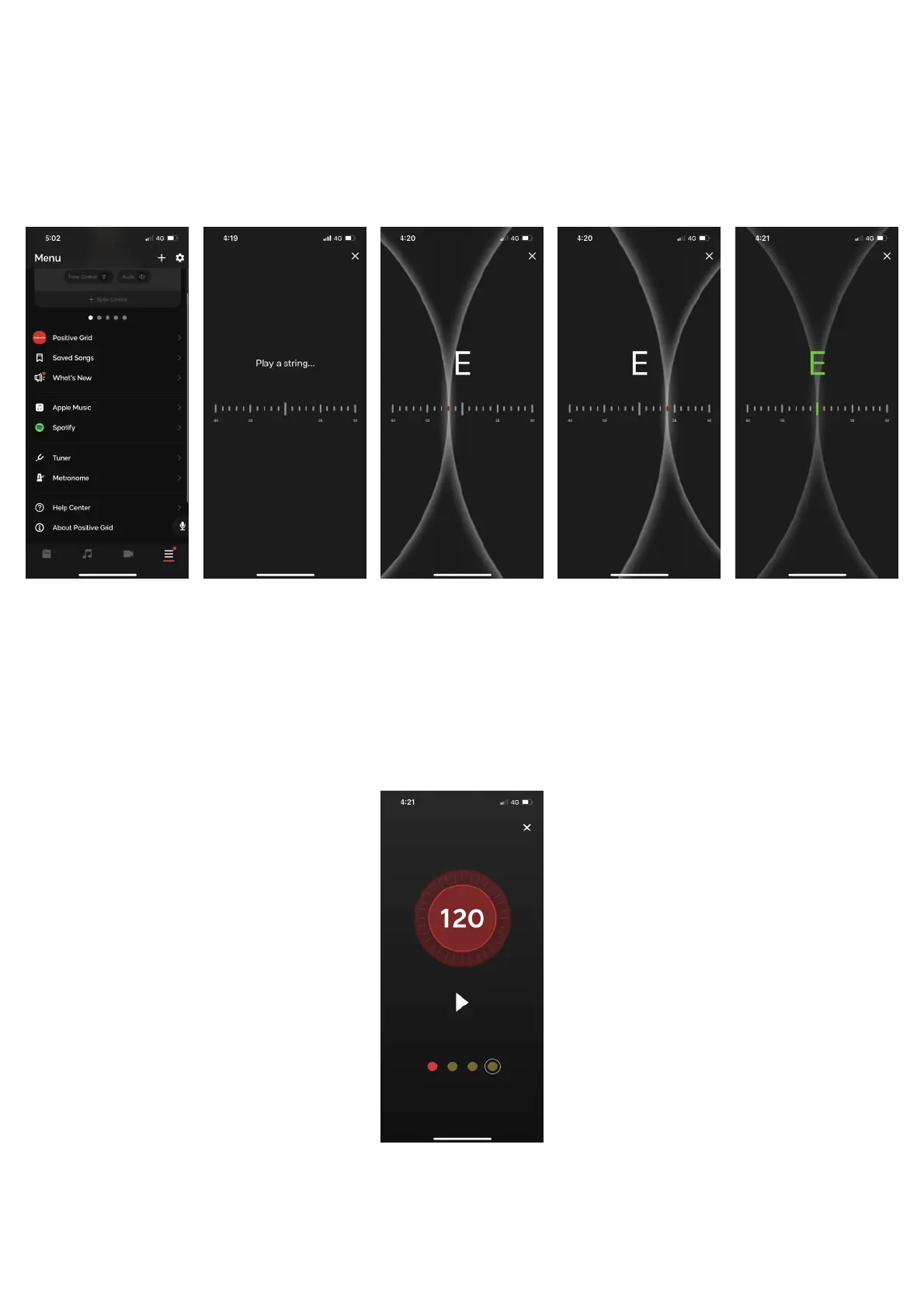
(A) Access the Tuner and Metronome by going to the Menu page and scrolling down, tapping on the
desired tool.!
(B) Once in the Tuner page, play your instrument to start tuning
1. If the is to the left of the middle point, your instrument is below the target pitch
2. If the line is to the left of the middle point, your instrument is below the target pitch
3. Once the line is in the middle and the note turns green, the string is in tune and you may
move on to tune the other strings to your instrument
!
!
(C) In the Metronome page, tap on the number at your desired tempo to set the tempo. You may also press
and turn the outer ring to adjust the tempo. Tap on the play button to start the metronome.



 To Next Page