30
Groove Looper: Adding Drums
Adding Drums!
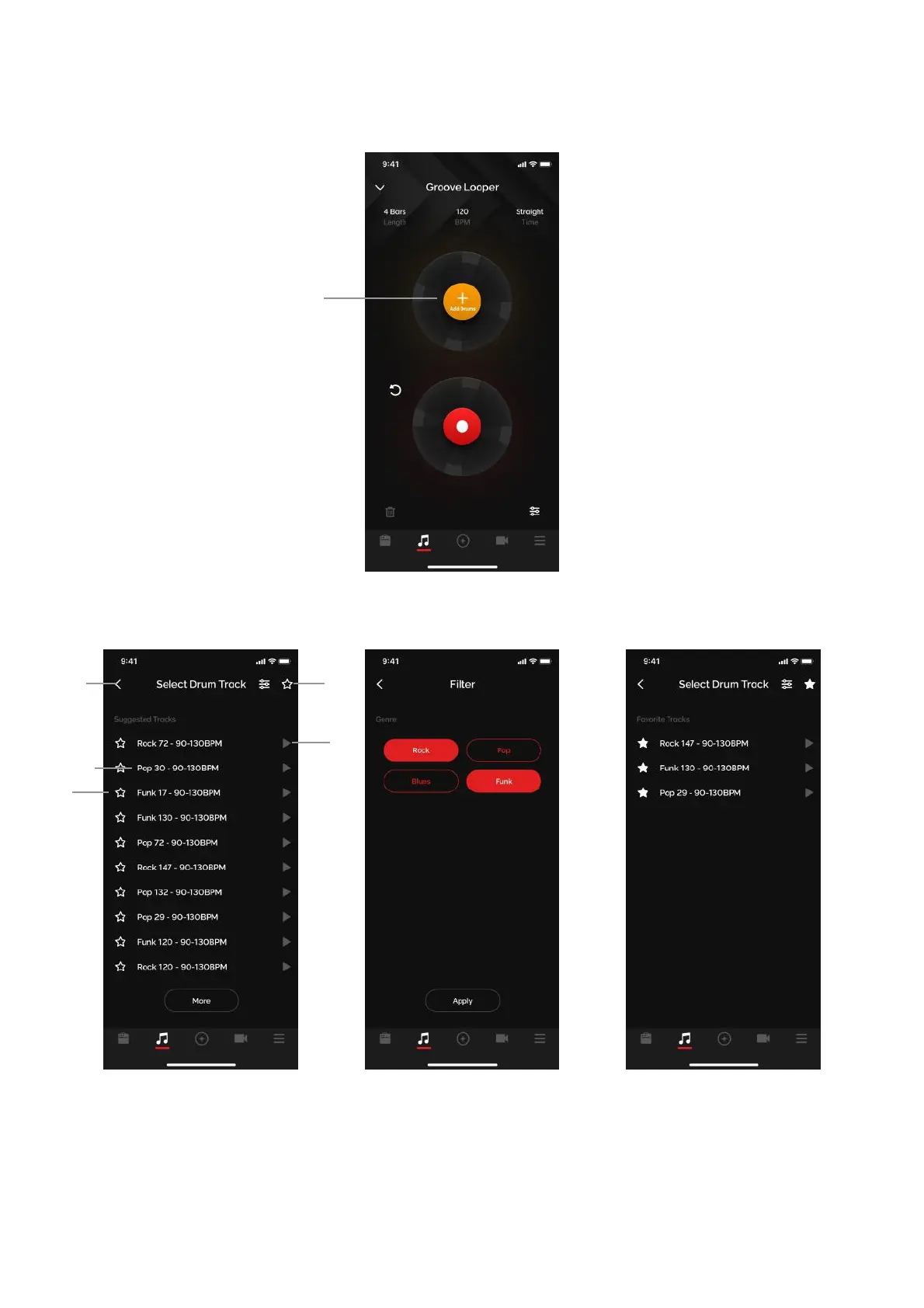
(A) Tap on the add drum button on the top circle: You may not start recording until you select a drum pattern
when in Groove Looper
Drum Selection Menu
(B) Preview: tap on the play button next to the drum pattern name to preview the drum pattern
(C) Select: tap on the name of the drum pattern you want to select to load the drum pattern
(D) Add to Favorites: tap on the star next to the drum pattern to save the drum pattern to your favorites
(E) Favorites: tap on the star on the top right to access your favorites
(F) Filter: tap on the filter button on the top right to access the filter and filter between genres
(i) Drums will be randomized every time you enter the Drum Selection menu
(ii) You may change the drum track when a loop is recorded, but only when playback is
stopped.



 To Next Page