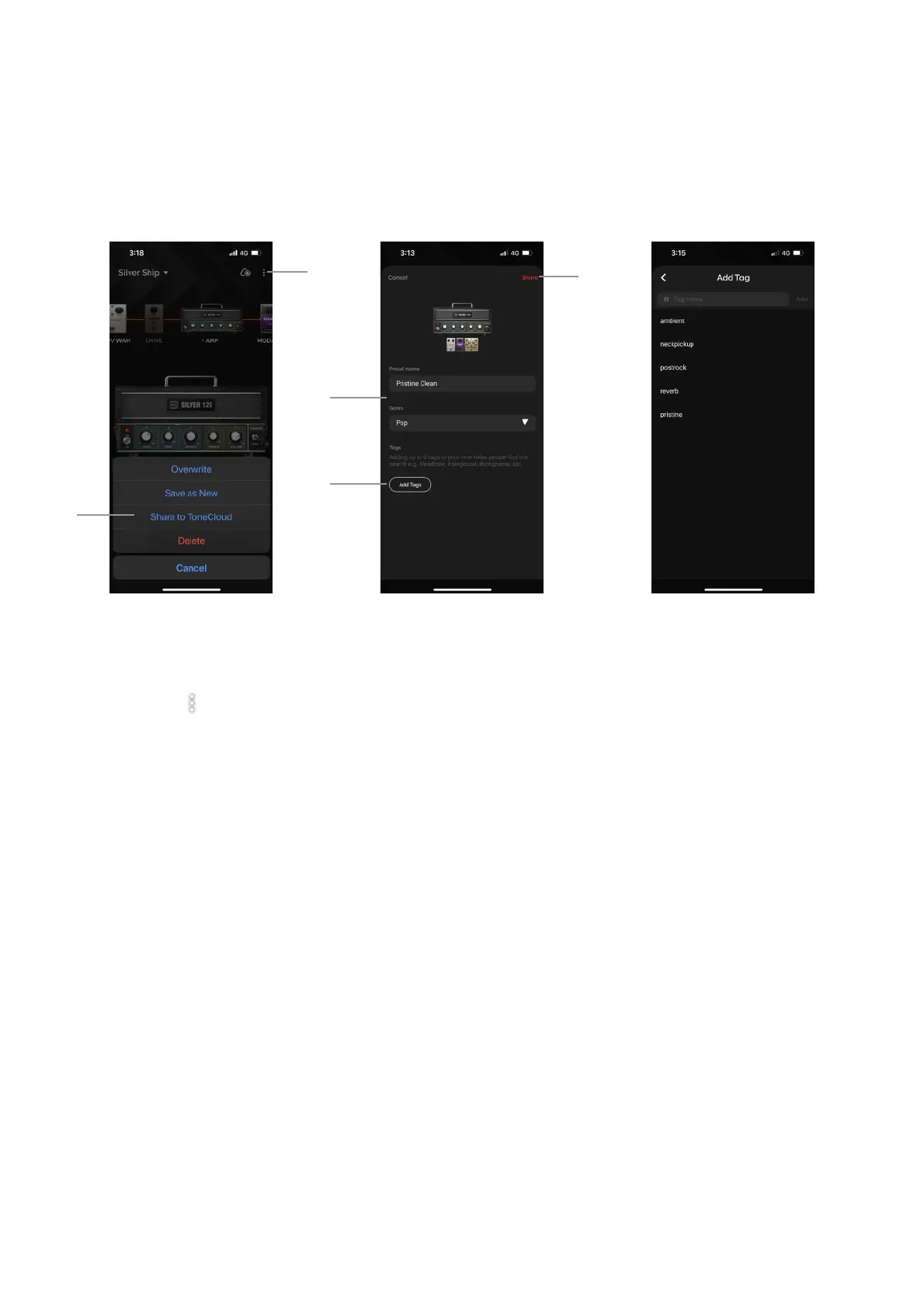
Share Your Own Presets to the ToneCloud
(A) Tap on the on the top right of the Tone page!
(B) Tap Share to ToneCloud!
(C) Rename the Preset and select a genre!
(D) Add up to 6 tags to make it easier for others to search for your preset; some suggested tags would be
pickups used (single coil, humbucker, etc), which pickup position was used, characteristic of the tone
(ambient, crunchy, higain, etc) and its usage (lead, rhythm, solo, etc), artist or song, etc.!
(E) Tap Share to share it to the ToneCloud
Share presets you’ve designed yourself for others in the Spark community to enjoy.
21



 To Next Page