39
Saving a Backing Track
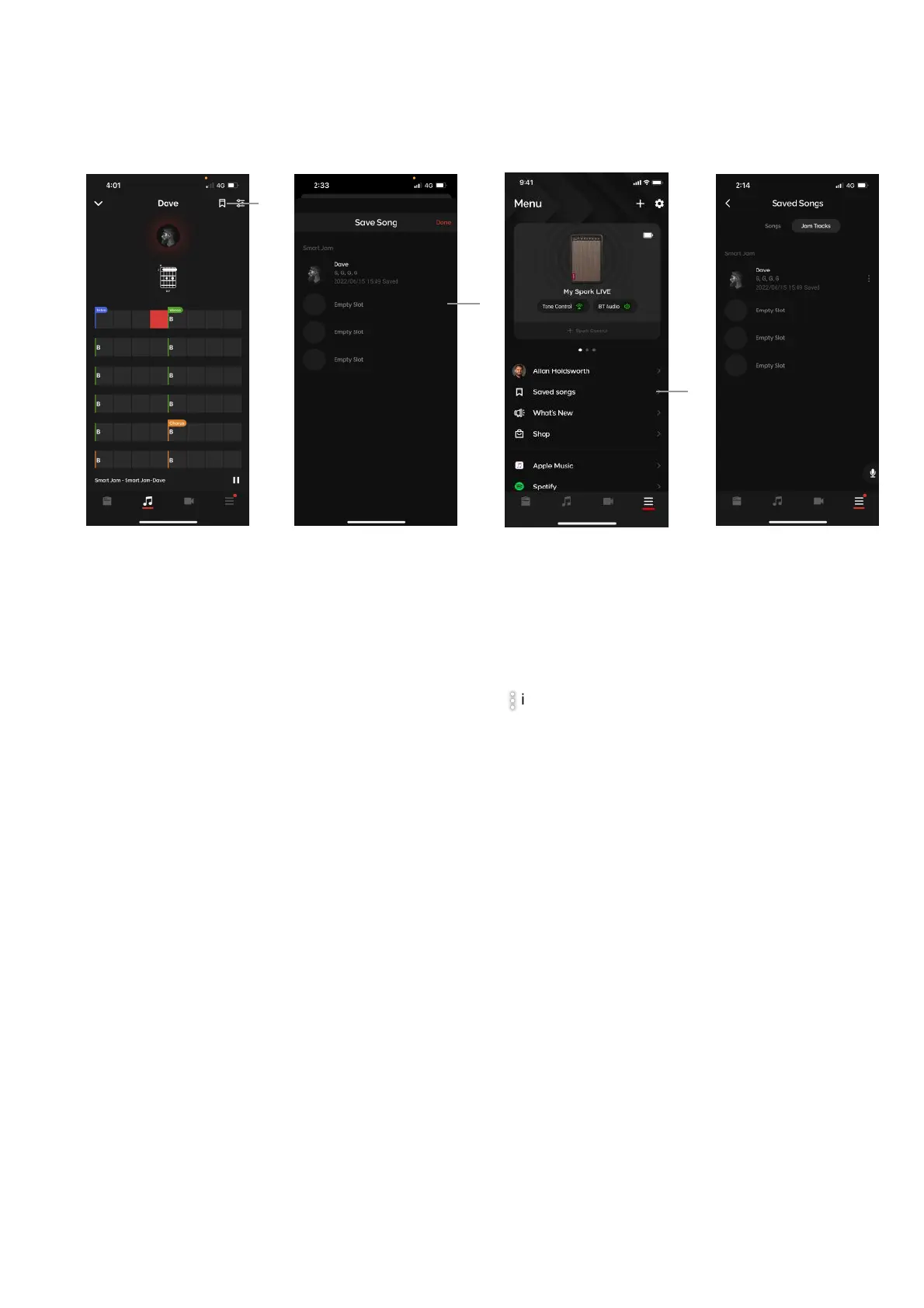
A. You may save a backing track by tapping on the bookmark icon available in the Smart Jam detail page
for all drummers.!
B. Select a save slot to save your backing track.!
C. Access your saved Smart Jam tracks from the Saved Songs page in the Menu, then select the Smart
Jam tab. Tap on your desired jam track to load a previously saved Smart Jam track. You may also
rename or clear the track from the slot by tapping on the icon.



 To Next Page