27
Simple Looper: Discard a Loop, Mixer
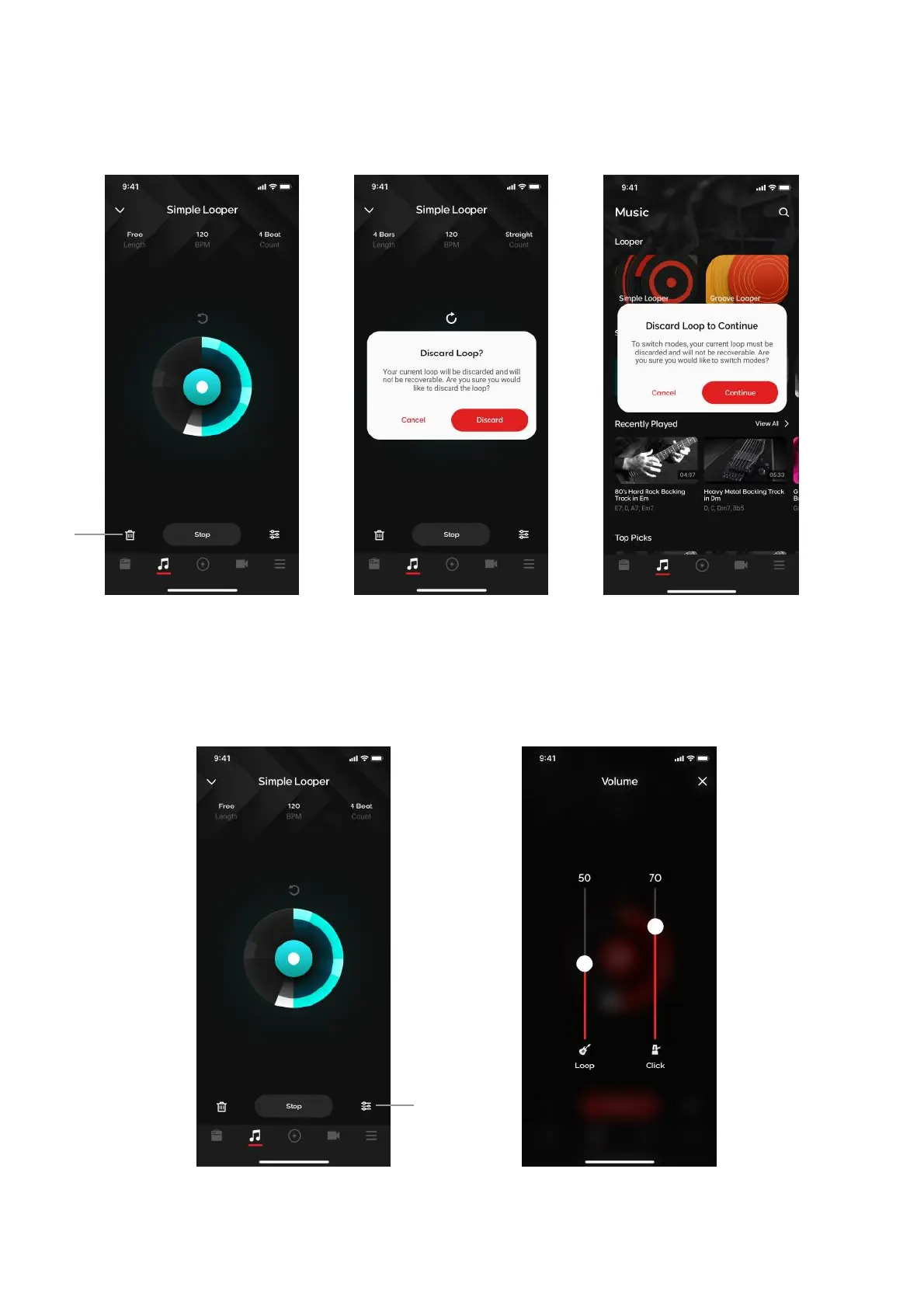
Discarding a loop
(A) Tap on the Discard icon on the bottom left to discard a loop. A dialog box will appear to confirm
your action.
1. When switching between Simple and Groove looper, the loop must also be discarded.
2. If you do not discard a loop, the loop will be stored on the Spark 2 hardware indefinitely until either
you discard the loop or perform a factory reset.
Mixer
(B) Tap on the Mixer icon on to access the mixer, where you can adjust the loop and click volume
Tip: Click volume is also dependent on you phone’s volume setting. Turn it up and adjust accordingly.



 To Next Page