48
Other Available Functions
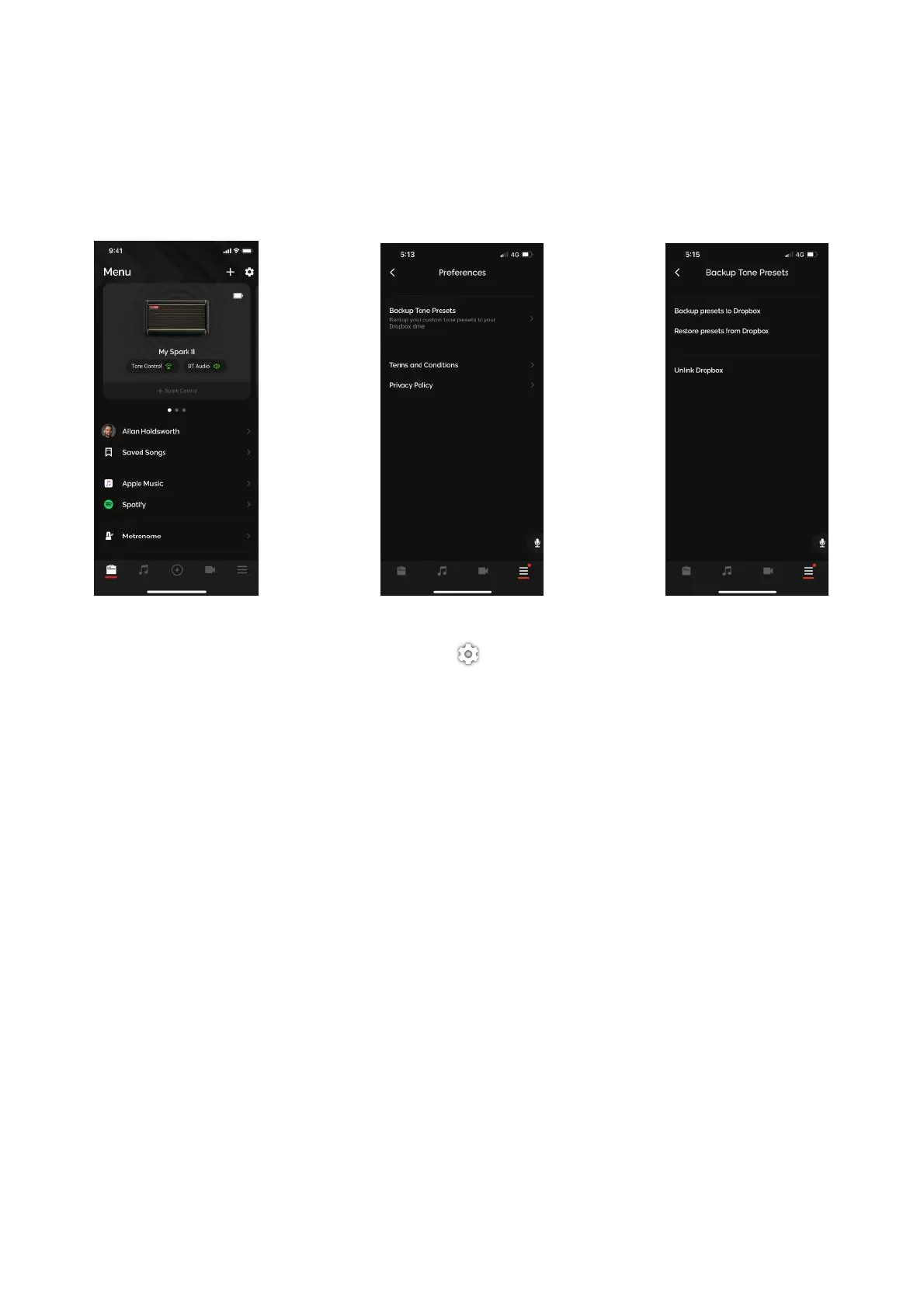
(A) To Back Up your presets to Drop Box, tap on the icon at the top right of the Menu page.!
(B) Tap on Backup Tone Presets and link your Drop Box account to the Spark app.!
(C) Once linked, tap on Backup presets to Dropbox to backup your local presets, and tap on Restore
presets from Dropbox to restore those presets.
Back Up Presets to Drop Box



 To Next Page