Playing With Dave/Sharon/Charles
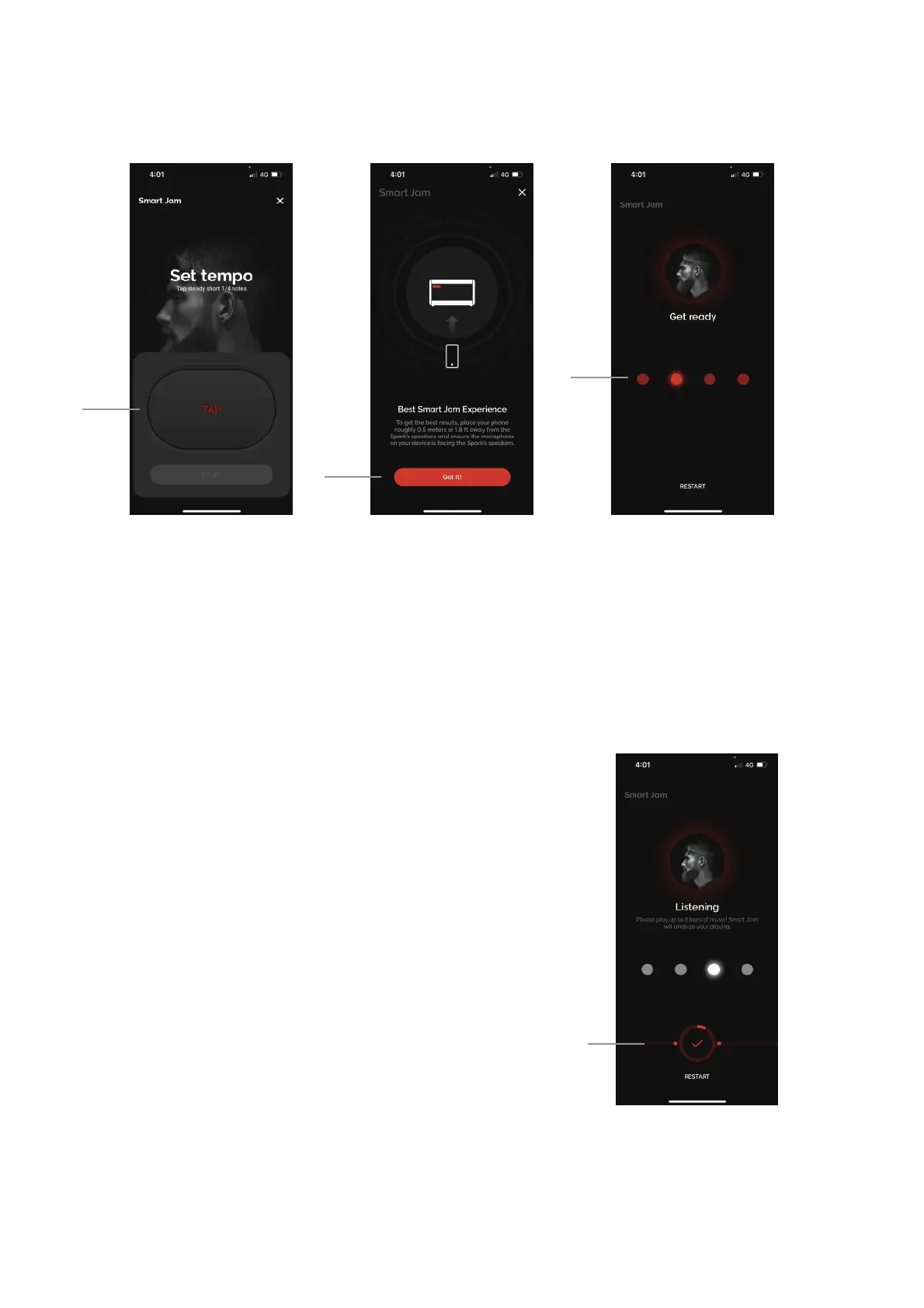
A. Set a tempo by tapping the TAP button to tap a tempo. You may adjust in increments of 1 with the +/-
sign once an initial tempo has been set, and increments of 10 by tapping and holding the buttons, then
tap Start.!
B. For first time Smart Jam users, you will be reminded to place your device roughly 0.5 meters or 1.8 feet
away from your Spark’s speakers, with the microphone facing the Spark amp’s speakers for the best
results.!
C. You will be given 4 beats to count you in. If you do not hear the clicks, please ensure that your device
is connected to Spark’s Bluetooth audio and that your device and Spark’s music volume is turned up.
D. The drummer will listen to your playing after the 4 initial
beats. All the Smart Jam drummers currently support 1
chord every 2 beats. Make sure to observe the red bar at
the bottom of the screen; when the red line goes across
the entire screen, it means you have clipped the
microphone on your device, and the results may not be
accurate.
1. You may play up to 8 bars, but if your chord
progression is only 4 bars, you may tap the
checkmark button when it’s highlighted on the
screen to skip the last 4 bars.
2. Once the analysis is complete, select from the
6 tracks that have been created by the
drummer that you like best. Swipe left or right
to scroll between each option and preview the
tracks.
36



 To Next Page