24
Simple Looper: Adjusting Time Settings
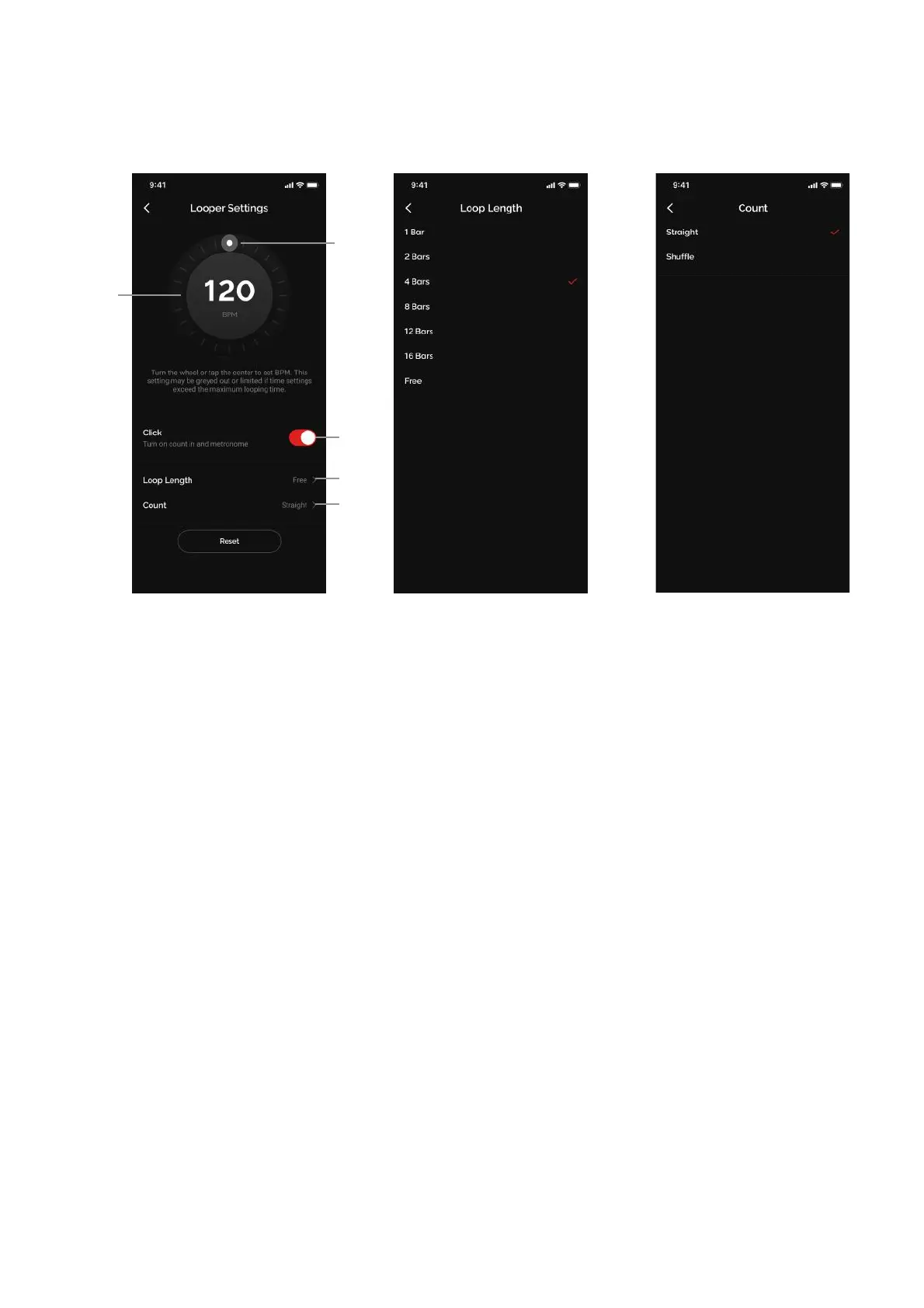
Adjust Time Settings:
1. Tap on the Looper Settings area to enter the menu
2. Adjust BPM
(A) Tap on the center 3 times or more for Tap Tempo functionality
(B) Tap the edge of the circle and rotate the dial to change tempo
I. The BPM setting will always follow the BPM of your current preset; changing your preset
before recording will change the BPM to the BPM of the current preset. Once a loop has
been recorded, the BPM will not change along with the preset.
II. Because the loop limit is 60 seconds, if a BPM and Loop Length setting exceeds this limit,
the options will be grayed out e.g.
1. If the BPM is 40, 12 and 16 bars will not be selectable
2. If the Loop Length is set to 12, the minimum BPM will be 47 because any lower
will exceed 60 seconds
III. Minimum BPM is 40, Maximum BPM is 400
(C) Click toggle
I. On - Auto Mode: a metronome will be provided to loop with, and after a 4 beat count in
recording will begin. Recording will automatically stop when loop length is reached.
II. Off - Signal Detection Mode: recording will start when a guitar signal is detected. You will
need to manually tap on the Record button again to stop recording.
(D) Adjust Loop Length
I. Adjust the length of the loop to predetermined lengths
II. When “Free” is selected, the loop will stop when you tap on the Record button to stop
recording
(E) Adjust Count
I. Select between straight 4/4 feel and shuffle 4/4 feel



 To Next Page