33
Groove Looper: Discard a Loop, Mixer
Discarding a loop
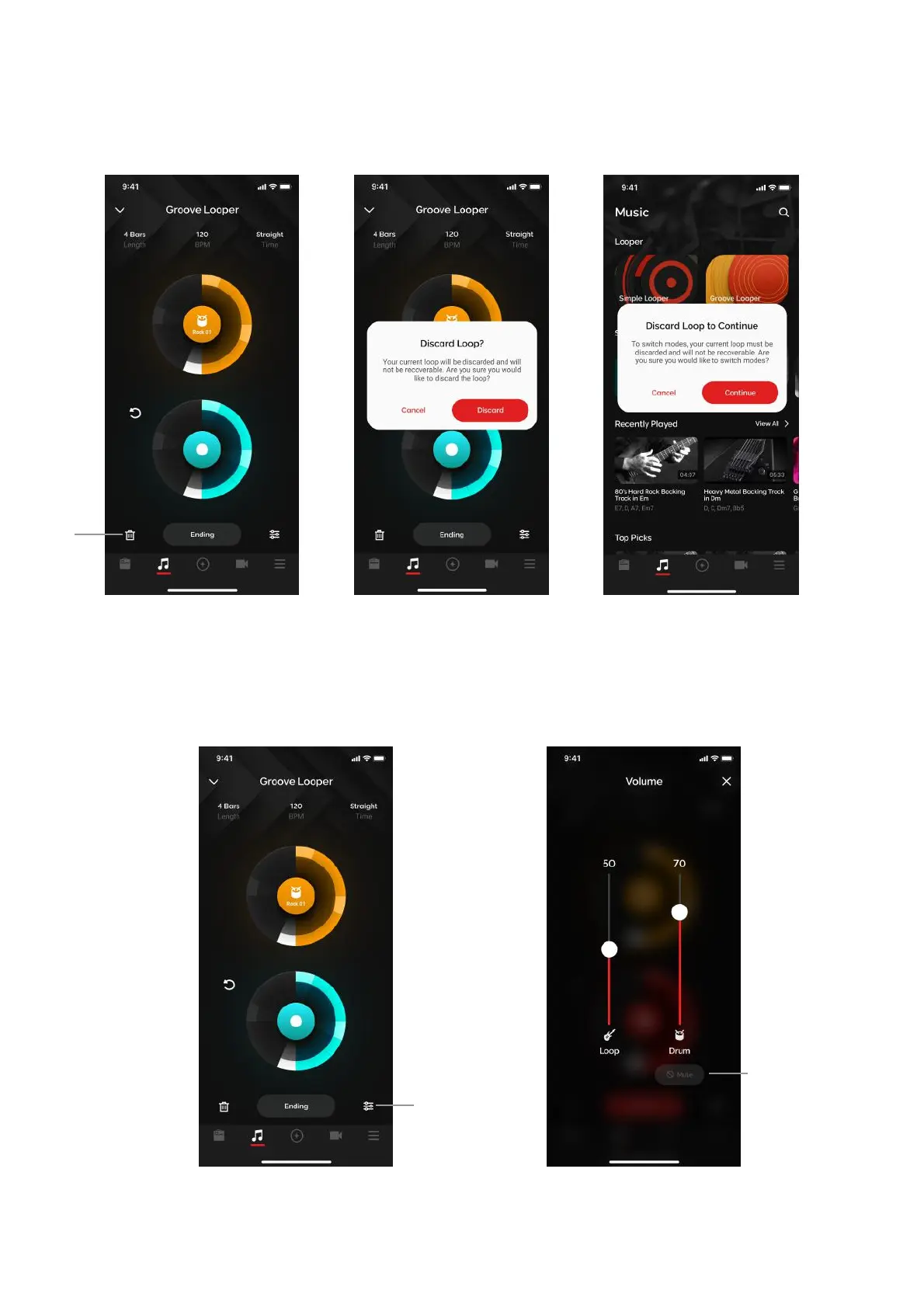
(A) Tap on the Discard icon on the bottom left to discard a loop. A dialog box will appear to confirm
your action.
1. When switching between Simple and Groove looper, the loop must also be discarded.
2. If you do not discard a loop, the loop will be stored on the Spark 2 hardware indefinitely until either
you discard the loop or perform a factory reset.
3. A Groove Looper loop that is stored in hardware requires the app to be connected to playback.
Mixer
(B) Tap on the Mixer icon on to access the mixer, where you can adjust the loop and click volume
(C) Tap on the Mute button to mute the drums during playback
Tip: Drum volume is also dependent on you phone’s volume setting. Turn it up and adjust accordingly.



 To Next Page