PDR-7000 Operation Manual
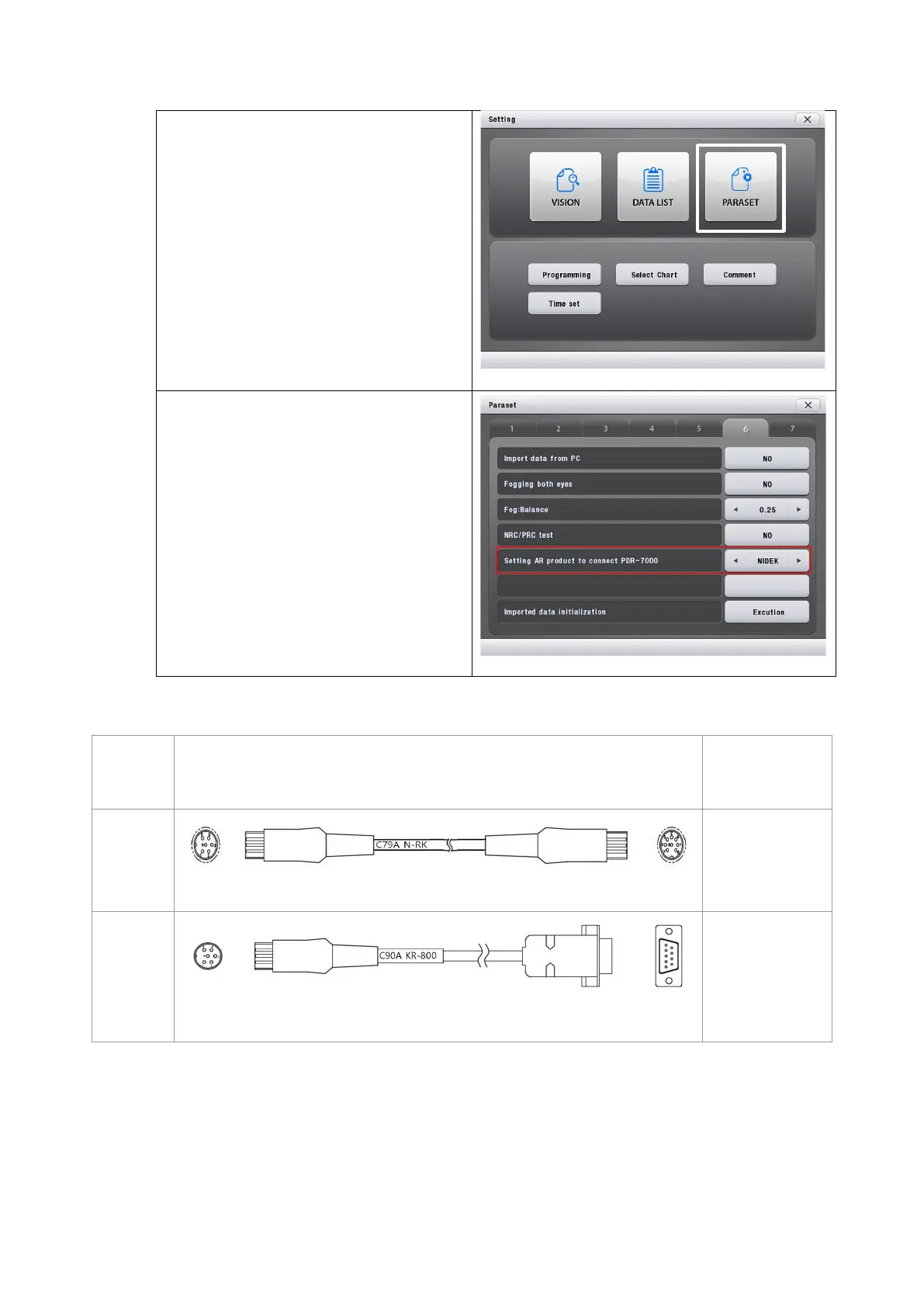
2) Go to page6.
3) Change the fifth item setting
(Setting AR product to connect
PDR-7000) as 'NIDEK' or
'TOPCON'.
3. The linking cable for NIDEK and TOPCON ARK
Junction
Box
Conectors Devices
AUX
Communication cable (C79A)
NIDEK R/K
TOPCON R/K
AUX
Communication cable (C90A)
TOPCON R/K
(KR-800)
※ Please connect the linking cable to [AUX] port of junction box for communicating NIDEK
and TOPCON ARK with PDR-7000.
- 102 -



 To Next Page