PDR-7000 Operation Manual
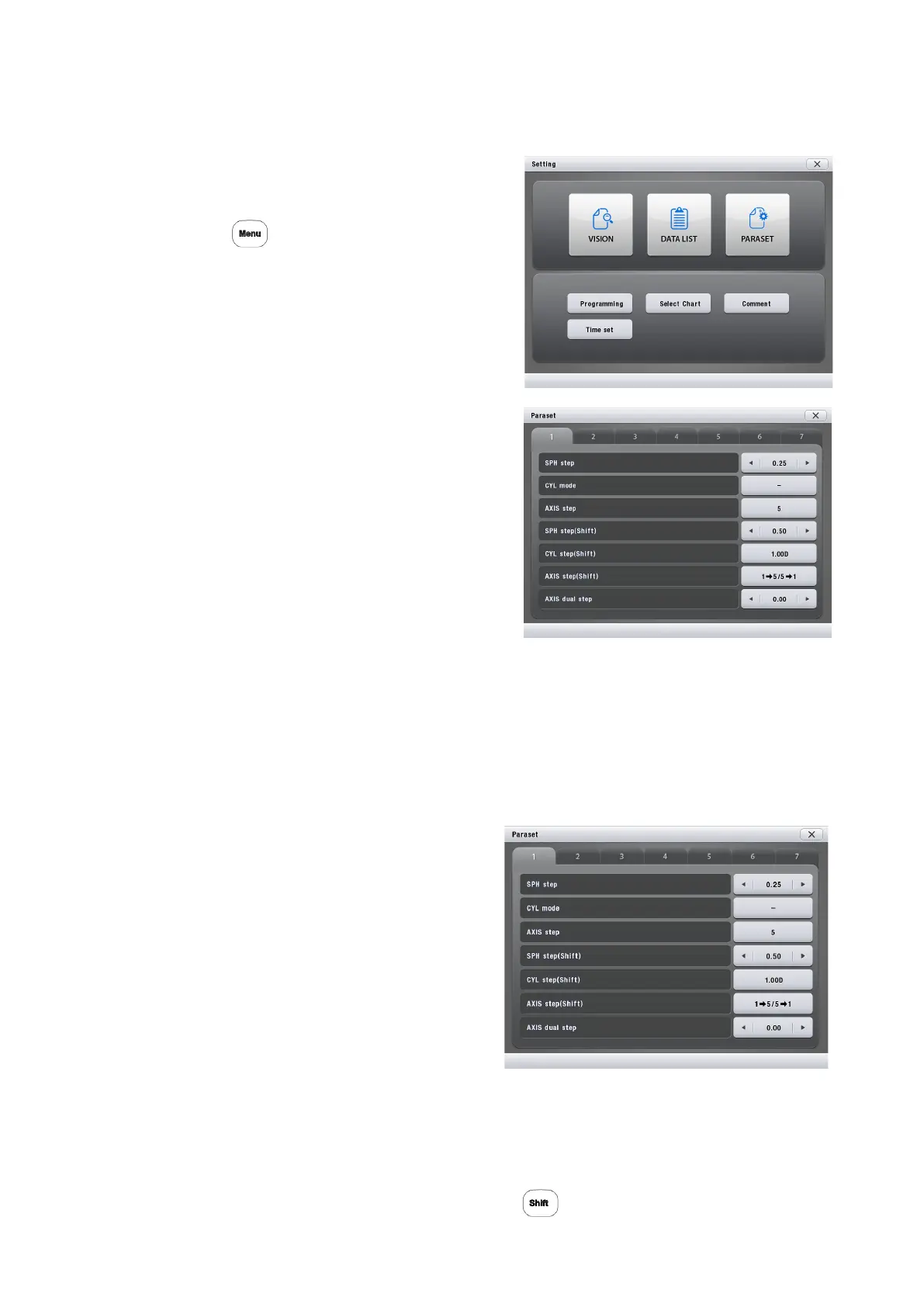
3.14 Parameter Settings
1. Display the parameter setting screen.
Call up the Main Menu screen.
Press
Press [Paraset].
2. The pages can be changed by
pressing [1] ~ [7] Tab in the upper side
of the window.
3. Pressing the setting field on the right
side of the parameter to be changed
toggles the setting.
In parameters like AXIS auto step with
many options, when the setting field is
pressed, the field is framed in green.
At this time, select the option with the dial.
s
4. Change the other parameter settings in the same manner as Steps 2 and 3.
5. Return to the normal measurement screen.
Press [X] button.
○ Detailed parameter options
1. SPH step: 0.12 D, 0.25 D
Factory setting: 0.25 D
Setting of the increment to adjust sphere
values. Selectable between 0.12 D and 0.25 D.
2. CYL mode: –, +
Factory setting: –
Setting of the cylinder reading.
Selectable between + and –.
3. AXIS step: 1, 5
Factory setting: 5
Setting of the increment to adjust axis values. Selectable between 1° and 5°.
4. SPH step (Shift): 0.50 D ~ 3.00 D (0.25 Step)
Factory setting: 1.00 D
Setting of the increment to adjust sphere values with .
- 51 -



 To Next Page