PDR-7000 Operation Manual
3.6 Fog Function for testing both eyes
It is possible to test both eyes while the both measuring windows are opened.
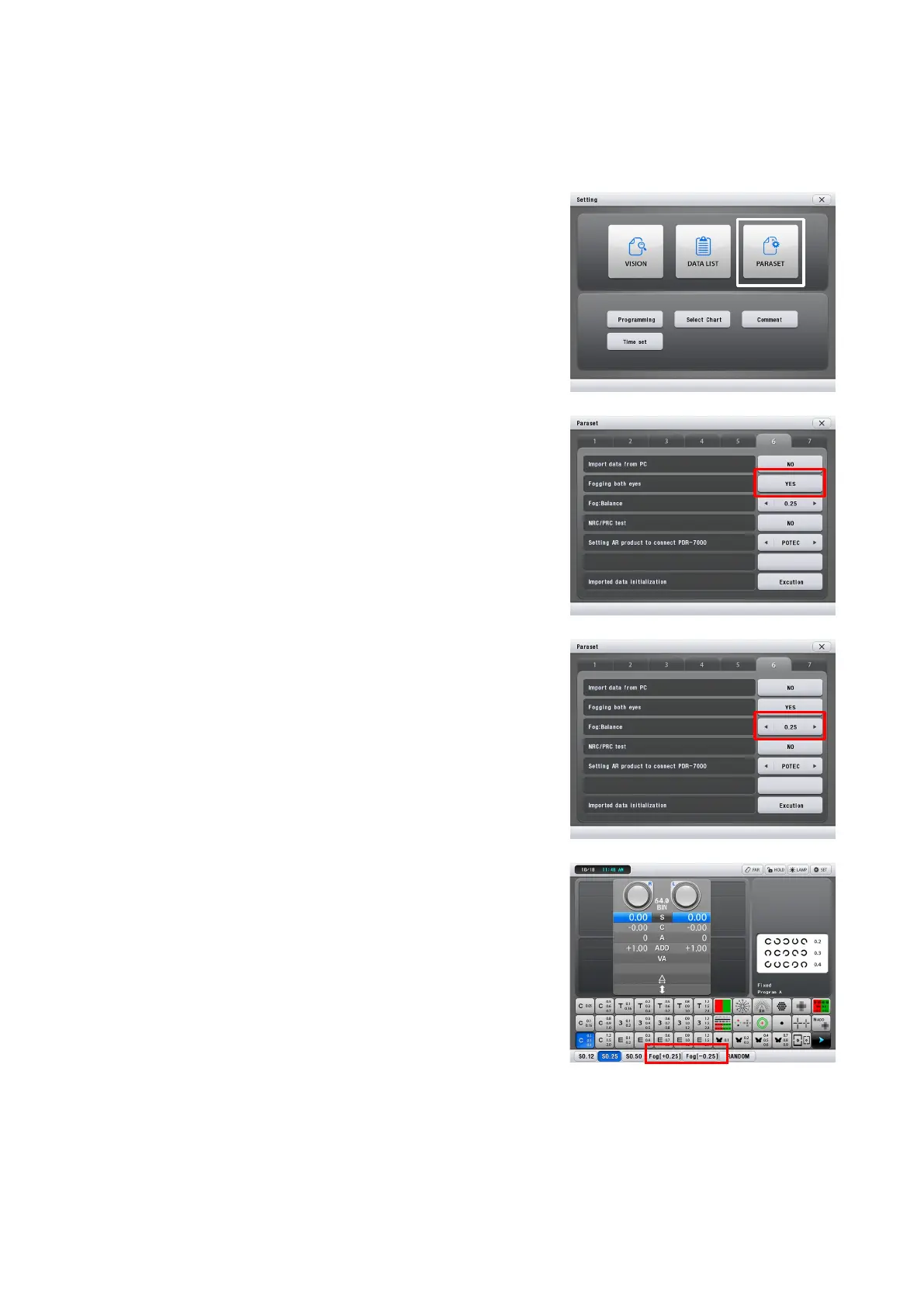
1. Change the setting about the ‘Fog’.
1) Click the ‘Menu’ button on the CB.
2) Click the ‘PARASET’ button on setting view.
3) Click ‘6’ tap button.
4) Set ‘Fogging both eyes’ item as ‘YES’.
2. Adjust the fog mount according to eye sight.
1) Change ‘Fog : Balance’ item as you want
with left-right arrow.
2) Pressing ← or → of Fog : Balance in Paraset
window changes the fog amount. The
variable range is from 0.00 D to +1.00D.
3. Click the ‘Fog[+X.XX]’ or ‘Fog[-X.XX]’ button
on the bottom of main screen in CB and fog
is executed.
3.7
- 44 -



 To Next Page