PDR-7000 Operation Manual
follows.
- Forehead rest: polypropylene, Face shields: ABS resin
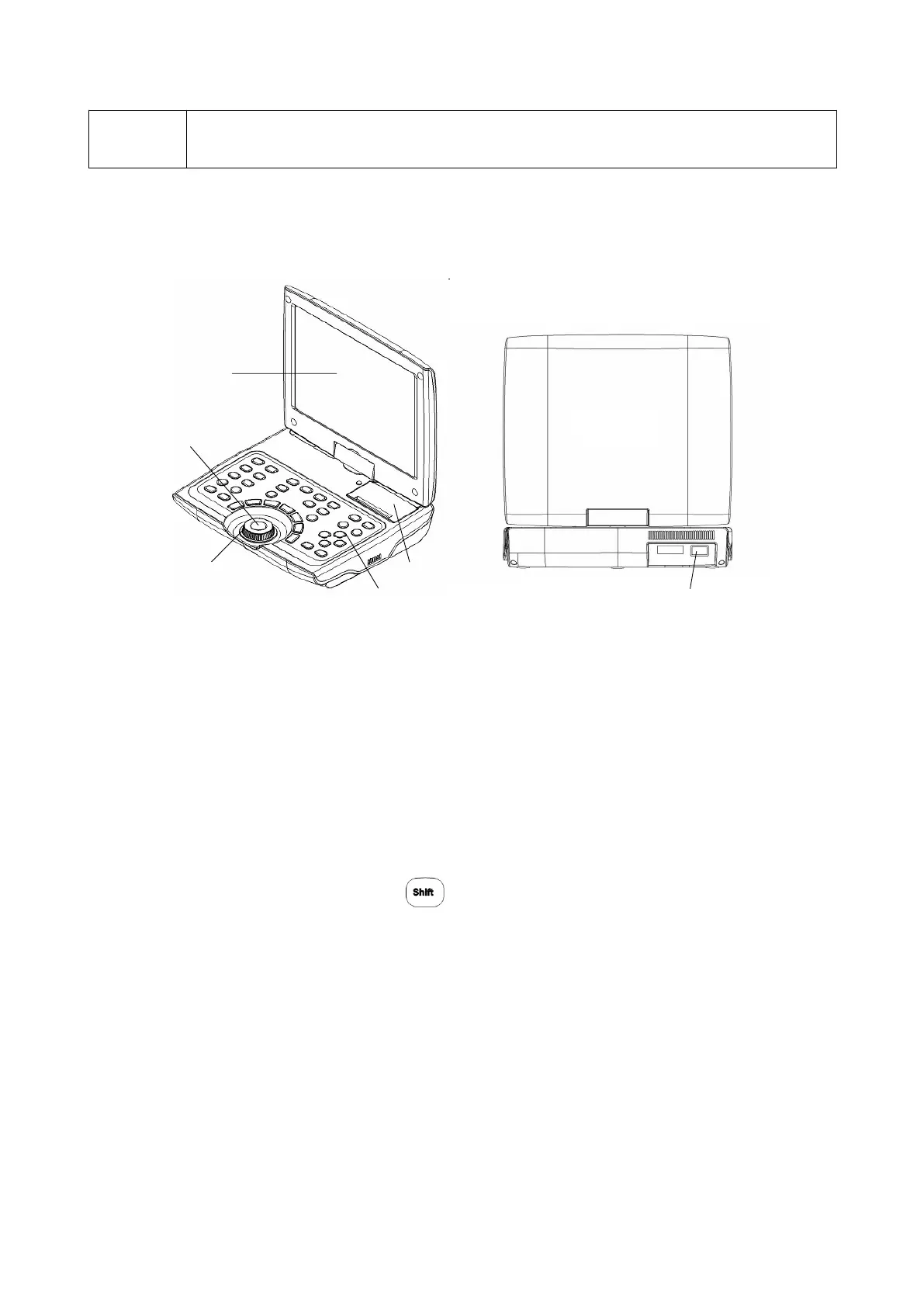
1.3.2 Control box(CB)
1.USB Slot
Used to upgrade CB software.
2.Control panel
See “Control panel”(page 8) for details.
3. Dial
Changes any measurement value.
The selected(highlightened) value can be changed
Turn it clockwise The value changes to the negative.
Turn it counterclockwise The value changes to the positive.
Turn the dial while pressing changes the increment. See page 51.
4. Dial switch
Switches the mode (S, C, A, VA).
The values of S, C, A, and/or VA selected or selection order varies depending on
the Dial switch parameter setting.
5. Display
Displays the data such as SPH(S), CYL(C), AXIS(A) and the presented chart.
The LCD display is a touch-screen panel.
6. Print
Used for printing data.
- 4 -



 To Next Page