PDR-7000 Operation Manual
1.Measuring window
The patient looks at any chart through these windows.
2.Near point lamp
Illuminates the near point card.
The lamp lights up or goes out by pressing the ON/OFF button in ‘Near chart lamp
control’ of [LAMP] pop-up on the right-up window.
3.VD check window
Used to check the patient’s VD(vertex distance : distance from the corneal apex to the
lens). The windows have calibration markings of 12, 13.5, 16, 18, and 20mm.
4.Forehead rest detection lamp
Used to confirm that the patient’s forehead contacts the forehead rest.
When the forehead contacts the forehead rest, the lamp lights out.
5.Forehead rest knob
Moves the forehead rest forward and backward in order to adjust the VD.
6.Level
Used to confirm that the refractor head is level.
Turn the level adjustment knob until the air bubble is centered in the level.
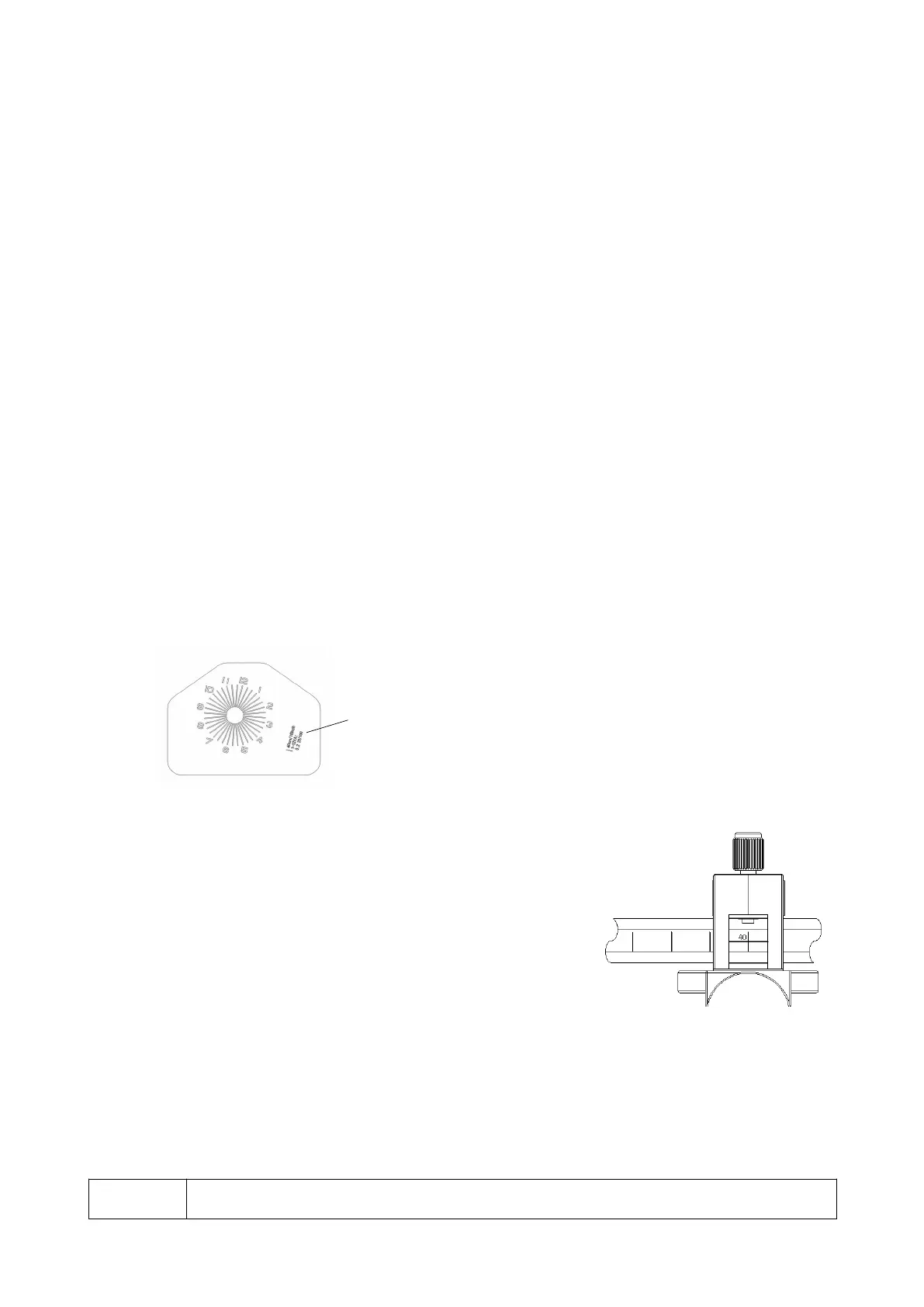
7.Near point card
Used for near vision test such as addition powers.
When the chart is shifted to the left slightly, the chart
explanation is indicated.
8.Near point rod
The distance from the patient’s eye to the near
point card is marked in inches and centimeters.
Align the black line at the near point card holder
with the scale of a desired distance.
The number in red represents the power(diopter)
corresponding to each distance in meters.
9.Level adjustment knob
Adjusts the level of the refractor head.
The refractor head is tilted by 2.5 at maximum to the left or right.
10.Forehead rest
The patient’s forehead touches here during refraction. Clean it before ach refraction.
11.Face shield
The patient’s face touches here during refraction. Clean the face shields before each
refraction.
NOTE
The materials composed of the parts that contact the patient during refraction are as
- 3 -



 To Next Page