PDR-7000 Operation Manual
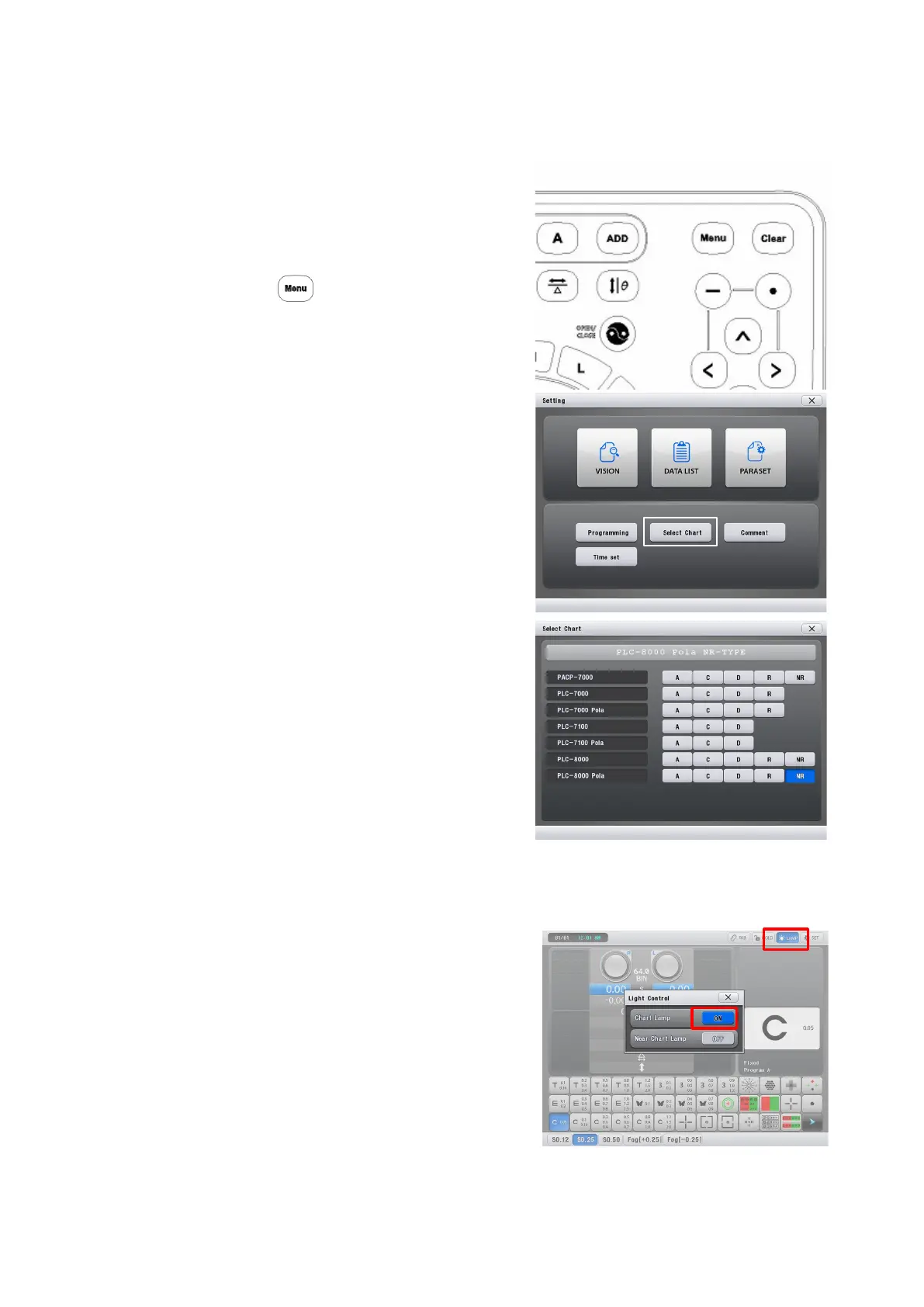
3.3 Setting for connection with Chart projectors
1. Turn on the power of the PDR-7000
2. Press the button of the Control
Box.
3. Select ‘Select Chart’ button.
4. Select the type of chart you want to
connect with PDR-7000.
5. Exit by pressing the ‘X’ button.
Chart projector lamp ON/OFF sequence
1. Push the LAMP button (at the right-top
of the LCD).
“Light Control” pop-up window appears.
2. Push the “ChartLamp” ON/OFF button
3. Exit by ‘X’ button
- 41 -



 To Next Page