PDR-7000 Operation Manual
4.5.2 Polarized red-green test
Use: To check equality of accommodation in both eyes
Chart: Polarized red/green
Auxiliary lens: Right eye 135°, left eye 45°, polarizing filters
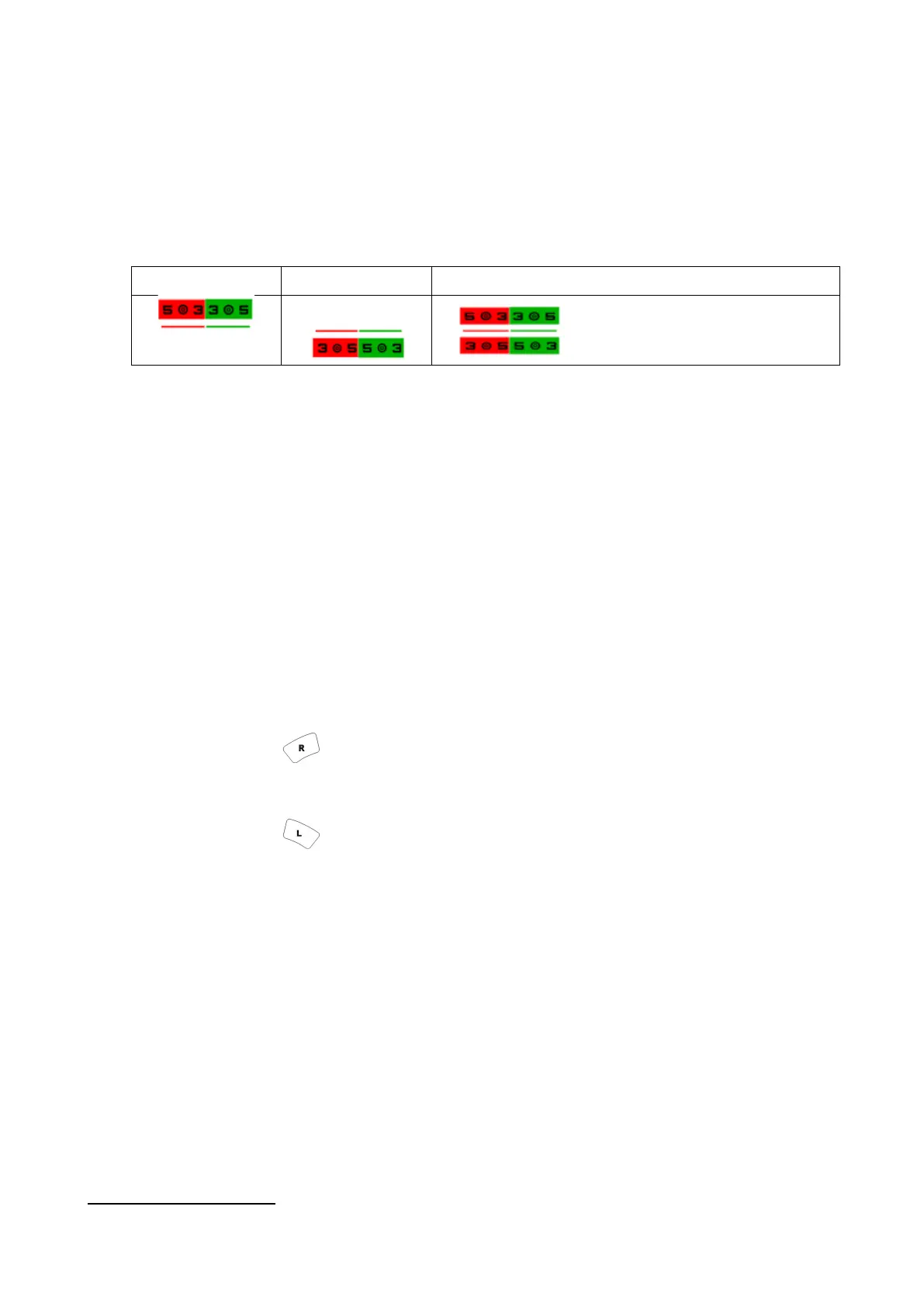
Ideal appearance:
Right eye Left eye Binocular ideal
The sharpness of the top and bottom
lines is equal.
[Procedure example]
1. Present the polarized red-green chart.
Press the polarized red-green chart.
The polarizing filters are placed in the measuring windows. The PDR-7000 goes into
SPH mode.
2. Ask the patient, “How do the four numbers and double circles appear?”.
1) The sharpness of all four double circles(◎) are equal.
2) The sharpness of two double circles(◎) on the red side are equal.
3) The sharpness of two double circles(◎) on the green side are equal.
Binocularly well balanced
4
4) The top line is sharper on the green side and the bottom line is sharper on the red
side.
Press and add SPH +0.25 D. (Turn the dial counterclockwise.)
5) The top line is sharper on the red side and the bottom line is sharper on the green
side.
Press and add SPH +0.25 D. (Turn the dial counterclockwise.)
4
In the case of (c), the both powers are overcorrected even though well balanced. Therefore, it is recommended to add
positive powers to the both eyes until the chart appears as (a) or (b).
- 64 -



 To Next Page