PDR-7000 Operation Manual
2.2 Entering Data
Enter objective (AR) and/or lensmeter (LM) data.
2.2.1 From an auto Ref/Keractometer
When the PDR-7000 interfaces with one of the POTEC auto Ref/Keratometer, the
measured data will be automatically transferred to the PDR-7000 by pressing the
Print button of the auto Ref/Keratometer.
The PDR-7000 stores the data in the DOM DISK of the control box(CB). When the
data is already in the memory, skip Steps 1 and 2.
1. Measure the patient’s eye with the auto Ref/Keratometer.
See the corresponding operator’s manual.
2. After the measurement, press the Print button of the auto Ref/Keratometer.
The measured data is printed and automatically stored in the memory of the PDR-
7000 control box.
The number at the top of the printout is called a data No.
The number is necessary to call up the stored data.
NOTE
The maximum data count is 9999. However, only the last 50 measurements are
retained.
Whenever the data count exceeds 50 measurements, the prior data up to the start
of those 50 measurements are deleted.
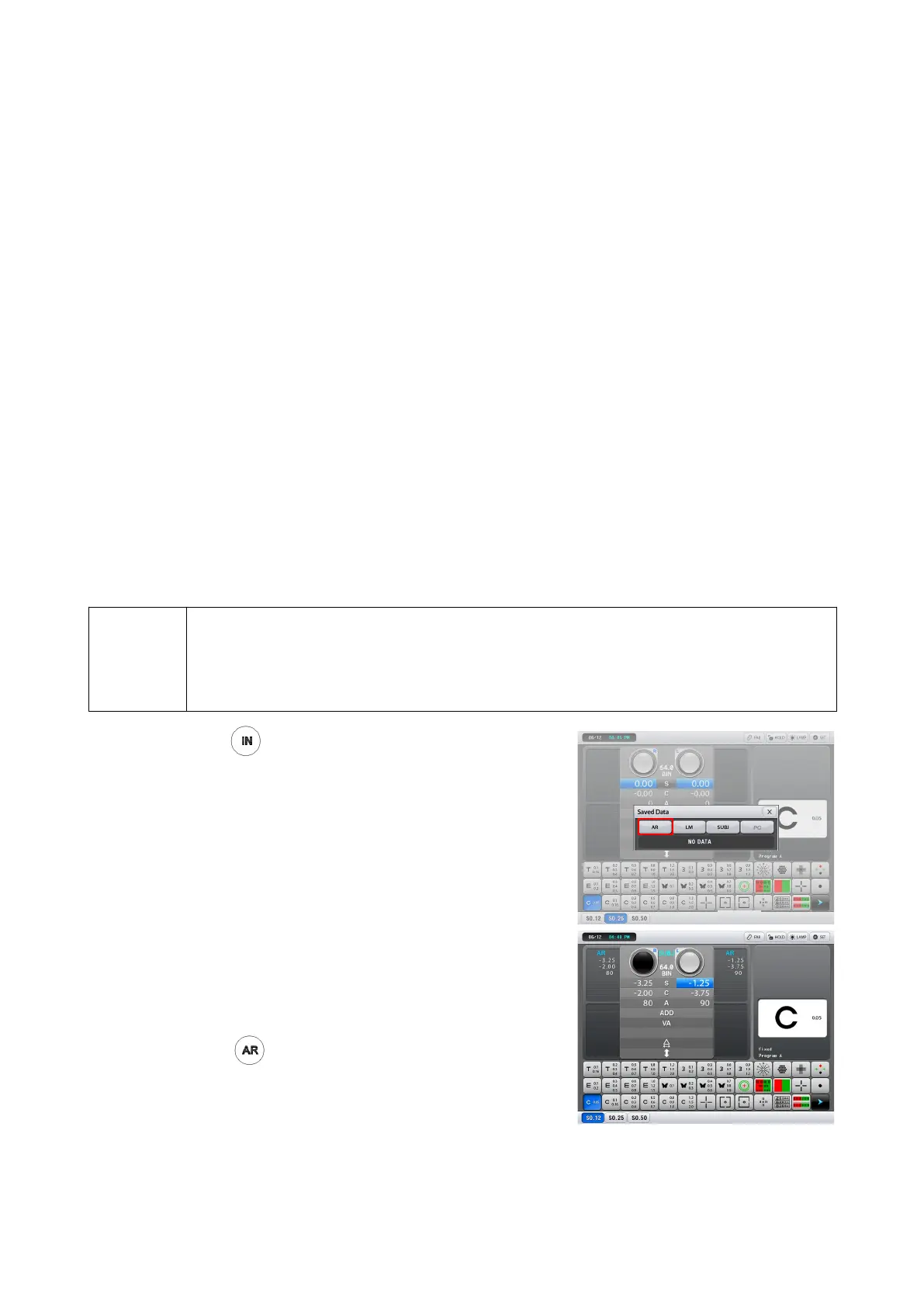
1. Press .
The last data No. read from an auto
Ref/Keractometer or a lensmeter appears on
the screen.
(Select AR, LM, SUBJ(saved data list in refractor)
by using keypad or touch-screen)
2. Set the data No. at the top of the printout.
Change the data No. with the dial.
3. Enter the data.
Press or or [AR].
The elapsed time from data entry start in the
subjective data field is displayed when the
Operating timer parameter is set to Yes.
(Except when the elapsed time indication has
already started.)
- 17 -



 To Next Page