PDR-7000 Operation Manual
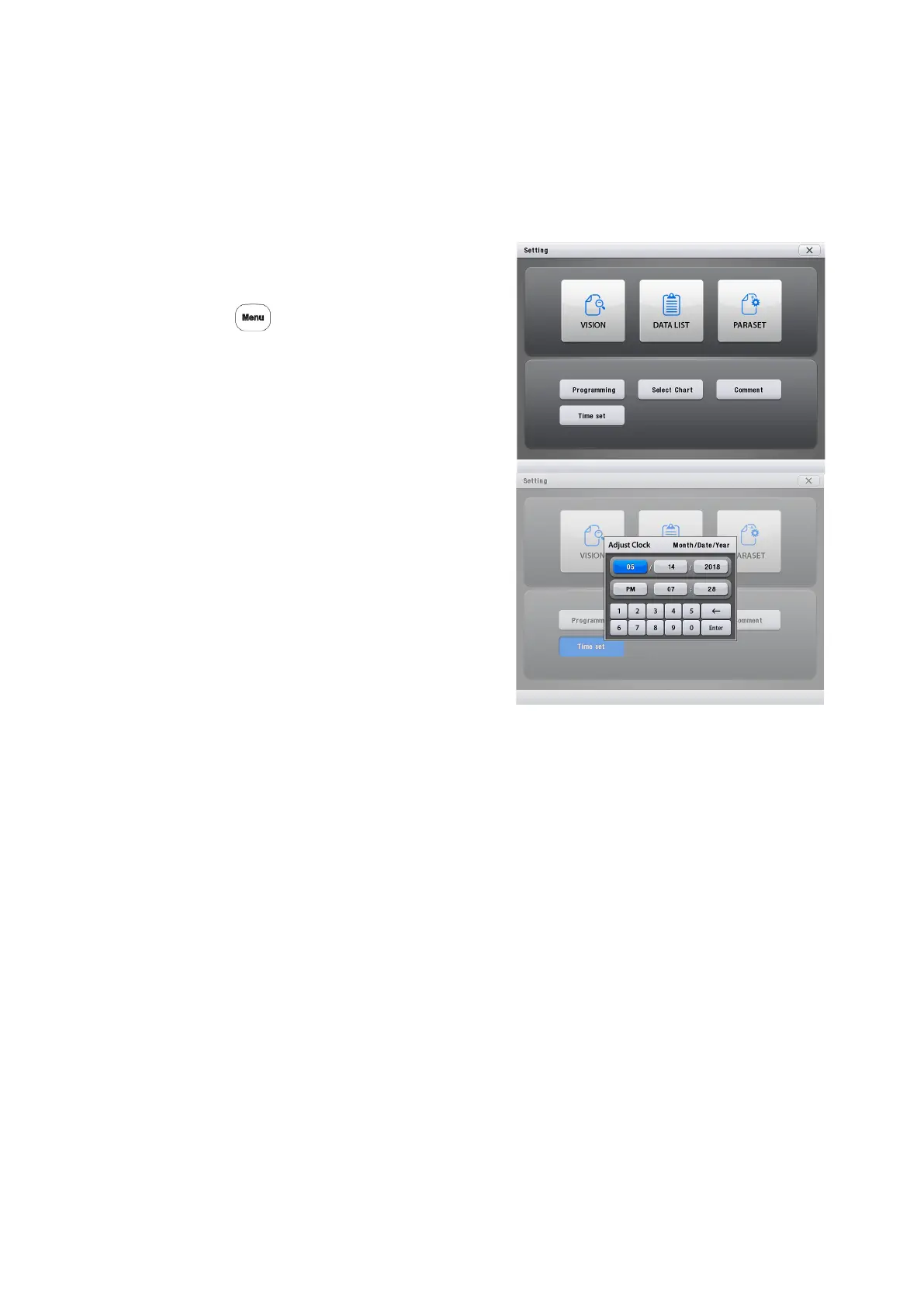
3.12 Setting Time and Date
The clock in the PDR-7000 can be adjusted.
1. Display the Adjust Clock screen.
Call up the Main Menu screen.
Press
Press [Time set].
2. Press the item to be adjusted.
The selected item is highlighted.
3. Enter a desired number with the
numeric keypad.
4. Repeat Steps 2 and 3 until the time
and date are set.
5. Press [Enter] for adjusting the time if finishing setting up the time
- 49 -



 To Next Page