PDR-7000 Operation Manual
4.5.8 Horizontal coincidence test
Use: To detect aniseikonia and to correct horizontal phoria
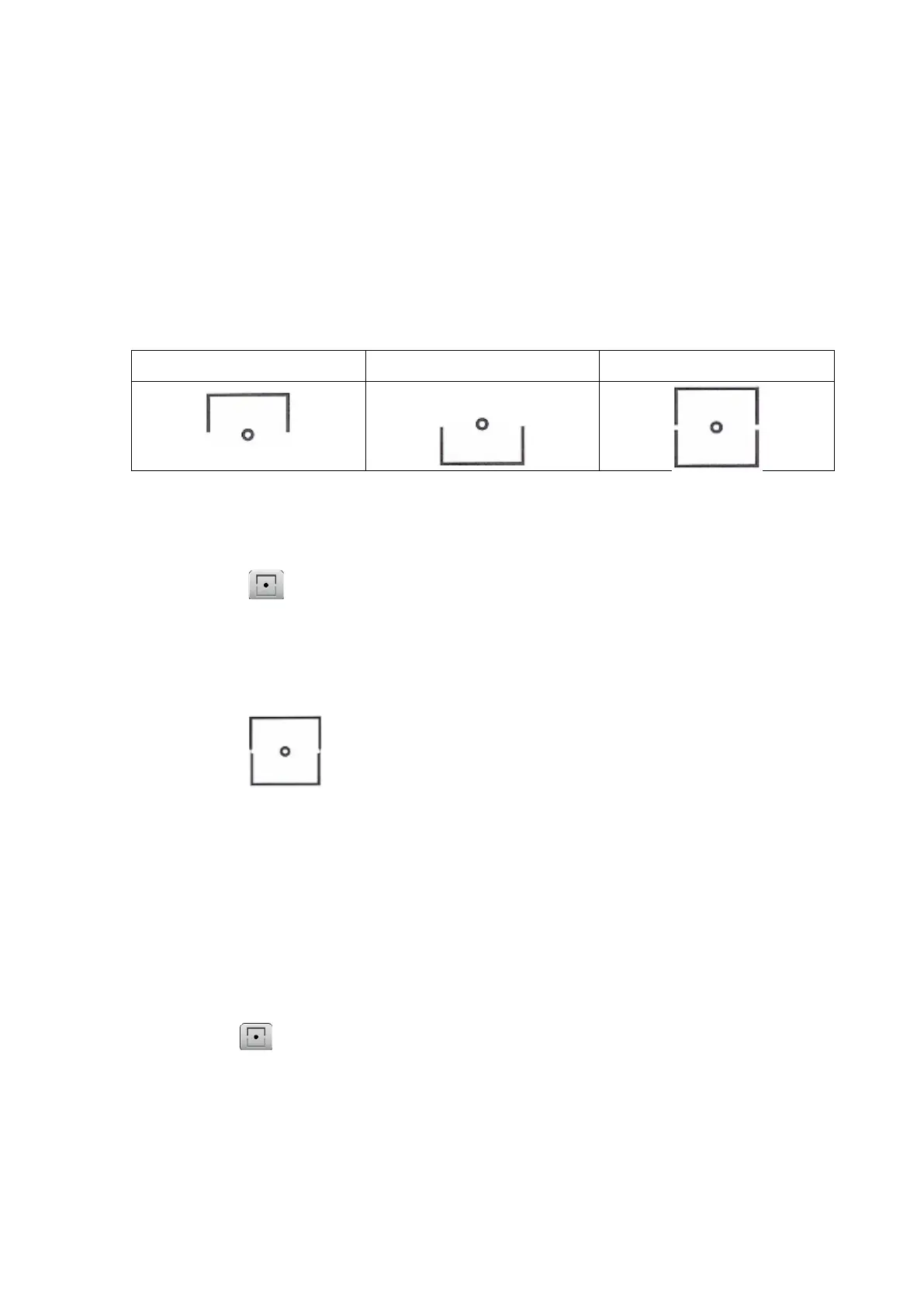
Chart: Horizontal coincidence
Auxiliary lens: Right eye 135°, left eye 45°, polarizing filters, binocular rotary prism
Applicable model: PACP-7000, PACP-7000L, PLC-7000pola, PLC-7100pola,
PLC-8000pola
Ideal appearance:
Right eye Left eye Binocular ideal
O Aniseikoia detection
1. Present the horizontal coincidence chart.
Press
The polarizing filters are placed in the measuring windows.
The base in/out prism powers can be entered.
2. Ask the patient, “Can you see a square with a dot in the center? Are the top and
bottomframes the same size? Or, is one smaller than the
other?”
Ex.)
3.5 % aniseikonia
The width of a line corresponds to 3.5% aniseikonia
When the aniseikonia is due to anisometropia (refractive power difference of 2.00 D or
more between the right and left eyes), a spectacle lens prescription is suitable for axial
anisometropia and contact lens one is suitable for refractive anisometropia.
O Horizontal phoria correction
1. Present the horizontal coincidence chart.
Press
The polarizing filters are placed in the measuring windows.
The base in/out prism powers can be entered.
2. Ask the patient, “Can you see a square with a dot in the center? Are the top and
bottom frames aligned? Or, is one to the left or right of the other?”
- 74 -



 To Next Page