PDR-7000 Operation Manual
2.4 Preparation
1. Place the refractor head in front of the patient’s eyes.
Clean the forehead rest, face shields, and measuring windows beforehand.
See “5 MAINTENANCE”.
Instruct the patient to lean against the forehead rest and look through the measuring
windows.
Confirm that the forehead detection lamp goes out. When it lights up, the patient’s forehead
is away from the forehead rest.
2. Press
The PD adjustment lenses are placed in the measuring windows and the anterior
segments of the patient’s eyes are lighted.
3. Observe the patient’s eyes from the operator’s side.
Confirm that both eyes are located in the center of each measuring window.
When they are shifted horizontally: Turn the dial to adjust the pupillary distance (PD).
When either eye is shifted vertically: The patient’s head is tilted. Instruct the patient to make
the head level.
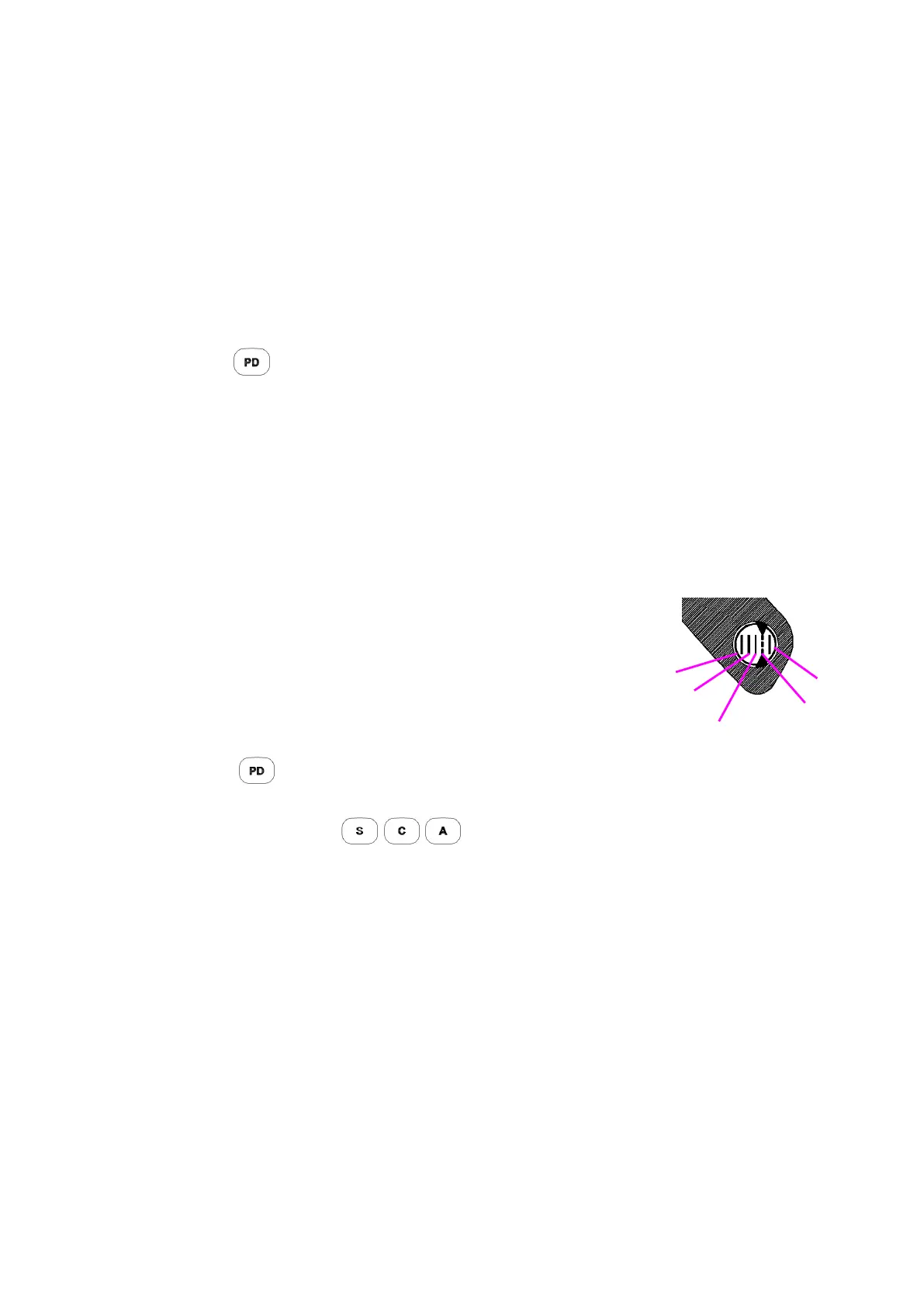
4. Adjust the vertex distance (VD).
Look through the VD check windows.
The windows are located on the both sides of the refractor
head.
Align the patient’s corneal vertex to a desired VD
marking.
Turn the forehead rest knob.
5. Press again.
The PD adjustment lenses are removed from the measuring windows and the light
goes off. Other keys( )can be used for exiting PD status.
- 26 -



 To Next Page