PDR-7000 Operation Manual
7.6.4 Setting for connection with the external instrument
1. PRK-5000(L)
- To make data link with PDR-7000, PRK-5000(L) must have each software version upper than version
v2.44 or v3.12m or v4.06.
- In case PRK-5000 has lower software version, the PRK-5000 has to be updated by software version
v2.44 or v3.12m or v4.06.
1) Turn on the power and check the version.
- The version will be displayed on the monitor.
2) Press the DISP button
3) Press the IOL button
4) Press the MODE button
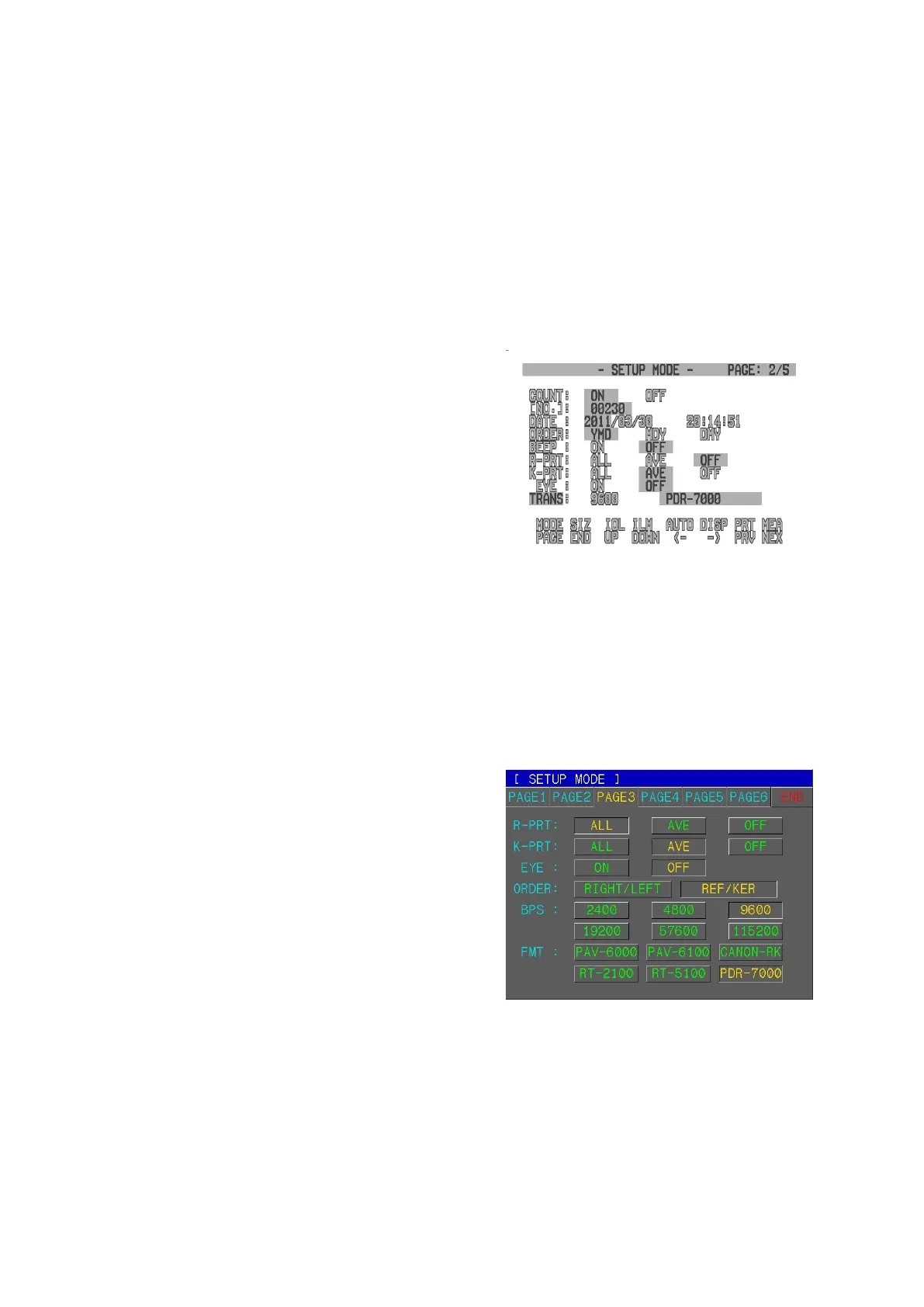
5) Select TRANS item by pressing the ILLUM button
6) Select 9600 by pressing the Measurement button
7) Select PDR-7000 by pressing the Measurement
button
8) Exit SETUP MODE by pressing the SIZE button
2. PRK-6000
- To make data link with PDR-7000, PRK-6000 must have each software version upper than version
v0.99m or v1.0p or v1.6p
- In case PRK-6000 has lower software version, the PRK-6000 has to be updated by software version
v0.99m or v1.0p or v1.6p
1) Turn on the power
- The version will be displayed on the monitor.
2) Touch the “SETUP” button
3) Touch the “PAGE3”
4) Select “BPS : 9600”
5) Select “FMT : PDR-7000”
6) Exit by “END” button
3. PRK-7000
- To make data link with PDR-7000, PRK-7000 must have software version upper than version v1.00a.
- In case PRK-7000 has lower software version, the PRK-7000 has to be updated by software version
more than v1.00a.
- 105 -



 To Next Page