PDR-7000 Operation Manual
4.5.9 Schober test
Use: To correct heterophoria
Chart: Schober
Auxiliary lens: Red filter on the right eye, green filter on the left eye, binocular
rotary prism
Applicable model: PACP-7000, PACP-7000L, PLC-7000, PLC-7000pola,
PLC-7100, PLC-7100pola, PLC-8000, PLC-8000pola
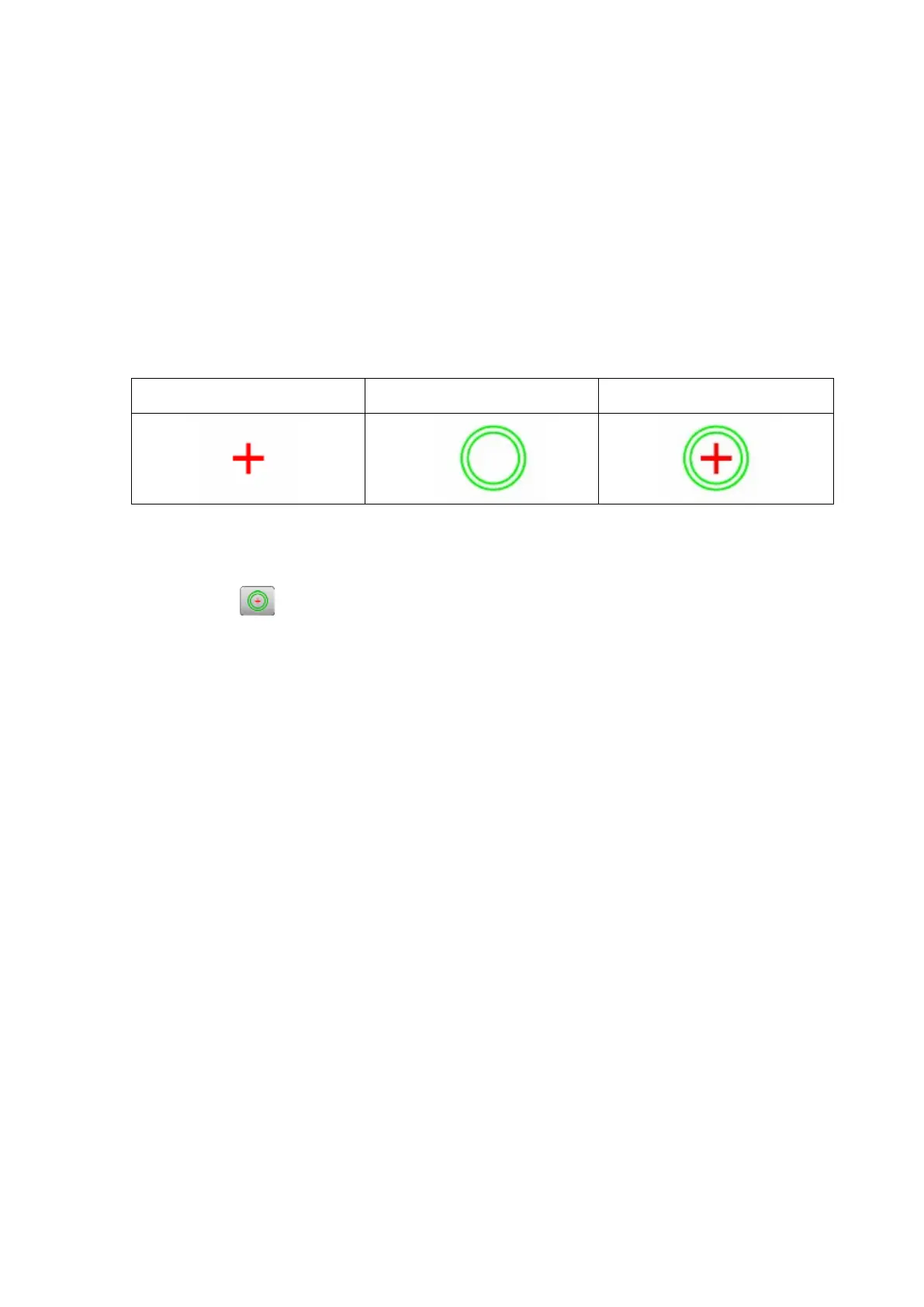
Ideal appearance:
Right eye Left eye Binocular ideal
[Procedure example]
1. Present the Schober chart.
Press
The red filter is placed in the right measuring window and the green filter is placed in
the left measuring window.
The base in/out prism powers can be entered.
When the Schober chart button is pressed again, the base up/down prism powers can
be entered.
2. Ask the patient, “Can you see a green circle and red cross?”
Yes → Go to the next step.
No → Impossible to continue the test.
3. Ask the patient, “Is the cross in the center of the circle?”
Yes Orthophoria
No Heterophoria – Go to the next step.
4. Ask the patient, “Is the cross shifted to the left or right?”
Right Esophoria
Left Exophoria
The cross is in the center. → No horizontal phoria
5. Ask the patient, “Is the cross shifted upward or downward?”
Upward Left eye hyperphoria
Downward Right eye hyperphoria
The cross is in the center. No vertical phoria
- 76 -



 To Next Page