PDR-7000 Operation Manual
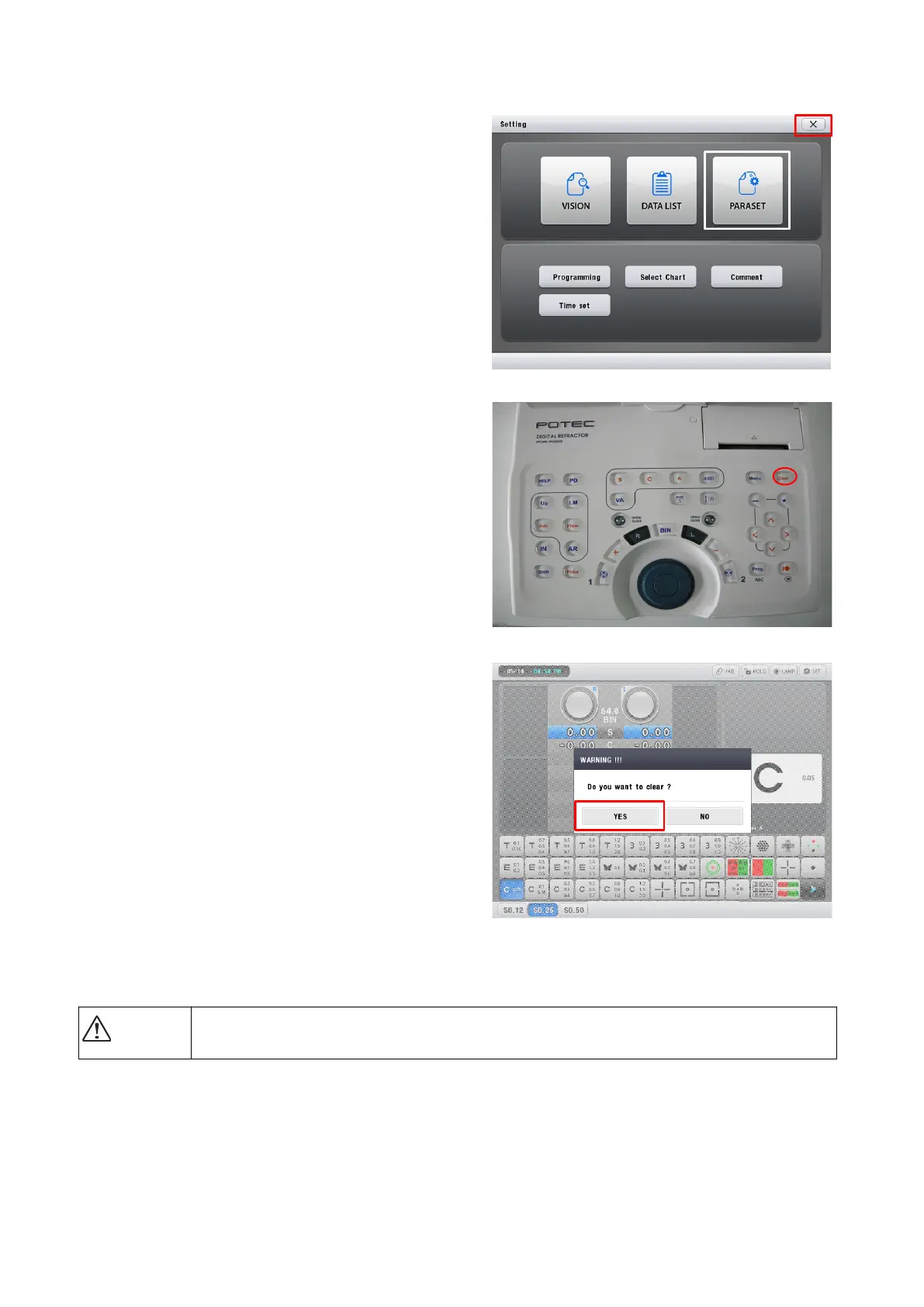
7. Push the ‘X’ button.
8. Push the ‘Clear’ button in the
CB(Control Box).
9. Initialize the status of PDR-7000
as pushing the ‘YES’ button.
10.Transfer the data from PC to PDR-7000.
Please wait until finishing the transmission for safety data transmission.
- 21 -
CAUTION



 To Next Page