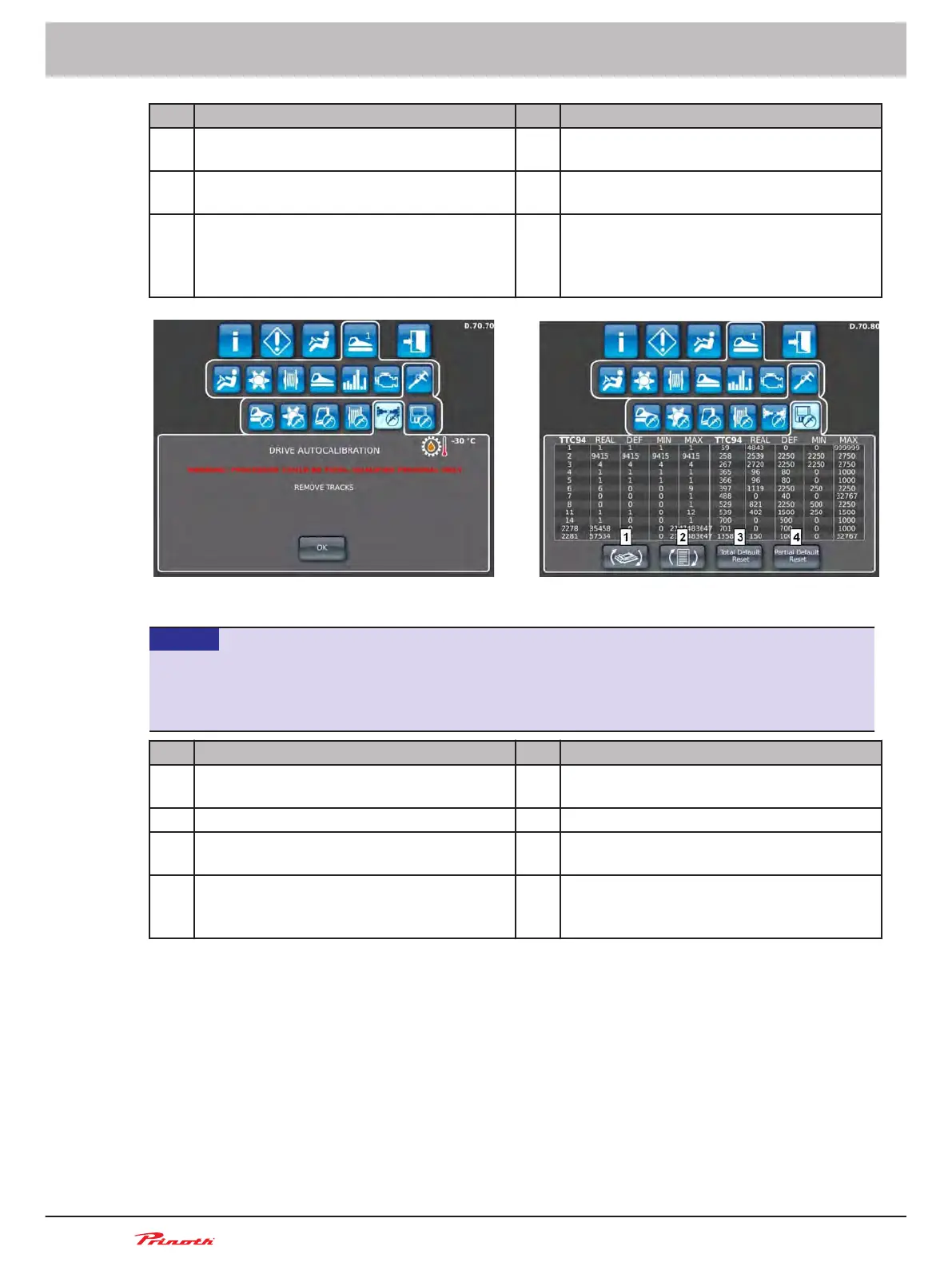
Pos. Drive calibration (D.70.70) Pos. Drive calibration (D.70.70)
1 Set both steering lever to neutral position 1 Leave the steering lever in the neutral posi-
tion
2 Disengage the brake 2 Keep the accelerator pedal at max. speed
during the calibration
3 The pump symbol appears only after both
green
checkboxes are visible. Click on the
symbol.
3 If the accelerator pedal is released during
the calibration, the calibration stops.
Figure 64: Drive calibration (D.70.70) || Vehicle parameter overview (D.70.80)
NOTICE
Calibration
► May only be changed by trained service personnel. These changes may influence the driving
characteristics.
Pos. Drive calibration (D.70.70) Pos. Vehicle parameter overview (D.70.80)
1 Selection of the electronics - TTC94 /
TTC60W
2 Change the page
3 Total Default Reset: resets all values to fac-
tory settings
4 Partial Default Reset: resets all of the val-
ues taught by the driver to factory settings
Operating and Maintenance Manual
Snow groomer BISON
102
(255)
6 - Display
BISON 908930245 - 30367



 To Next Page