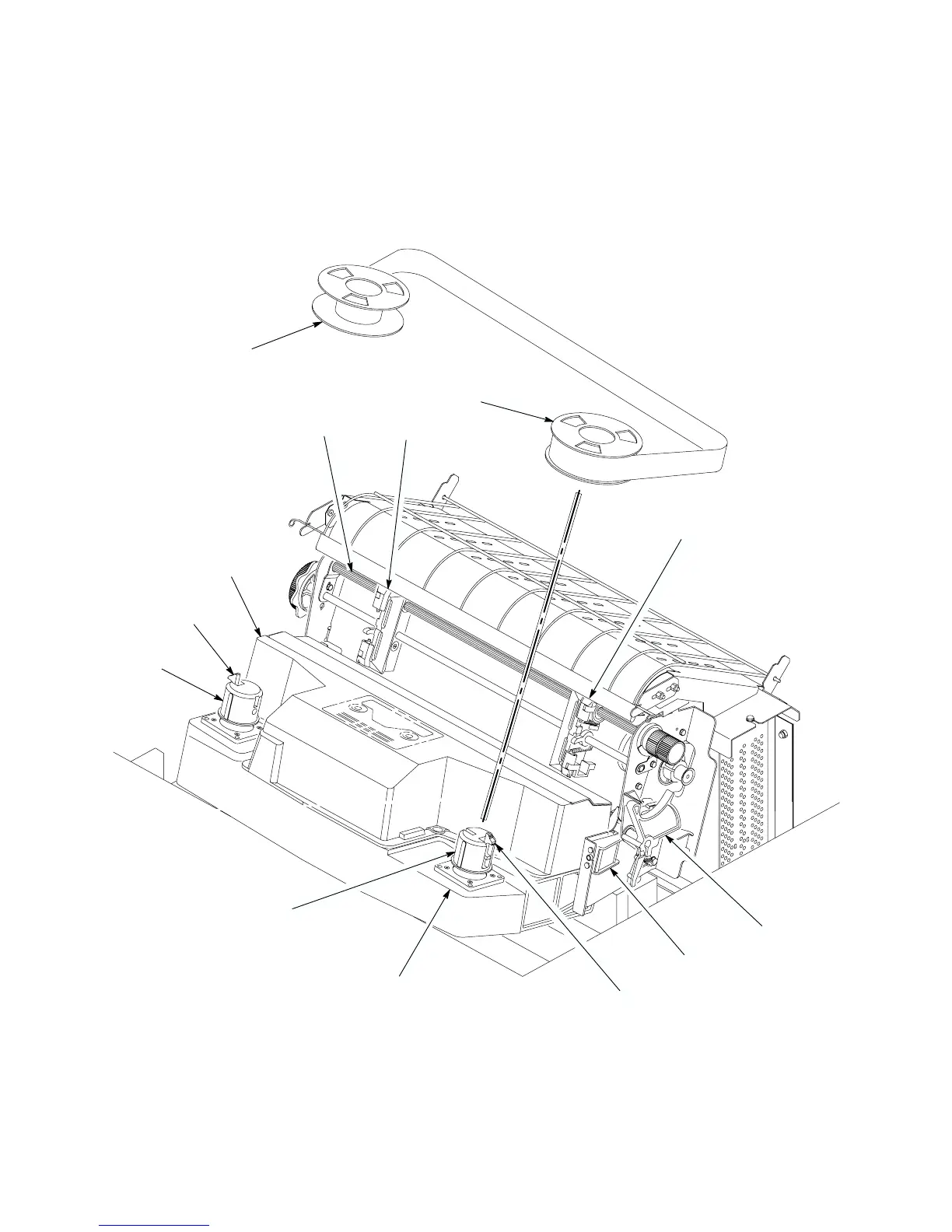
2–5Scheduled Maintenance
11. Wipe the lower cabinet interior with a clean, lint–free cloth dampened
with water and mild detergent or window cleaning solution.
12. Dry the cabinet interior with a clean, lint–free cloth.
13. Clean the shuttle assembly (page 2–6).
Splined
Base
Tractor
Ribbon Hub
Shuttle
Tractor
Ribbon
Forms
Thickness
Lever
Ribbon
Guide (2)
Locking
Latch
Locking
Latch
Spool
Ribbon
Spool
Ribbon Hub
Shaft
Casting
Cover
Assembly
Figure 2–1. Cleaning Inside the Cabinet













 To Next Page