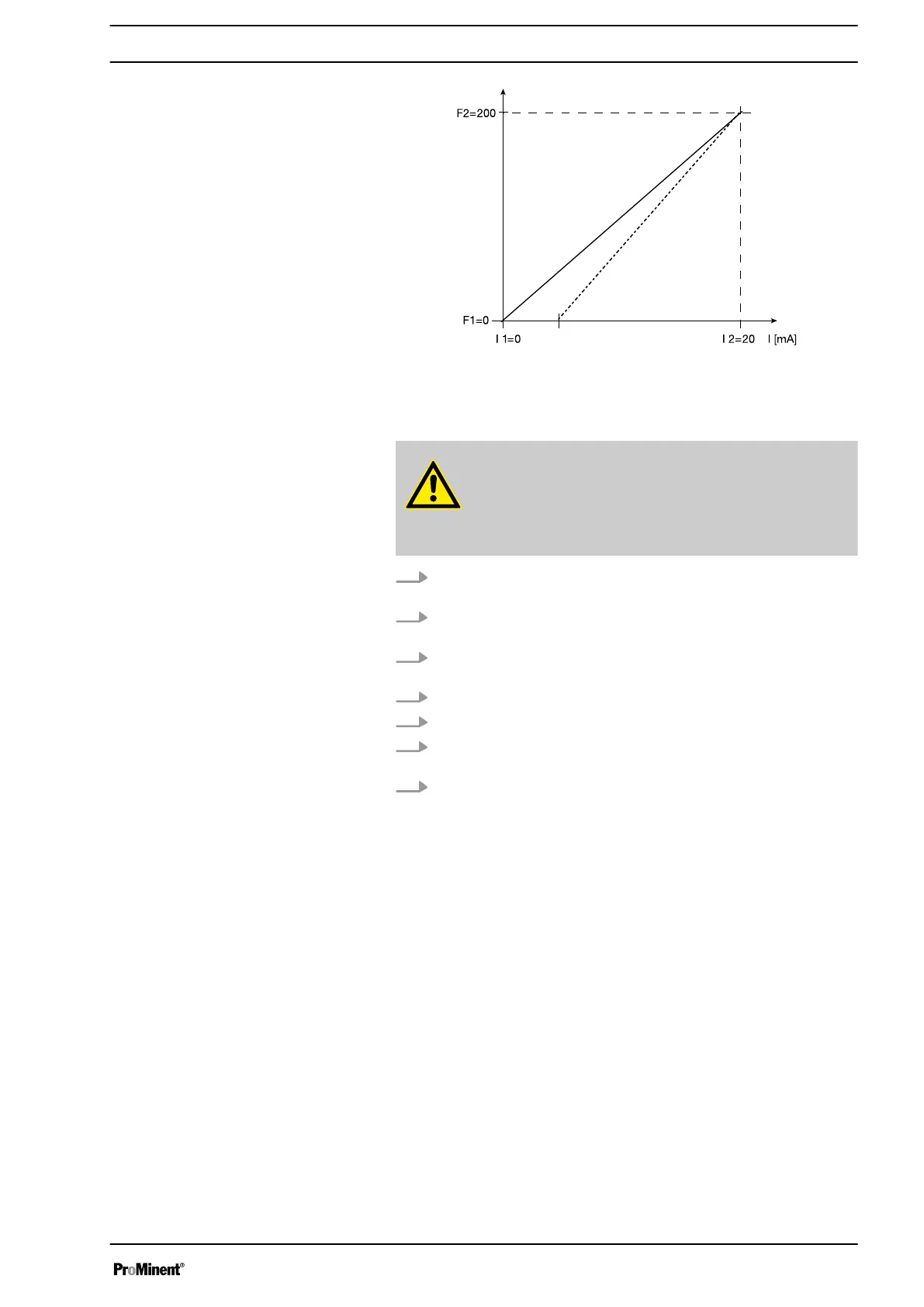
Fig. 27: How the line for "Concentration input" must appear in "Analog"
operating mode
CAUTION!
The accuracy of the concentration is strongly dependent on:
– the accuracy of the metering pump calibration.
–
the accuracy of the entries.
1. Calibrate the metering pump if it is not yet calibrated - see chapter
"Settings for the "Calibrate" function".
2. From the
‘ADJUSTMENT’
menu, select the
‘CONCENTRATION’
menu.
3. Under the first menu option, set
‘On’
for working with the concentra‐
tion display and press the key
[P]
.
4. Set the maximum flow and press key
[P]
.
5. Set the mass concentration for the feed chemical and press key
[P]
.
6. Set the density of the feed chemical - after pressing key
[P]
, the
continuous display appears.
7. Using key
[i]
change to the "Concentration" continuous display (ppm
or %).
Procedure
Set up
55



 To Next Page