10.6.5 Settings for the “Metering” function (DOSING menu)
The "Metering" menu branches into the following sub-menus:
1 -
‘Settings’
(metering)
2 -
‘Airlock’
3 -
‘Low pressure’
4 -
‘High pressure’
The last menu option of "Settings" offers the following functions:
n Pressure (ratings)
n Compensation
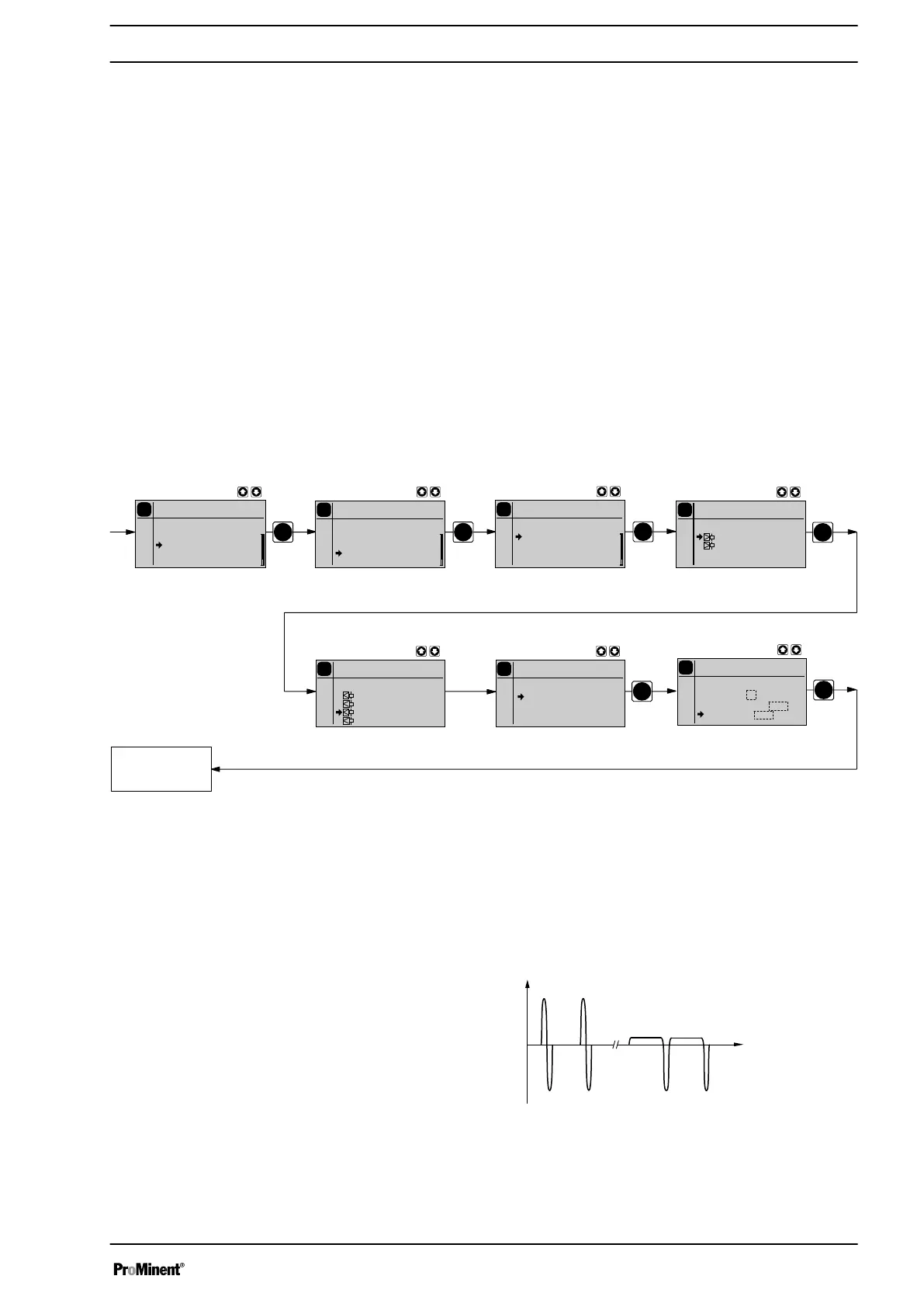
10.6.5.1 Settings in the sub-menu ″Settings″ (metering)
PP
P
P
Continuous
display
P
Settings
Batch
Auxiliary
Calibration
Metering
Relay
P
Main menu
Batch
Mode
Settings
Security
Clear
P
Settings
Batch
P
P
Settings
Batch
Pressure 1
Compensation: off
Monitoring: off
P
P
Metering
Batch
Settings
Air lock
No pressure
Pressure gauge
P
Settings
Batch
:slow
:fast
- Discharge stroke -
- Suction stroke -
P
Settings
Batch
:normal
:HV1
:HV2
:HV3
Intelligent
Direct
In the sub-menu
‘Settings’
(metering), you can precisely match the pump
metering flow over time against the requirements of the particular applica‐
tion.
Hence the user can, dependent on requirements, set a fast discharge
stroke (
‘Metering’
-
‘fast’
) for pulsed metering e.g. for quick clocked filling
processes ( a) ) or a slow discharge stroke (
‘Metering’
-
‘slow’
) for quasi-
continuous metering, e.g. for processes requiring good mixing ( b) ).
Fig. 28
Discharge stroke
Set up
59



 To Next Page