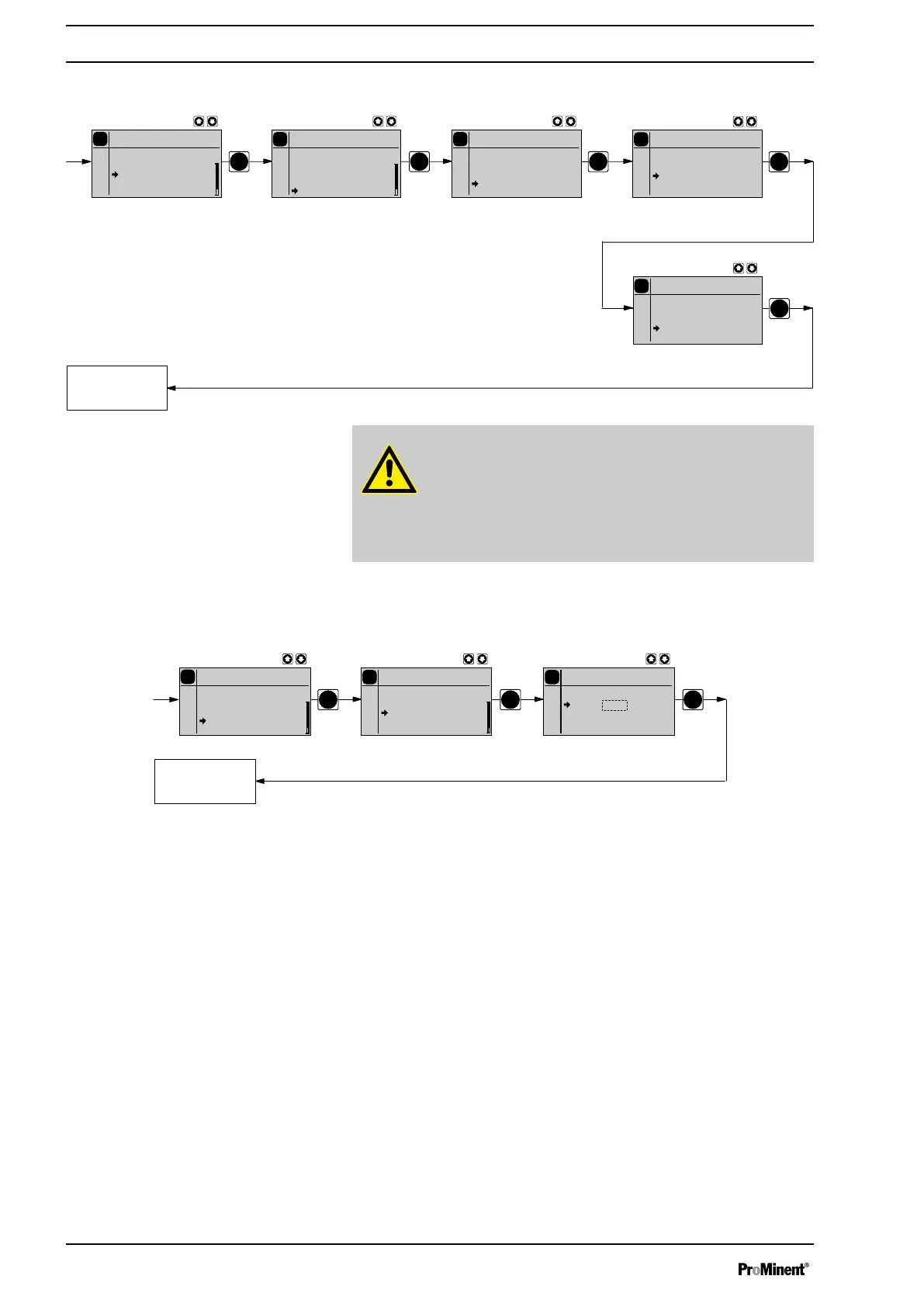
10.6.9.4 Sub-menu "Change head?"
PP
P
P
P
P
System
Batch
Unit
Info
P
Settings
Batch
Metering
Relay
Analog output
System
P
Main menu
Batch
Mode
Settings
Security
Clear
P
Batch
cancel
really
P
Batch
none
Continuous
display
Change head?
Change head?
Change head?
1608
1612
1020
CAUTION!
– Should a different liquid end size be fitted, then the
pump must be reprogrammed in the sub-menu
‘Change
head?’
.
– For demonstration purposes or if operating without feed
chemical, reprogram the pump to
‘none’
.
10.7 Set code (SECURITY menu)
PP P
Continuous
display
P
Security
Batch
none
Lock Menu
Lock all
P
Lock Menu
Batch
Code: 2793
P
Main
Batch
Mode
Settings
Security
Clear
In the
‘SECURITY’
menu, you can enter whether you want to block sec‐
tions of the adjustment options.
In the first menu option, you can either set
‘None’
or
‘Lock menu’
or
‘Lock all’
(both locks use the same code.):
n Select
‘None’
, to clear a security lock.
n Select
‘Lock menu’
to lock the adjustment mode (point ① in the over‐
view "Operating/setting diagram", in the appendix). In the next menu
option, enter the number you want to use as the code.
n Select
‘Lock all’
to lock the adjustment option for the directly adjust‐
able variables in the continuous displays and to lock the stroke length
(point ② in the overview "Operating/setting diagram", in the appendix),
in addition to the adjustment mode. In the next menu option, enter the
number you want to use as the code.
If a lock is set, a padlock appears in the continuous display.
If you have set
‘Lock all’
, a padlock will appear after 1 minute in the top
left corner and the specified areas are locked, if no key has been pressed
in the meantime.
If you have set
‘Lock menu’
, the operating menu will be locked after 1
minute, if no key has been pressed in the meantime.
Set up
68



 To Next Page