10.6.5.2 Settings in the "Airlock" sub-menu
Should a message appear, this may mean that there is air in the liquid end
(if
‘Warning’
or
‘Error’
was selected in the
‘Airlock’
sub-menu). Then
either no suction has taken place or there are gas bubbles in the liquid
end. These may have been sucked in or created by outgassing or cavita‐
tion.
10.6.5.3 ″Low Pressure″ sub-menu settings
Should a message appear, then, owing to a lack of back pressure, the
delta® has established that there is possibly a leak, a burst line or a line
ripped off on the pressure side (if
‘Warning’
or
‘Error’
has been selected
in the
‘Low pressure’
sub-menu).
The ‘Low pressure’ function can only function if the liquid
end has been filled free from bubbles.
10.6.5.4 ″High Pressure″ sub-menu settings
If an alert appears, then the pump has identified a possible blockage or
closed shut-off valve on the discharge side, owing to the back pressure
being too high (if
‘Warning’
or
‘Error’
has been set in the
‘High Pressure’
sub-menu).
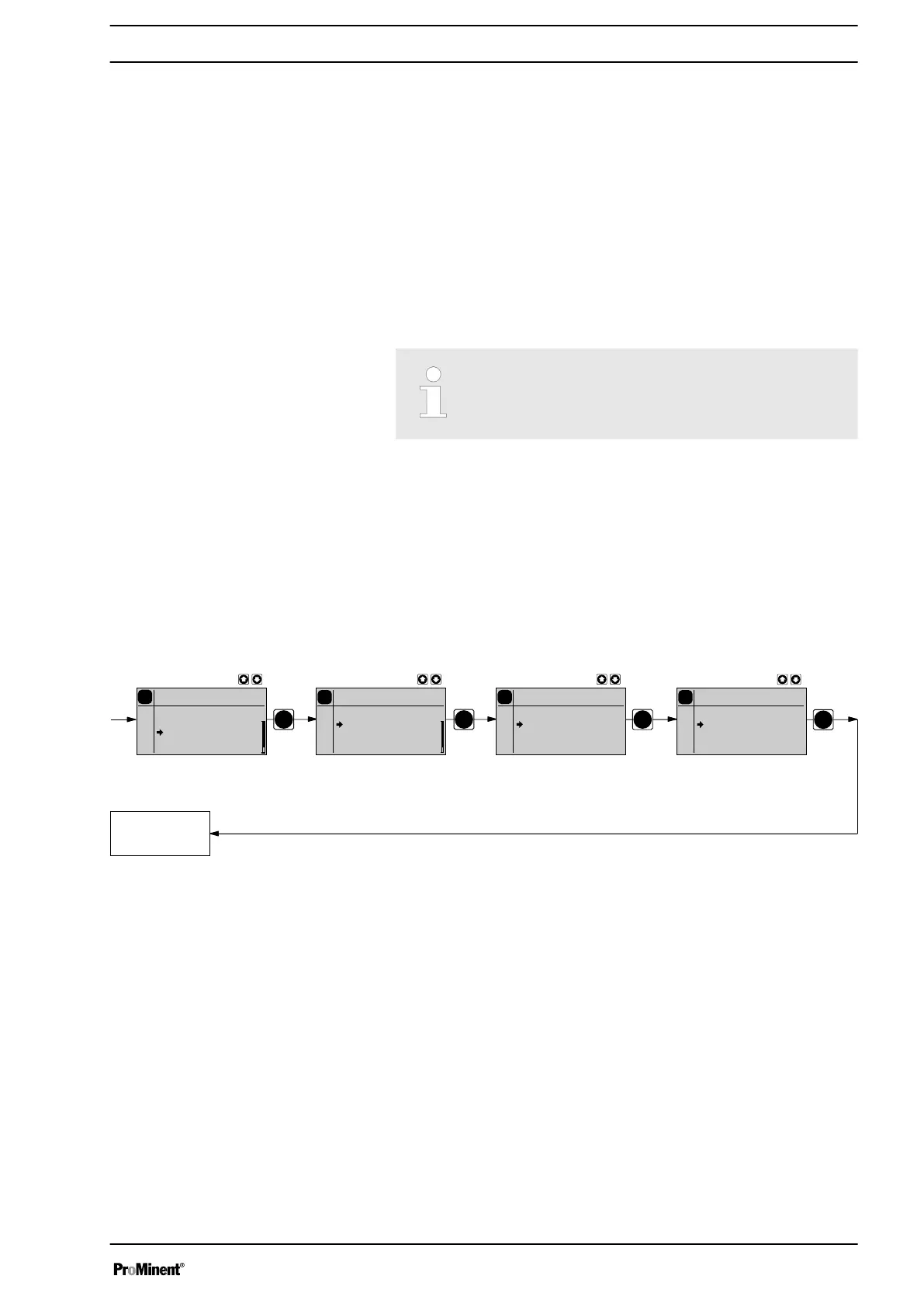
10.6.6 Settings for the "Bleeding" function)
PP
P
P
P
Bleeding
Analog
Period: 10 min
P
Bleeding
Analog
Off
Airlock
Periodic
Both
P
Settings
Analog
Dosing
Bleeding
Relay
2
System
P
Bleeding
Analog
Dose time: 10 s
if Pause:
off
0..20
0..20
0..20
0..20
Continuous
display
The function
‘Bleeding’
is used for controlled bleeding of the liquid end, if
the pump has the identity code option "Relay"-"with automatic ventilation"
(can be retrofitted).
Accordingly,
‘Relay’
then
‘Bleeding’
must be selected in the following
menu.
There are 2 hardware options for automatically bleeding the discharge
side:
n via ProMinent's bleed module in the liquid end.
n via a customer implemented bleed facility in the discharge line.
The "Bleeding" function can be triggered in 3 ways:
1 - Only through the "Airlock" internal signal from the pump drive unit.
2 - Only through a control unit internal signal - periodically and for the set
duration (both values adjustable).
3 - If one of the two signals occurs.
Set up
63







 To Next Page