8. You can enter the desired mass concentration using the
[Arrow keys]
.
CAUTION!
– Observe the decimal point.
–
The mass concentration is affected by both
changes in the stroke rate and the stroke length.
– The pump limits the upper value of the mass con‐
centration, because otherwise the incremental
jumps when adjusting would be unacceptably
large. As necessary, adjust the stroke length - do
not set it under 30 %.
The value in the continuous display cannot be freely
changed using the [Arrow keys] as the least significant
figure values changes in jumps, the value of which
depends on the input data.
As necessary, change the stroke length and adjust the
concentration; in doing so the pump compensates via
the stroke rate.
Possible values of the adjustable variables
Adjustable variable Lower value Upper value Increment
Max. flow in m
3
/h
1 1000 1
Mass concentration in % 0.5 100 0.1
Density in kg/l 0.5 2.0 0.1
10.6.2 Settings for the “Auxiliary frequency” function (AUX menu)
PP
P
Continuous
display
P
Auxiliar
Batch
100 /min
P
Settings
Batch
Batch
Concentration
Auxiliar
Calibration
P
Main
Batch
Mode
Settings
Security
Clear
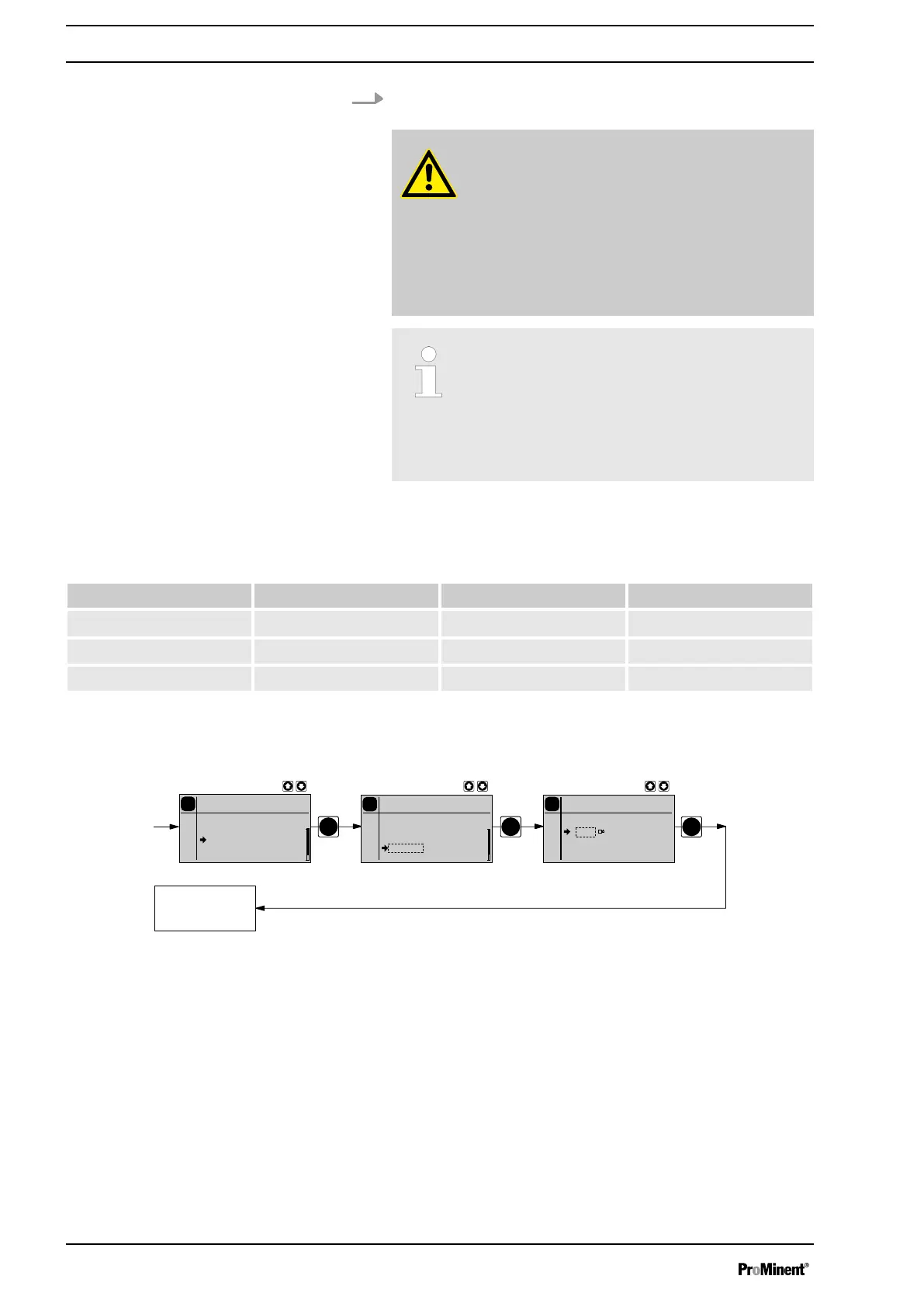
The programmable function "Auxiliary rate" facilitates the switchover to an
auxiliary stroke rate, which can be set in the
‘AUX’
menu. It can be acti‐
vated via the "External control" terminal. If the auxiliary rate applies, then
the identifier "Aux" appears in the LCD display.
This auxiliary rate has priority over the stroke rate, which is specified by
the currently selected operating mode - see also the chapter "Function
description" - "Hierarchy of operating modes".
Set up
56







 To Next Page